
Preview





Description
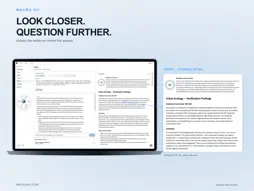
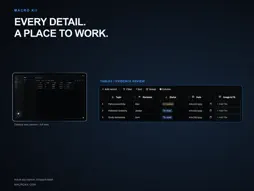
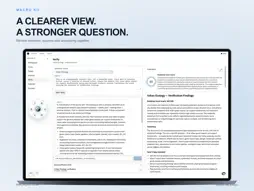
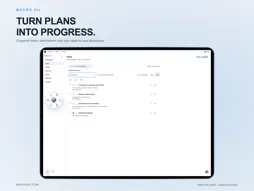
YOUR WORKFLOW DESERVES ITS OWN CONTROLS. Meet Macro Kii. A connected workspace built around customizable macro keys, in-app macro shortcuts and the actions that move your work forward. Your notes are here. Your tasks are here. Your next move is within reach. Instead of repeating the same steps, bring them together in a Macro Panel you make your own. MACRO KEYS. MADE FOR YOUR WORK. Open a saved note. Add prepared text. Create a task in a folder. Start a project with a note. Turn frequently used actions into reusable macro shortcuts. Give them distinct icons. Place your favorites on the circular Macro Panel. These are on-screen macro keys for actions inside Macro Kii. No external macro keyboard required. BUILD THE SHORTCUT. KEEP THE FLOW. Use Connect to choose preset actions and combine them into multi-step macros. Create shortcuts around the work you actually do. A study routine. A project setup. A note you return to. A task you create again and again. Build the sequence once. Keep it ready for the next time. ONE WORKSPACE. CONNECTED POSSIBILITIES. Macro shortcuts are more useful when the work they act on is already connected. Macro Kii brings rich-text notes, projects, task folders, tables, Calendar, Day Documents and AI-assisted research into one environment. Not just more places to store information. More ways to move from information to action. WRITE THE IDEA. GIVE IT STRUCTURE. Create notes with headings, lists and tables. Organize them into projects. Navigate longer documents with a heading outline. From a quick thought to a detailed study guide, keep your writing and your next actions close. TURN A TO-DO INTO A PLAN. Create tasks with descriptions and due dates. Organize them into folders. See dated tasks in Calendar. Open a Day Document to keep the day's notes and plans together. Use macro shortcuts to make repeated task creation part of your workflow. MAKE THE DETAILS WORK TOGETHER. Build tables with text, dates, selections, images and files. Organize research. Compare information. Track project details. Give your work a structure you can return to and build on. RESEARCH. QUESTION. MOVE FORWARD. Use Sources to discover material related to your work. Use Verify to explore supporting evidence, references and limitations. Open AO Agent beside your workspace to discuss an idea or work through your next step. Save and rename conversations so useful thinking stays easy to find. YOUR PANEL. YOUR APPEARANCE. YOUR PACE. Choose from light and dark appearances. Personalize your macro icons. Keep your most useful in-app shortcuts on your Macro Panel. The interface becomes a reflection of how you work. START FREE. EXPAND YOUR WORKFLOW. Start with Lite. Upgrade to Essential or Pro for larger monthly AI allowances and additional macro customization, including premium icons and up to 10 Macro Panel shortcuts. Macro Kii's macro keys and shortcuts operate within the app. They do not control other apps or provide system-wide keyboard automation. MACRO KII YOUR WORKFLOW. WITH ITS OWN CONTROLS. Terms of Use (EULA): https://www.apple.com/legal/internet-services/itunes/dev/stdeula/
Technical Analysis
Package Overview Basic metadata
Bundle ID
com.akiiro.macrokii Current Version 1.0
Minimum iOS 15.0
Package Size App Store Size
Package Metadata 0 / 0 version records
Detailed binary, privacy manifest, framework, and Info.plist results have not been indexed for this package yet. The verified App Store and archive metadata above remains available.
Developer Information
Known Version Records
0 version records with stored package metadata
Stored metadata does not guarantee a package is currently available to download.
| Details | Version / IDs | Version date | Action |
|---|