
Preview





Description
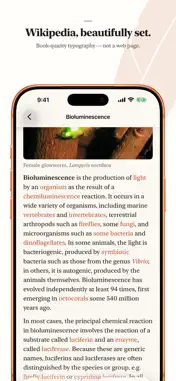
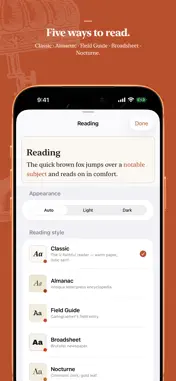
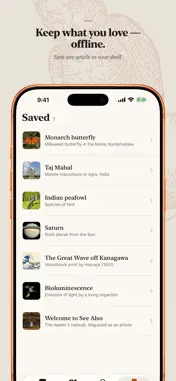
See Also is the typography-first Wikipedia reader in the spirit of V for Wikipedia. It's built for one thing: the quiet pleasure of reading the world's largest encyclopedia, beautifully. Most encyclopedia apps treat articles like web pages. See Also treats them like something worth reading. It features real typography, generous margins, and a layout that gets out of the way so the writing can do its work. TYPOGRAPHY THAT RESPECTS THE TEXT • Five hand-crafted reading styles: Classic, Almanac, Field Guide, Broadsheet, and Nocturne. Switch between them with a live preview as you choose. • Book-style first-line indents, balanced measure, and considered line spacing. • Light, Dark, or automatic appearance for any time of day. • Dynamic Type and accessibility support throughout. READING, NOT BROWSING • A clean article view, not a wrapped mobile website. • Collapsible "Quick facts" and data tables that stay out of your way until you want them. • A full-screen photo viewer with pinch-to-zoom, pan, and swipe-to-dismiss. • Bookmark anything; your saved articles keep their images for offline reading. A MAP OF WHAT'S AROUND YOU • Discover articles about the places near you on an interactive map. • Wander a city and read its history where it happened. YOURS, AND ONLY YOURS • No account. No ads. No tracking. No analytics. • See Also has no servers and never phones home; it talks directly to the encyclopedia's public API and nothing else. • Your bookmarks, history, and preferences live only on your device. · · · Article content is from Wikipedia, available under the Creative Commons Attribution-ShareAlike license (CC BY-SA). See Also is an independent app and is not affiliated with, endorsed by, or sponsored by the Wikimedia Foundation or Wikipedia. "Wikipedia" is a trademark of the Wikimedia Foundation. Privacy: https://seealso.app/privacy Support: https://seealso.app
What's New
Version 1.3.1 2026-10-16
Make it yours, and see where the facts come from. Accent colors. Choose one of seven themes in Settings, or pick any color you like. It carries through the tab... Technical Analysis
Package Overview Basic metadata
Bundle ID
com.braydentoulouse.legere Current Version 1.3.1
Minimum iOS 18.0
Package Size App Store Size
Package Metadata 0 / 0 version records
Detailed binary, privacy manifest, framework, and Info.plist results have not been indexed for this package yet. The verified App Store and archive metadata above remains available.
Developer Information
Known Version Records
0 version records with stored package metadata
Stored metadata does not guarantee a package is currently available to download.
| Details | Version / IDs | Version date | Action |
|---|