
Preview


Description
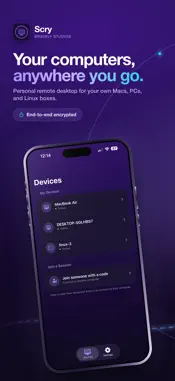
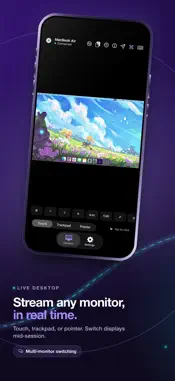
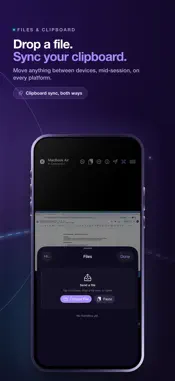
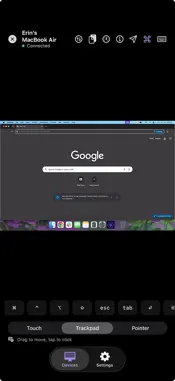
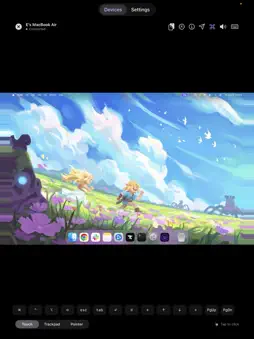
Reach the computer you already own. See and control your own computer — macOS, Windows, or Linux — from your iPhone or iPad. The desktop streams in real time, and your phone or tablet drives it with a hardware keyboard and a precise pointer. WHAT YOU CAN DO • View your computer's desktop live and full-screen • Click, type, and scroll with full iPadOS pointer support, Magic Trackpad included • Hardware keyboard with arrow keys, modifier combos, and shortcuts that pass through • Two-finger tap for right-click, drag-to-select, smooth trackpad gestures • Sync text clipboard between phone and desktop • Connect over your local network when possible, or over the internet when you're out GOOD MOMENTS • Grab a file off your desktop while you're traveling • Run a desktop-only tool from your phone in line at a coffee shop • Use your iPad as a thin client for your computer at the kitchen table • Manage a home server or Linux machine without pulling out a laptop • Check on a long render, compile, or backup from the road INPUT THAT BEHAVES Pointer input tracks the desktop cursor, scroll matches direction, and modifier keys send through. iPad pointer support is wired in directly, so a Magic Trackpad on a Magic Keyboard works as a first-class input device. On iPhone, touch becomes a cursor with a two-finger right-click and pinch-and-drag for selection. NETWORK BEHAVIOR On the same Wi-Fi, the connection runs directly between your two devices. Off your home network, an encrypted route forwards the session. You don't configure any of that; the picker just connects. PRIVATE BY DESIGN The screen stream is encrypted. When traffic is direct, it stays between your phone and your desktop. When a relay is needed, it forwards encrypted bytes and never reads what's on your screen. Scry never opens your phone's camera or microphone. The viewer only shows the desktop you signed in on. SCRY PRO Scry Pro unlocks remote desktop access from this iPhone or iPad. Sign in is free; reaching one of your desktops from the mobile app requires Pro. Subscribe monthly, take the annual plan, or pick up the Lifetime option as a one-time payment. New annual subscribers start with a 7-day free trial. SIGN IN Sign in with Apple, Google, or email. The same sign-in goes on the desktop app you install on the computer you want to reach. SUPPORT Questions, bug reports, and feature requests: [email protected] Privacy: https://bravely.dev/privacy Terms: https://bravely.dev/terms
What's New
Version 1.14.0 2026-11-09
• New Phone friendly resolution in the session's Resolution menu on a phone, so the other computer's screen fits yours • New Automatic resolution switch in Sett...• New Phone friendly resolution in the session's Resolution menu on a phone, so the other computer's screen fits yours • New Automatic resolution switch in Settings > Connection • On the open iPhone Duo, Settings stays still after you scroll • Improvements to plans and purchases Technical Analysis
Package Overview Basic metadata
Bundle ID
dev.bravely.scry.ios Current Version 1.14.0
Minimum iOS 17.0
Package Size App Store Size
Package Metadata 0 / 0 version records
Detailed binary, privacy manifest, framework, and Info.plist results have not been indexed for this package yet. The verified App Store and archive metadata above remains available.
Developer Information
Known Version Records
0 version records with stored package metadata
Stored metadata does not guarantee a package is currently available to download.
| Details | Version / IDs | Version date | Action |
|---|