
Preview






Description
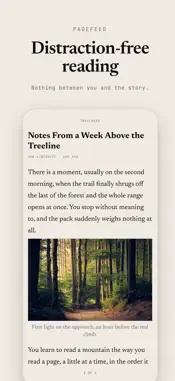
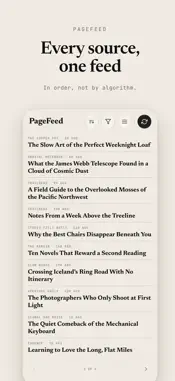
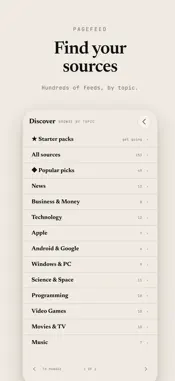
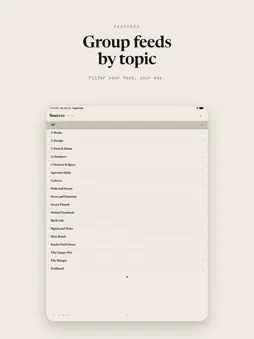
PageFeed is a different kind of news reader, built for reading, not scrolling. Featured by Six Colors, iPhoneBlog.de and iphone-ticker.de: the news reader you page through like a book. The sites, blogs, and writers you follow, laid out in clean, full pages. You tap forward and back, like turning pages in a book. Nothing scrolls. Every page is set to fit, so you always know exactly where you are. WHY PAGEFEED • Read in pages, never scroll. A calm, book-like way through every story, and on iPad, a two-page spread like an open book. • Your sources in order, not by algorithm. Newest or oldest first, your choice. Nothing is promoted, hidden, or reordered for you. • Group your sources. Organize the sites you follow into your own categories and read one topic at a time. • Private sync, your way. Sync through your own iCloud account to keep your iPhone and iPad in step, or through your own Google Drive to sync cross-platform, including the web. Either way, we never see your reading. Prefer simple? A free PageFeed sync account also works everywhere. • Summaries on device. On an iPhone or iPad with Apple Intelligence, get the gist of any article in a few private, on-device bullet points. • Tags, on your terms. Every story is tagged, so you can follow a topic or mute one and never see it in your feed again. • Save anything. Share a web page to PageFeed to keep it, and star the stories you want to come back to. • Works offline. Once loaded, your reading is there on the subway, on a plane, anywhere. It catches up when you're back online. • Find your sources. Browse hundreds of publications by topic in Discover, and follow the ones you like. • Adjustable type and a high-contrast theme. Set the text size and switch to an easy-on-the-eyes look. PageFeed is deliberately minimal: no noise, no infinite scroll, no clutter. Just the news you choose, in order, one page at a time.
What's New
Version 2.0.3 2026-10-26
A fresh look with Liquid Glass - Buttons throughout PageFeed now use Liquid Glass on iPhone and iPad. The reading controls stay clear and readable even over da... Technical Analysis
Package Overview Basic metadata
Bundle ID
com.triforcelogic.pagefeed Current Version 2.0.3
Minimum iOS 26.0
Package Size App Store Size
Package Metadata 0 / 0 version records
Detailed binary, privacy manifest, framework, and Info.plist results have not been indexed for this package yet. The verified App Store and archive metadata above remains available.
Developer Information
Known Version Records
0 version records with stored package metadata
Stored metadata does not guarantee a package is currently available to download.
| Details | Version / IDs | Version date | Action |
|---|