Preview





Description
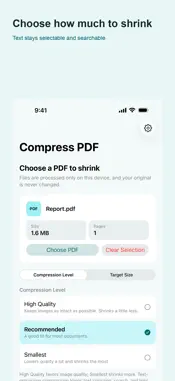
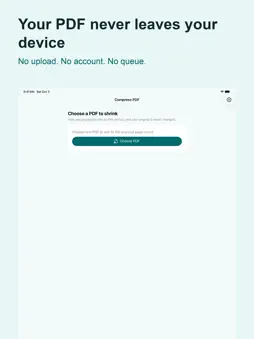
Your PDF never leaves your device. No upload, no account, no waiting. Compress PDF makes PDF files smaller right on your phone. Pick a file, choose how much to shrink it, and save the result as a new file. Your original is never changed. TWO WAYS TO SHRINK Text-preserving compression re-compresses the images inside your PDF while keeping text selection, search, and links working. This is the default. Strong compression turns every page into an image. It shrinks much more, but text selection, search, and links are lost. The app always asks first, so it never happens by surprise. TRY TO REACH YOUR TARGET SIZE Need a file under 5 MB for an email attachment? Set a target and the app tries different quality levels to reach that size or less. It measures the actual file bytes and keeps the smallest result found. Depending on the PDF, the target may not be reachable. Some files cannot be made smaller. Check the result before attaching it. HONEST RESULTS • Real byte sizes before and after, with the actual reduction • If a file cannot be made smaller, the app says so instead of pretending • Cancel any time — the app stops and cleans up • Password-protected PDFs are not supported, and the app tells you why OPEN FROM OTHER APPS Open or share a PDF from Files or your email app and it goes straight into the app. PRIVACY Your PDFs are processed on this device and are never sent anywhere. Usage statistics and error diagnostics help improve the app, and you can turn each one off separately in Settings at any time. On first use in the EEA, the UK, Switzerland, or when the region is unknown, the app asks before enabling usage statistics and diagnostics. In other regions, these options start on. Advertising consent is handled separately. Available in 19 languages.
What's New
Version 1.1.4 2026-10-31
Improved diagnostics for PDF saving errors. Technical Analysis
Package Overview Basic metadata
Bundle ID
com.bokeriastudio.compresspdf Current Version 1.1.4
Minimum iOS 18.0
Package Size App Store Size
Package Metadata 0 / 5 version records
Detailed binary, privacy manifest, framework, and Info.plist results have not been indexed for this package yet. The verified App Store and archive metadata above remains available.
Developer Information
Known Version Records
0 version records with stored package metadata • 5 known version records
Stored metadata does not guarantee a package is currently available to download.
| Details | Version / IDs | Version date | Action |
|---|---|---|---|
| Not archived | App Store ID: 894263376 | Unknown | Request Version |
| Not archived | App Store ID: 893438454 | Unknown | Request Version |
| Not archived | App Store ID: 893327680 | Unknown | Request Version |
| Not archived | App Store ID: 892446096 | Unknown | Request Version |
| Not archived | App Store ID: 891972328 | Unknown | Request Version |