Preview





Description
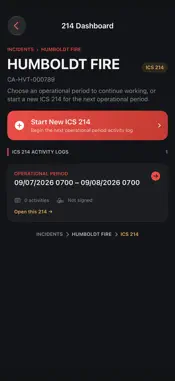
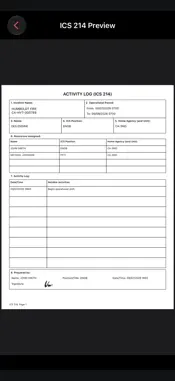
EZ-ICS214 is a simple, field-ready way to create and manage ICS 214 Activity Logs directly from your iPhone or iPad. Designed around the ICS 214 workflow, EZ-ICS214 helps personnel document operational activity without having to manage paper forms in the field. Create an incident, start an ICS 214 for each operational period, and keep your documentation organized throughout the assignment. Features include: • Create and manage multiple incidents • Create multiple ICS 214s for each incident • Record operational periods • Track assigned resources • Quickly add date- and time-stamped activity entries • Edit activity information as the incident progresses • Capture a signature directly on your device • Generate a completed ICS 214 PDF • Preview, save, and share completed PDFs • Carry resource information forward to the next operational period • Store incident records locally on your device EZ-ICS214 is designed to make ICS 214 documentation faster, cleaner, and easier to manage while keeping the familiar structure of the standard Activity Log. Whether you are documenting a single operational period or a multi-day assignment, EZ-ICS214 keeps your activity logs organized and ready to share.
What's New
Version 1.3 2026-10-10
This version adds Duplicate 214, making it easier to reuse an existing activity log for a new operational period. From the 214 Dashboard, press and hold the 214... Technical Analysis
Package Overview Basic metadata
Bundle ID
com.blakeswift.ezics214 Current Version 1.3
Minimum iOS 26.0
Package Size App Store Size
Package Metadata 0 / 0 version records
Detailed binary, privacy manifest, framework, and Info.plist results have not been indexed for this package yet. The verified App Store and archive metadata above remains available.
Known Version Records
0 version records with stored package metadata
Stored metadata does not guarantee a package is currently available to download.
| Details | Version / IDs | Version date | Action |
|---|