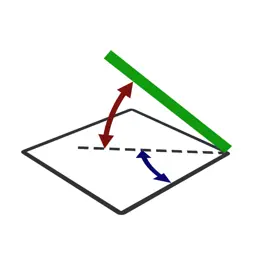
Preview

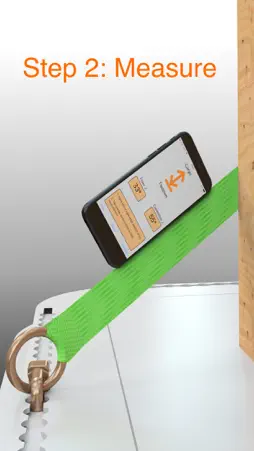
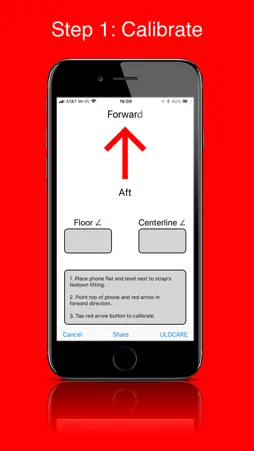
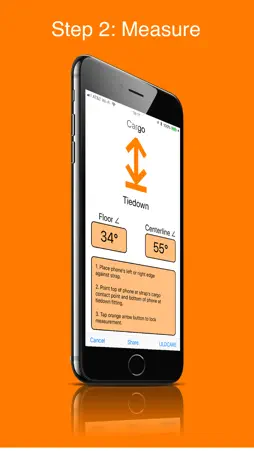

Description
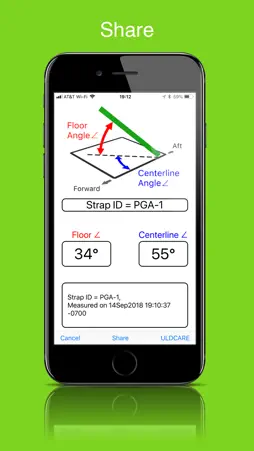
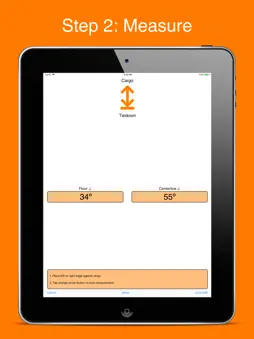
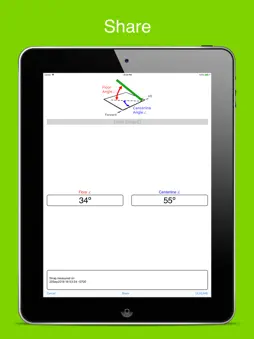
Measure the floor and centerline angles of a cargo strap by following a 2 step process: STEP 1 - CALIBRATE The first step is to calibrate the initial position and orientation of your iPhone or iPad. Calibrate by placing your iPhone or iPad flat and level next to the strap's tie-down fitting (double stud fitting or ring), pointing the top of the phone in the aircraft's forward direction, and tapping the red arrow button. STEP 2 - MEASURE The second step is to measure the strap's floor and centerline angle by moving the iPhone or iPad to the strap Place the edge of your iPhone or iPad against the strap while pointing the top of the iPhone or iPad towards the strap's first contact point with the cargo and pointing the bottom of the phone towards the strap's tie-down fitting. Tap the orange arrow button to lock the measurement. SHARE Tap the Share button on the app's bottom toolbar to copy, save, text, email, AirDrop, post, or send the angle measurements. Enter the strap's identification number if you need to keep track of different straps. REASONABILITY CHECK Before using your measured floor and centerline angles to determine strap restraint capability, you must do a reasonability check which verifies that the measurements represent reasonable angles of the strap. For example, if a strap is installed so that it looks close to straight up and down, a reasonable value for the floor angle measurement would be 80 to 90 degrees. If a strap is installed so that it looks like it extends in the forward direction along the floor, a reasonable value for the centerline angle would be from 0 to 10 degrees, and a reasonable value for the floor angle would be from 0 to 10 degrees. If either your floor angle or centerline angle measurement does not appear reasonable, then do not use the measurements and determine why there is an error. ULDCARE ULDCARE is the sponsor of this app. Tap the ULDCARE button on the app's bottom toolbar for more information on strapping cargo.
What's New
Version 1.1 2018-10-03
Updates the app's ULDCARE button to link to a page with more information on cargo straps and strapping. Technical Analysis
Package Overview Basic metadata
Bundle ID
com.blairdubois.AngleMeasurer1 Current Version 1.1
Minimum iOS 10.3
Package Size App Store Size
Package Metadata 0 / 2 version records
5.0 / 5.0 (1 ratings)
Detailed binary, privacy manifest, framework, and Info.plist results have not been indexed for this package yet. The verified App Store and archive metadata above remains available.
Known Version Records
0 version records with stored package metadata • 2 known version records
Stored metadata does not guarantee a package is currently available to download.
| Details | Version / IDs | Version date | Action |
|---|---|---|---|
| Not archived | App Store ID: 828804378 | Unknown | Request Version |
| Not archived | App Store ID: 828218450 | Unknown | Request Version |