
Preview


Description
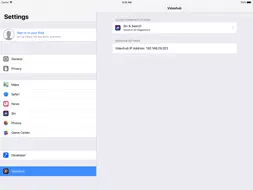
Control your Videohub broadcast SDI routers from your iPad! Videohub Control uses a familiar push button interface that's fast and easy to use. Simply tap a destination button to show the connected source, and then change sources by pushing any of the source buttons! If you want to lock a destination, then double tap! For more destination and source buttons, just swipe! Installation is simple, and all you need to do is select Videohub in your iPad settings to enter the IP address for your Videohub router. Be sure your iPad is on a wireless network that has access to your Videohub router first! To configure each interface button, just press and hold to select source numbers and icons. Check the Videohub router instruction manual on the Blackmagic Design web site for more information. www.blackmagicdesign.com.
What's New
Version 6.4 2018-01-02
New in this release: • Support for iOS 11 • Improved button population for initial App connection. • Saving of button configurations when more than one Videohu... Technical Analysis
Package Overview Basic metadata
Bundle ID
com.blackmagic-design.ipad-videohub Current Version 6.4
Minimum iOS 10.0
Package Size App Store Size
Package Metadata 1 / 1 version records
2.7 / 5.0 (38 ratings)
Detailed binary, privacy manifest, framework, and Info.plist results have not been indexed for this package yet. The verified App Store and archive metadata above remains available.
Developer Information
Known Version Records
1 version record with stored package metadata
Stored metadata does not guarantee a package is currently available to download.
| Details | Version / IDs | Version date | Action |
|---|---|---|---|
| 2.7 MB | v6.4 App Store ID: 841393027Build: 6.4 | 2018-01-02 02:03:14 | Get Version |