Preview








Description
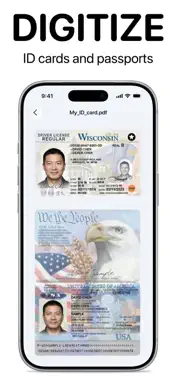
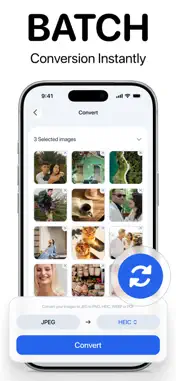
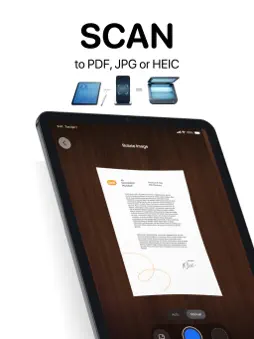
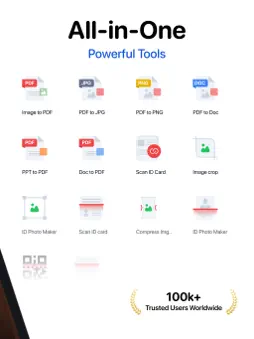
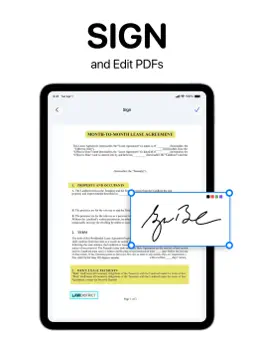
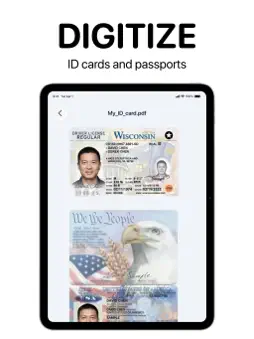
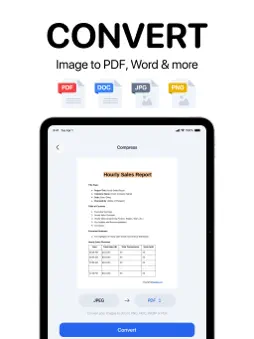
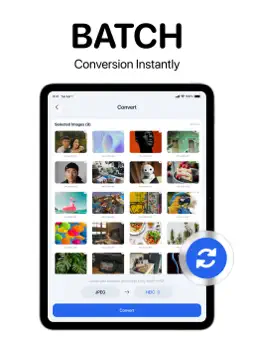
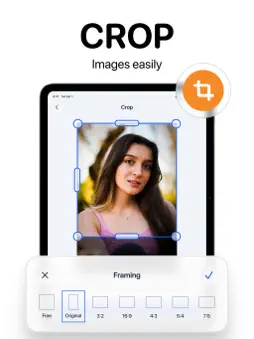
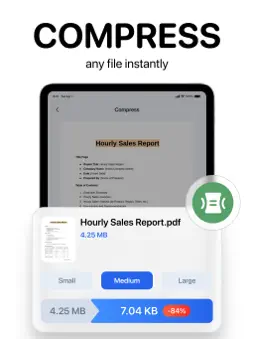
Turn your iPhone or iPad into a private document scanner, PDF converter, image converter, OCR tool, and portable file workspace. Filo Docs brings scanning, PDF tools, image conversion, and everyday document utilities together in one simple app. Scan paperwork, convert HEIC photos, create PDFs, extract text, sign documents, and prepare files for work, school, or sharing in seconds. SCAN DOCUMENTS TO PDF Use your iPhone or iPad camera to quickly capture clear, shareable documents: - Scan a single page or an entire document - Digitize receipts, forms, notes, assignments, and paperwork - Scan ID cards and passports - Read QR codes instantly - Extract text from documents and images using OCR - Save your scans as PDFs ready to keep, print, or share CONVERT PDFs AND OFFICE DOCUMENTS Move files between the formats you use every day: - Image to PDF - PDF to JPG - PDF to PNG - PDF to Word-compatible DOC - DOC to PDF - PPT to PDF - PDF to PPT - XLS to PDF - PDF to XLS - PDF to TXT with OCR CONVERT HEIC PHOTOS iPhone photos are often stored as HEIC files, which may not work with every website, computer, or application. Filo lets you convert them quickly: - HEIC to JPG - HEIC to PNG - HEIC to WEBP - WEBP to JPG - WEBP to PNG Convert one photo or select 50+ images for fast batch conversion. Prepare entire albums for websites, email, printing, school submissions, or devices that do not support HEIC. MERGE, SPLIT, SIGN, PROTECT, AND READ PDFs Handle everyday PDF tasks quickly without switching between apps: - Combine multiple PDFs into one organized document - Split large PDFs into smaller, easier-to-share files - Add your signature directly to PDF documents - Protect sensitive PDFs with a password - Unlock protected PDFs using the correct password - Read and review PDF files - Convert PDF pages into images - Convert PDFs into editable document formats - Print PDFs directly from your iPhone or iPad EDIT AND OPTIMIZE IMAGES Get your images ready for social media, applications, professional profiles, printing, or sharing: - Compress images to reduce file size - Resize photos to the exact dimensions you need - Crop images privately and offline - Split one image into multiple parts - Convert HEIC and WEBP files into compatible formats CREATE PASSPORT AND ID PHOTOS Prepare passport photos and digital copies of important identification documents: - Create passport-size and ID photos - Choose suitable photo sizes for different countries - Scan passports directly with your device - Save clear digital copies for convenient access and sharing EXTRACT TEXT WITH OCR Turn printed or scanned content into text you can copy, edit, and reuse: - Recognize text in documents and images - Extract text from scanned paperwork - Convert PDF content into editable TXT files - Copy important information without typing it manually VIEW DOCUMENTS AND USE BUILT-IN UTILITIES Open PDF files and view PPT and XLS documents without installing separate viewers. Filo Docs also provides Base64 and ASCII utilities for additional file and text tasks. PRIVATE BY DESIGN Filo keeps document handling simple and private: - Files remain on your device - No cloud processing - No account or sign-in required - Batch conversion for large photo selections - Scanning, conversion, editing, printing, and sharing in one place From converting HEIC photos to JPG and scanning receipts to signing PDFs and opening Office documents, Filo Docs gives you a complete mobile document toolkit. Download FiloDocs and get more done without switching between apps. Privacy Policy: https://filodocs.app/privacy.html Terms of Service: https://filodocs.app/terms.html
What's New
Version 3.1.23 2026-10-19
- Sign in to Filo with your email and a one-time code. Your plan and credits sync across the app and website. - Suggest new features or request changes directly... Technical Analysis
Package Overview Basic metadata
Bundle ID
com.bjsllc.imageconverter.pngconverter.svgconverter.app Current Version 3.1.23
Minimum iOS 15.6
Package Size App Store Size
Package Metadata 0 / 21 version records
Detailed binary, privacy manifest, framework, and Info.plist results have not been indexed for this package yet. The verified App Store and archive metadata above remains available.
Developer Information
Known Version Records
0 version records with stored package metadata • 21 known version records
Stored metadata does not guarantee a package is currently available to download.
| Details | Version / IDs | Version date | Action |
|---|---|---|---|
| Not archived | App Store ID: 889334735 | Unknown | Request Version |
| Not archived | App Store ID: 887998142 | Unknown | Request Version |
| Not archived | App Store ID: 887739164 | Unknown | Request Version |
| Not archived | App Store ID: 887385765 | Unknown | Request Version |
| Not archived | App Store ID: 880344805 | Unknown | Request Version |
| Not archived | App Store ID: 878007177 | Unknown | Request Version |
| Not archived | App Store ID: 877775298 | Unknown | Request Version |
| Not archived | App Store ID: 876997747 | Unknown | Request Version |
| Not archived | App Store ID: 872655442 | Unknown | Request Version |
| Not archived | App Store ID: 871671500 | Unknown | Request Version |
| Not archived | App Store ID: 871468019 | Unknown | Request Version |
| Not archived | App Store ID: 868123141 | Unknown | Request Version |
| Not archived | App Store ID: 867121517 | Unknown | Request Version |
| Not archived | App Store ID: 866627904 | Unknown | Request Version |
| Not archived | App Store ID: 866063956 | Unknown | Request Version |
| Not archived | App Store ID: 865934094 | Unknown | Request Version |
| Not archived | App Store ID: 865903868 | Unknown | Request Version |
| Not archived | App Store ID: 865051645 | Unknown | Request Version |
| Not archived | App Store ID: 864848363 | Unknown | Request Version |
| Not archived | App Store ID: 864077875 | Unknown | Request Version |
| Not archived | App Store ID: 863309811 | Unknown | Request Version |