
Preview







Description
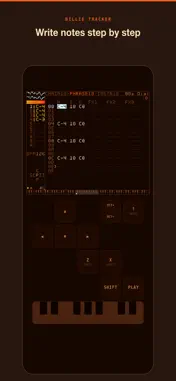
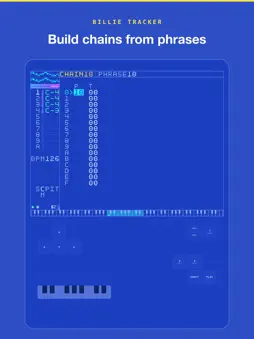
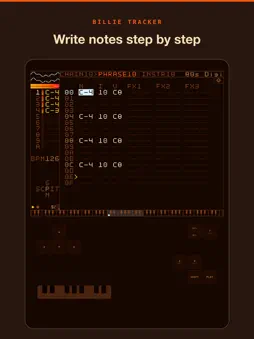
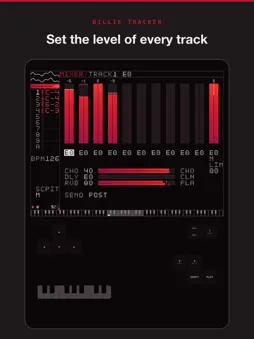
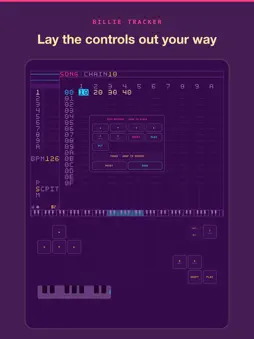
Billie Tracker is a groovebox: a step sequencer, synth instruments, a sampler and a mixer, built as one instrument for your phone or tablet. You write music in a grid. Notes go into patterns, patterns chain into sections, and sections line up into a song, so a full track grows out of small pieces you can reuse and rearrange. Trackers have worked this way for decades. If you have used one, this will feel like home. If you haven't, a built-in tutorial walks you through your first pattern, and every screen has help one key away. It is not tied to one sound. Shape the synths from clean tones to heavy drive, sample anything and play it back as an instrument, and make whatever you want to make: techno, ambient, hip hop, pop, or the 8-bit styles trackers are known for. Rows hold up to eight notes, not just one. Every instrument is polyphonic, so a chord goes into the grid the same way a single note does. Hold one on a MIDI keyboard and it lands across the row's note lanes, quantized and in key. What you get: - A step sequencer for notes, instruments, volume and effects, with chains and a song view for arrangement - Up to eight note lanes on every row, so chords are typed in like single notes, on any instrument - Synth instruments you can shape: timbre, color, filter, drive, envelopes and LFOs - A sampler that records straight into the app, so your own sounds sit next to the synths - A mixer with per-track levels and sends - BOUNCE and STEMS, so a finished song leaves the app as audio - Bundles: a song and every sample it uses travel as one file - A control surface built for tracker speed. Hold one key, press another, fast. Rearrange the layout to fit your hands, or plug in a hardware keyboard or game controller - Ableton Link for playing in time with other music apps on the same Wi-Fi, and Link Audio for sending them your mix - Themes, KEY and SCALE settings, and a HELP key that explains whatever you are looking at Your songs are ordinary files. There is no account and nothing to sign into. Send a song to a friend, email one to yourself, or move it around in your file manager. Nothing is uploaded to us and nothing is locked to us. Billie Tracker is made by Billie Workers' Co-op. The people using it steer what gets built, and the Discord is the fastest way to reach us.
What's New
Version 1.19.0 2026-11-12
What's New in 1.19.0 - Ableton Link. Turn it on in SETTINGS / ABLETON LINK and Billie Tracker shares tempo and the bar grid with Live and other Link apps on th...What's New in 1.19.0 - Ableton Link. Turn it on in SETTINGS / ABLETON LINK and Billie Tracker shares tempo and the bar grid with Live and other Link apps on the same Wi-Fi. PLAY waits for the next bar, so you come in on time. - START / STOP SYNC: with it on, starting or stopping in any connected app starts or stops the others. - Link Audio: Billie Tracker's stereo mix shows up in Link Audio apps such as Ableton Live 12.4 and later, so you can record it straight onto a track. - Inter-App Audio. Billie Tracker appears as an Inter-App Audio app in hosts like GarageBand and AUM. SETTINGS / INTER-APP AUDIO takes you back to the host. It carries audio only: use Link for tempo and transport. - Outside 40 to 300 BPM, Billie Tracker plays on its own until the session tempo comes back into range. - The first time you turn on Link, iOS asks for Local Network access. Link needs it to find other apps. - This is new, and there are a lot of setups out there, so expect rough edges. Tell us what breaks. Technical Analysis
Package Overview Basic metadata
Bundle ID
coop.billie.app.billietracker Current Version 1.19.0
Minimum iOS 15.1
Package Size App Store Size
Package Metadata 0 / 0 version records
Detailed binary, privacy manifest, framework, and Info.plist results have not been indexed for this package yet. The verified App Store and archive metadata above remains available.
Developer Information
Known Version Records
0 version records with stored package metadata
Stored metadata does not guarantee a package is currently available to download.
| Details | Version / IDs | Version date | Action |
|---|