
Preview


Description
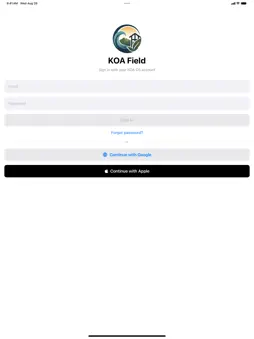
KOA Field is the field companion for construction and home-services teams. Stay on top of your assigned work, document job sites, and capture accurate room measurements — right from your phone. WHAT YOU CAN DO • My Work — See everything assigned to you in one place, organized into Action, Scheduled, Waiting, and Done. Tap a task to complete its steps, fill in forms, and move the job forward. • Scheduled visits & directions — View upcoming on-site appointments with the address, site contact, and access notes like gate codes and parking. One tap opens turn-by-turn directions. • Site photos — Capture photos at the job site with the location recorded automatically, so your team always knows where and when each photo was taken. • Room scanning — Use your device's LiDAR to scan a room and capture its layout and measurements for faster, more accurate planning. • Stay notified — Get a push notification the moment work is assigned to you or a schedule changes. • Works on the go — Your task list stays available even on a spotty connection and syncs automatically when you're back online. BUILT FOR FIELD TEAMS KOA Field connects to your organization's KOA OS workspace, keeping the office and the field in sync — from the first site assessment to the final walkthrough. KOA Field requires an active KOA OS account.
What's New
Version 1.1.2 2026-09-24
Proposals on your phone Build and send a proposal from the field. Browse proposals, start a new one for a customer, edit line items and prices, and send it for ...Proposals on your phone Build and send a proposal from the field. Browse proposals, start a new one for a customer, edit line items and prices, and send it for signature without going back to a laptop. Quantities from the room you scanned The catalog picker now reads your scans. Tick the rooms, pick what goes in them, and the quantities come from what you actually measured — room by room, not one number for the whole house. Floor plans you can work with Open a scan's floor plan, measure on it, and lay out carpet seams. Attach a scan to a proposal after you capture it. Rooms show their names instead of raw file names, and floor area is now the usable area inside the rooms. Good / Better / Best A proposal with options now shows the option it's quoting — its line items and its total together, matching the PDF your customer receives. Fixes • Invoices with a recorded payment open correctly again • Quantity and price fields are easier to tap, and the number keypad now has a Done button • Mobile intake has a way out when you finish Technical Analysis
Package Overview Basic metadata
Bundle ID
com.myjobdash.meridian Current Version 1.1.2
Minimum iOS 17.0
Package Size App Store Size
Package Metadata 0 / 2 version records
Detailed binary, privacy manifest, framework, and Info.plist results have not been indexed for this package yet. The verified App Store and archive metadata above remains available.
Known Version Records
0 version records with stored package metadata • 2 known version records
Stored metadata does not guarantee a package is currently available to download.
| Details | Version / IDs | Version date | Action |
|---|---|---|---|
| Not archived | App Store ID: 887488834 | Unknown | Request Version |
| Not archived | App Store ID: 886395360 | Unknown | Request Version |