Preview







Description
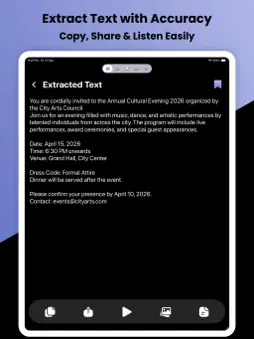
OCR Scanner – Image to Text & PDF Scanner Turn your images, documents, and PDFs into editable text instantly with OCR Scanner. This powerful OCR (Optical Character Recognition) app lets you scan, extract, and convert text with high accuracy in just seconds. Whether you're a student, professional, or everyday user, OCR Scanner makes document scanning fast, simple, and reliable. POWERFUL OCR TEXT SCANNER
Extract text from images, photos, screenshots, and scanned documents with advanced OCR technology. Get clean, accurate, and editable text instantly. IMAGE TO TEXT CONVERTER
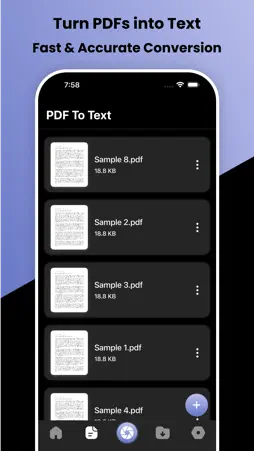
Convert any photo into text within seconds. Capture or upload images and quickly transform them into readable, editable content. PDF TO TEXT SCANNER
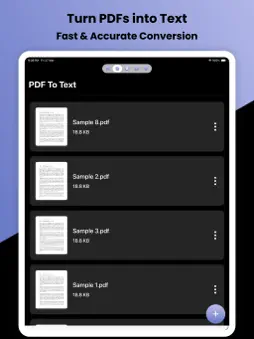
Easily extract text from PDF files while maintaining formatting. Perfect for documents, reports, contracts, and notes. SMART DOCUMENT SCANNER
Use your device camera to scan documents in real-time. Capture receipts, books, business cards, and more with precision. SAVE & ORGANIZE FILES
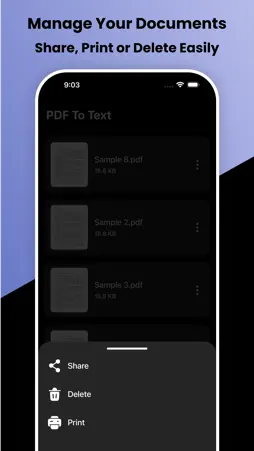
Store your scanned text and documents securely. Access, manage, and organize everything in one place anytime. EDIT & REUSE TEXT
Edit extracted text directly inside the app. Fix errors, format content, and reuse text effortlessly. SHARE & EXPORT ANYWHERE
Share your scanned text via email, messaging apps, or export as documents. Boost productivity by sending files instantly. SECURE & PRIVATE
Your privacy matters. All your files stay सुरक्षित and are never shared without your permission. FAST, ACCURATE & EASY TO USE
• High-speed OCR processing
• Accurate text recognition
• Clean and simple interface
• Offline scanning support
• No technical skills required WHY CHOOSE OCR SCANNER?
• All-in-one OCR Scanner & PDF Scanner
• Reliable Image to Text Converter
• Powerful OCR Reader & Text Recognizer
• Easy Document Scanner for daily use
• Perfect for students, business, and personal use USE CASES
• Scan notes and books
• Convert receipts into text
• Digitize documents
• Extract text from screenshots
• Save important information quickly KEY FEATURES
• Scan documents instantly
• Convert images to text
• Extract text from PDF
• Edit scanned text
• Save and manage files
• Share text easily
• Premium option to remove ads Download OCR Scanner – Image to Text & PDF Scanner now and simplify the way you scan, extract, and manage text! Privacy Policy: https://sites.google.com/view/softiosapps/privacypolicy
Terms of Use: https://sites.google.com/view/softiosapps/termsofuse
What's New
Version 1.1 2026-06-06
- Crashes Fixed - Performace Improved - Description Updated Technical Analysis
Package Overview Basic metadata
Bundle ID
com.ocrscanner.pro Current Version 1.1
Minimum iOS 13.0
Package Size App Store Size
Package Metadata 0 / 2 version records
Detailed binary, privacy manifest, framework, and Info.plist results have not been indexed for this package yet. The verified App Store and archive metadata above remains available.
Developer Information
Known Version Records
0 version records with stored package metadata • 2 known version records
Stored metadata does not guarantee a package is currently available to download.
| Details | Version / IDs | Version date | Action |
|---|---|---|---|
| Not archived | App Store ID: 886603716 | Unknown | Request Version |
| Not archived | App Store ID: 883733114 | Unknown | Request Version |