Preview


Description
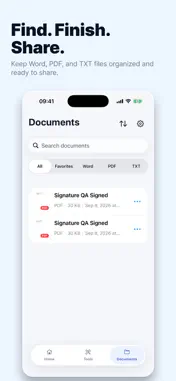
Scan documents, extract editable text, create files, and complete everyday PDF tasks—all in one organized workspace. SCAN AND RECOGNIZE TEXT • Scan multiple paper pages into a single PDF • Review, rotate, remove, and reorder pages before saving • Recognize English and Simplified Chinese text from scans • Extract text from one or more selected photos • Edit, copy, share, or save recognized text as a TXT file • Choose Standard or High scan quality CREATE AND EDIT DOCUMENTS • Create new DOCX documents • Import DOC or DOCX files and edit a copied version • Create and edit TXT files CREATE PDF FILES • Convert TXT files to PDF • Convert supported public webpages to PDF • Turn selected photos into A4 PDF pages • Reorder, rotate, or remove photos before conversion • Save conversions as new files while preserving the originals USE PRACTICAL PDF TOOLS • Merge multiple PDF files in your preferred order • Remove selected pages while keeping at least one page • Add text watermarks with adjustable opacity, angle, and pattern • Draw and apply handwritten signatures, with control over their position, size, and rotation ORGANIZE YOUR FILES Generated files are saved in the app’s document library. Search by file name, filter by file type, mark favorites, rename documents, and share completed files. Imported DOC and DOCX files are copied before editing, so your original files remain unchanged. PDF tools also create new output files without overwriting the source PDFs. IMPORTANT INFORMATION Scanning, text recognition, handwritten signature processing, and PDF processing are performed on your device. DOCX editing requires an internet connection and uses an online document editor. Document content involved in editing may be processed by that service to provide this feature. Web to PDF supports publicly accessible HTTP and HTTPS pages. Pages requiring sign-in, verification, payment, or complex interaction may not convert correctly. Only convert content that you own or have permission to process. Password-protected, damaged, or unsupported documents may not open or process correctly. SUBSCRIPTION DETAILS • Weekly Subscription: $6.99 per week • Monthly Subscription: $12.99 per month • Yearly Subscription: $39.99 per year Payment is charged to your Apple Account when your purchase is confirmed. Subscriptions renew automatically unless canceled. You can manage or cancel your subscription in your Apple Account settings. Privacy Policy: https://www.betathrill.com/privacy.html Terms of Use: https://www.betathrill.com/terms.html
What's New
Version 1.3 2026-11-03
We’ve made a few small improvements to help the app run better and feel smoother. Thanks for using our app! Technical Analysis
Package Overview Basic metadata
Bundle ID
com.betathrill.DocumentOffice Current Version 1.3
Minimum iOS 15.6
Package Size App Store Size
Package Metadata 0 / 0 version records
Detailed binary, privacy manifest, framework, and Info.plist results have not been indexed for this package yet. The verified App Store and archive metadata above remains available.
Developer Information
Known Version Records
0 version records with stored package metadata
Stored metadata does not guarantee a package is currently available to download.
| Details | Version / IDs | Version date | Action |
|---|