Preview




Description
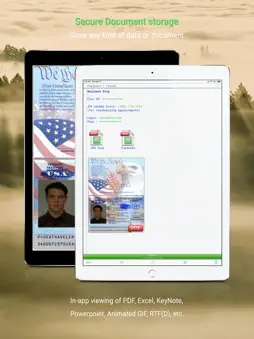
◆ NO ads, NO tracking, NO subscriptions - Free with optional one-time charges ◆ Do you... ... have trouble remembering tens or hundreds of online passwords? ... write passwords down somewhere, even though you know this is not the safest thing to do? ... use the same ("cleverly" modified) password in multiple places, instead of using properly randomized passwords that offer the best security? ... sometimes wish you had a photo of a creditcard, passport or other document handy? ... want to securely store lots of other confidential information, photos, animated GIFs, office documents, you name it? ... want all this to be secure, but still very simple to use? Then ◆The Vault◆ is for you! The Vault provides straightforward, easy to use, secure storage for all your documents and other data, such as passwords, login credentials and any other confidential information. It can securely store any number of documents, images, screenshots or photos along with your confidential information. * 256-bit AES encryption * While storage and access is simple, The Vault uses rock-solid, industry standard encryption. [technical details below] ◆ ◆ ◆ WHY IS IT BETTER ? ◆ ◆ ◆ ▸ See all features: bit.ly/TheVault-Features ▸ The Vault is very simple to use, yet it employs industry-standard encryption to keep your data safe. (Some other - payed - apps do too, but some apps advertised as "secure" really do not, and for example save your data using a simple base-64 encoding: your information looks scrambled, but is as readable as plain text when you know how). ▸ The Vault will - never - show ad banners! We hate them too. ▸ The Vault stores information on * your * device. Not on some server somewhere on the net. ▸ Securely storing information is as simple as entering free text! ▸ The Vault can securely store photos and pictures from your camera or photo library; for example a copy of your passport, credit card, or just the serial numbers of some equipment you own. Anything. ▸ The Vault can securely store - and play - animated GIFs. ▸ The Vault can securely store *any* office or other document. ▸ Many secured documents can be viewed directly from The Vault, including PDFs, Keynote, Numbers, Pages, Powerpoint, Excel and Word files. ▸ You can optionally import data exported from your previous password app (or any other source that can provide the data). ▸ Automatically and securely backups your data! ◆ ◆ ◆ TECHNICAL DETAILS ◆ ◆ ◆ This is the part that matters. This is the part that is hard to get right. This is the part that makes the difference between actual security and insecurity. Claiming “military-grade” (or “industry standard” ;-) encryption is meaningless. Even claiming “256-bit AES encryption”, in itself is not very meaningful. Example: Claiming “military-grade” encryption and subsequently simply hashing a master passcode - e.g. using SHA, or MD5 is NOT good. What ís good is to use a proper key derivation algorithm such as PBKDF2, scrypt or bcrypt. Another example: AES is better than older algorithms such as Blowfish, Twofish or 3DES. But even for AES: an app that does not combine encryption with authentication... is doing it wrong. Currently there is some consensus that the best construct is to first encrypt a message and then calculate a message-authentication code, instead of the other way around. These things matter. ◆ ◆ ◆ The Vault uses PBKDF2 key derivation with an HMAC-SHA512 PRF, and HMAC-SHA256 Encrypt-then-MAC authenticated 256-bit AES encryption, using CommonCrypto functionality only. All cipher and MAC worker keys, as well as all salts and IVs, are purely random data. Keys and IVs are never reused. Each singular piece of data is encrypted with a unique random encryption key, and authenticated with a unique random HMAC key. Your Master Passcode is never stored; and neither are the derived cipher keys. ◆ ◆ ◆ THE ONLY THING ●YOU● HAVE TO DO? Choose a long master passcode. Make it long, and make it random!
What's New
Version 9.0.3 2026-10-19
9.0 - 9.0.3 + Support for newer devices and iOS versions + Improved AutoFill sorting + Root cause fix invisible buttons or cursors for 'increase contrast' users... Technical Analysis
Package Overview Basic metadata
Bundle ID
com.wbveldhuis.thevault Current Version 9.0.3
Minimum iOS 18.2
Package Size App Store Size
Package Metadata 1 / 357 version records
Detailed binary, privacy manifest, framework, and Info.plist results have not been indexed for this package yet. The verified App Store and archive metadata above remains available.
Developer Information
Known Version Records
1 version record with stored package metadata • 357 known version records
Stored metadata does not guarantee a package is currently available to download.
| Details | Version / IDs | Version date | Action |
|---|---|---|---|
 36.56 MB | v8.5.1 App Store ID: 877622011Build: 2508.27.3 | 2025-08-27 15:30:18 | Get Version |
| Not archived | App Store ID: 877588796 | Unknown | Request Version |
| Not archived | App Store ID: 876153074 | Unknown | Request Version |
| Not archived | App Store ID: 875830573 | Unknown | Request Version |
| Not archived | App Store ID: 875786050 | Unknown | Request Version |
| Not archived | App Store ID: 873738490 | Unknown | Request Version |
| Not archived | App Store ID: 873296850 | Unknown | Request Version |
| Not archived | App Store ID: 872606305 | Unknown | Request Version |
| Not archived | App Store ID: 872331429 | Unknown | Request Version |
| Not archived | App Store ID: 872245468 | Unknown | Request Version |
| Not archived | App Store ID: 872217551 | Unknown | Request Version |
| Not archived | App Store ID: 872177619 | Unknown | Request Version |
| Not archived | App Store ID: 871752091 | Unknown | Request Version |
| Not archived | App Store ID: 871482407 | Unknown | Request Version |
| Not archived | App Store ID: 871393644 | Unknown | Request Version |
| Not archived | App Store ID: 871345458 | Unknown | Request Version |
| Not archived | App Store ID: 871339455 | Unknown | Request Version |
| Not archived | App Store ID: 871241134 | Unknown | Request Version |
| Not archived | App Store ID: 871217658 | Unknown | Request Version |
| Not archived | App Store ID: 871179368 | Unknown | Request Version |
| Not archived | App Store ID: 871152955 | Unknown | Request Version |
| Not archived | App Store ID: 868128780 | Unknown | Request Version |
| Not archived | App Store ID: 864775733 | Unknown | Request Version |
| Not archived | App Store ID: 863814506 | Unknown | Request Version |
| Not archived | App Store ID: 862754174 | Unknown | Request Version |
| Not archived | App Store ID: 862513968 | Unknown | Request Version |
| Not archived | App Store ID: 862452839 | Unknown | Request Version |
| Not archived | App Store ID: 862145819 | Unknown | Request Version |
| Not archived | App Store ID: 862125397 | Unknown | Request Version |
| Not archived | App Store ID: 862080098 | Unknown | Request Version |
| Not archived | App Store ID: 861986412 | Unknown | Request Version |
| Not archived | App Store ID: 861755744 | Unknown | Request Version |
| Not archived | App Store ID: 861723494 | Unknown | Request Version |
| Not archived | App Store ID: 861304914 | Unknown | Request Version |
| Not archived | App Store ID: 859104440 | Unknown | Request Version |
| Not archived | App Store ID: 858060598 | Unknown | Request Version |
| Not archived | App Store ID: 858005264 | Unknown | Request Version |
| Not archived | App Store ID: 856071378 | Unknown | Request Version |
| Not archived | App Store ID: 856017686 | Unknown | Request Version |
| Not archived | App Store ID: 855380614 | Unknown | Request Version |