
Preview





Description
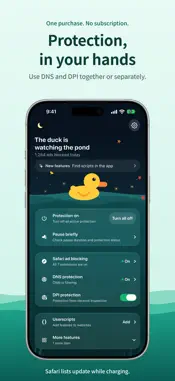
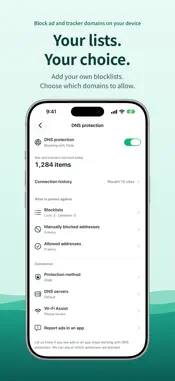
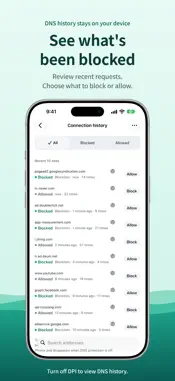
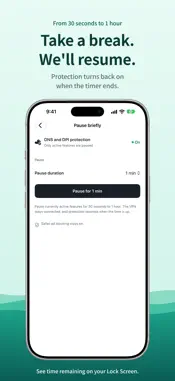
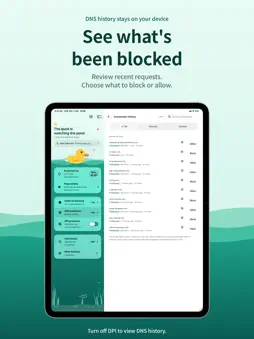
Browse with fewer ads and trackers. Olijib brings Safari filtering, DNS protection and optional DPI protection together. SAFARI AD BLOCKING Use filter lists checked by Olijib to reduce ads, trackers and empty ad spaces. Allow individual sites or pick an element to hide. Adjust the selection and preview it before applying. Edit your rules together and add other filter lists. DNS PROTECTION Olijib mode checks advertising, tracking and phishing domains against on-device lists. Import DNS filters from a URL, file or pasted text. On iPhone and iPad, it uses a local VPN. Allowed DNS queries go to your chosen DNS provider. Default and IP-based DNS are not encrypted by Olijib; HTTPS DNS encrypts queries to the selected server. With DPI off, you can review recent DNS records on your device. System DNS mode uses your chosen provider without Olijib's local lists or records. OPTIONAL DPI PROTECTION Use DPI with DNS, or on its own. It splits the initial transmission of supported HTTPS connections to make domain inspection harder for some network equipment. It does not install a certificate, decrypt HTTPS, hide your IP address or encrypt SNI. Results vary by app and network. Domain-level DNS records are not kept while DPI is on. PAUSE AND RESUME Pause DNS and DPI for 30 seconds to 1 hour, then return to your previous choices. Use the app, Control Center or the app icon menu. Check the remaining time on the Lock Screen and Dynamic Island. Safari extension choices stay unchanged. YOUR SCRIPTS, YOUR DEVICES Import userscripts and userstyles from a URL or file, then review their sites and permissions. Optional iCloud sync transfers code, installation details, dependencies and usage settings through your own iCloud account. Script runtime values, cookies and website sign-in information are excluded. A script's network activity depends on its code and the services it uses. YOUR LANGUAGE AND APPEARANCE Follow the system language or choose Korean, English or Japanese. Pick a light or dark theme, use larger text and respect the system's Reduce Motion setting. Read notices and check service status in the app. Important service notifications are optional; other features work without them. No sign-up is required. DNS query records and webpage content are not automatically sent to our servers. Your selected DNS provider processes queried domains. You review filter reports before sending them. Buy once for iPhone and iPad, with no extra subscription or in-app purchases. The Mac app is under review and will be included in the same purchase after release. Olijib cannot block every ad in every app.
What's New
Version 1.4 2026-10-30
• Manage “Olijib ad hijacking protection” as a separate list, with more reliable list authentication and updates. • Check how Safari rules and allowed sites are... Technical Analysis
Package Overview Basic metadata
Bundle ID
com.beonjida.olijib Current Version 1.4
Minimum iOS 26.0
Package Size App Store Size
Package Metadata 0 / 0 version records
Detailed binary, privacy manifest, framework, and Info.plist results have not been indexed for this package yet. The verified App Store and archive metadata above remains available.
Developer Information
Known Version Records
0 version records with stored package metadata
Stored metadata does not guarantee a package is currently available to download.
| Details | Version / IDs | Version date | Action |
|---|