Preview





Description
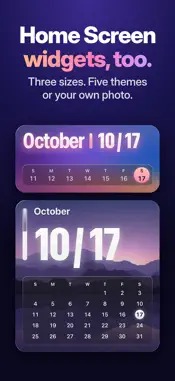
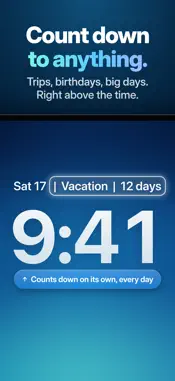
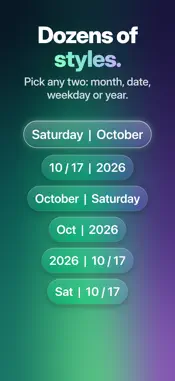
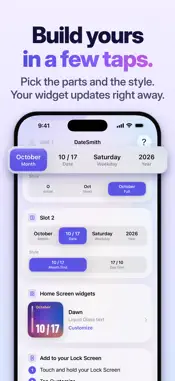
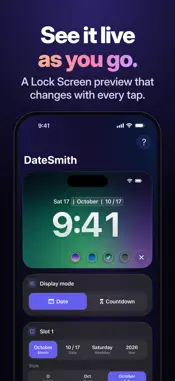
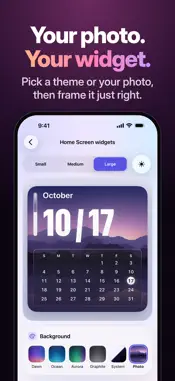
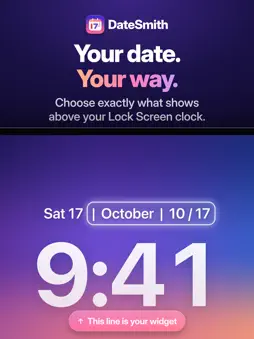
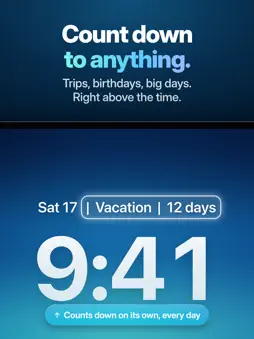
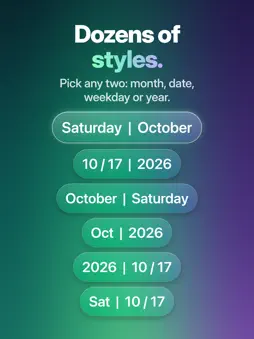
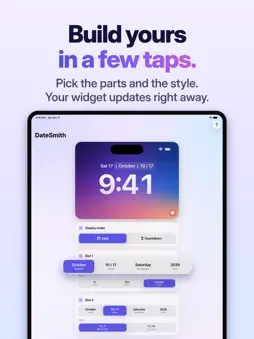
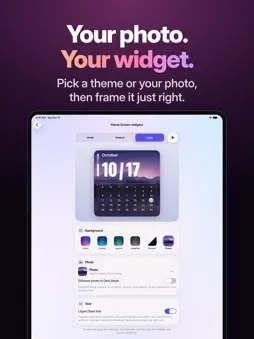
Your date, above the clock. DateSmith puts a clearer, fuller date in the line above your Lock Screen clock, or a countdown to the day you are looking forward to. Now optimized for iPhone Duo, with bold Home Screen widgets you can make your own. YOUR FORMAT, YOUR WAY Pick any two of month, date, weekday and year, each in the style you like. See it live in a Lock Screen preview that changes with every tap. COUNTDOWNS Name it and pick the day. DateSmith shows the days left until a trip, a birthday or a big day. HOME SCREEN WIDGETS Small, medium and large widgets show your date or countdown in big, clear type, with a week strip on the medium size, a month calendar on the large size and a date page on medium countdowns. - Themes: Dawn, Ocean, Aurora, Graphite and System - Your own photo, framed for the square and wide widget shapes - A different photo for Dark Mode if you like - Liquid Glass style text with a soft highlight and depth, or crisp solid text OPTIMIZED FOR IPHONE DUO DateSmith fits both displays, folded or open, in portrait and in landscape. Open it and hold it sideways to see your Lock Screen preview and every setting side by side. UPDATES ON ITS OWN DateSmith prepares the week ahead, so your widgets change each day, even when the app is closed. PRIVATE BY DESIGN No accounts, no ads and no analytics. Your widgets need no internet connection. DateSmith never uploads your photo. SIMPLE SETUP 1. Touch and hold your Lock Screen 2. Tap Customize 3. Tap the date above the time 4. Choose DateSmith 5. Tap Done For the Home Screen, touch and hold an empty area of your Home Screen, tap Edit, tap Add Widget, then choose DateSmith. PLANS Try every format, countdown, theme, photo and text style free for 7 days. When the preview ends, your widgets show Preview Ended in place of your date or countdown until you subscribe. DateSmith Monthly or DateSmith Yearly keeps your widgets working. DateSmith Monthly includes a one-week free trial for eligible new subscribers. Payment is charged to your Apple Account. Subscriptions renew automatically unless canceled at least 24 hours before the end of the current period. Manage or cancel anytime in your Apple Account settings. Terms of Use: https://www.apple.com/legal/internet-services/itunes/dev/stdeula/ Privacy Policy: https://ben637482548.github.io/datesmith/#privacy
What's New
Version 13.0 2026-10-29
DateSmith 13.0 is optimized for iPhone Duo, and brings a couple of improvements you will notice on every iPhone. OPTIMIZED FOR IPHONE DUO DateSmith now fits bo... Technical Analysis
Package Overview Basic metadata
Bundle ID
BenJaminBenCodin.DateSmithLight Current Version 13.0
Minimum iOS 18.2
Package Size App Store Size
Package Metadata 0 / 2 version records
Detailed binary, privacy manifest, framework, and Info.plist results have not been indexed for this package yet. The verified App Store and archive metadata above remains available.
Developer Information
Known Version Records
0 version records with stored package metadata • 2 known version records
Stored metadata does not guarantee a package is currently available to download.
| Details | Version / IDs | Version date | Action |
|---|---|---|---|
| Not archived | App Store ID: 875421166 | Unknown | Request Version |
| Not archived | App Store ID: 875237730 | Unknown | Request Version |