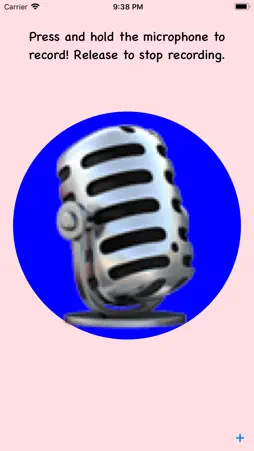
KidDJ is a simple app that allows children of all ages to capture sounds via the microphone on an iPad, iPhone, or iPod touch, and loop and mix them with other sounds they've captured! While this app is made for children, anyone who wants to have fun with a simple sample-loop-mix app will get hours of enjoyment out of KidDJ This is an initial release, and we're looking to add lots and lots of features!
What's New
Version 1.3.5 2026-11-03
KidDJ gets a fresh look and new ways to record, perform, and share! • Make and share mixes. Export 1–100 loops of your project, or perform a mix by starting an...KidDJ gets a fresh look and new ways to record, perform, and share! • Make and share mixes. Export 1–100 loops of your project, or perform a mix by starting and stopping tracks and adjusting their volume as you play. Save your finished mix as an M4A audio file and share it through the standard share sheet. • Finish with a flourish. End your performance at the next loop boundary or fade out to the end of the loop. Automatic exports offer optional fades lasting a full, half, quarter, or eighth measure. • Keep your finished creations. Play, share, and delete saved recordings from the new Mixes list. Mixes keep their own audio, so changing your project won’t change a saved mix. • Three ways to loop. Play freely, use Measure Sync for measure-aligned recordings, or choose Loop Sync to let your first recording set the exact cycle length. Loop Sync remembers where additional recordings enter—even when they wrap around the end of the first loop. • Count yourself in. Choose your tempo, time signature, and count-in pitch. Independently control the count-in sound and flashing beat light. Recording starts immediately when you’re layering over a playing track. • More hands-on control. Adjust volume and playback speed with arcs around each track, and shift playback position with the new shuttle control. Recording meters and loop-progress rings help you see what’s happening. Play All and Stop All bring everything together. • Pick up where you left off. Your latest project automatically preserves recordings, track order, volume, speed, and loop settings between sessions. • Clear tracks with confidence. Edit Tracks gives each track a Clear button and an Undo option until you tap Done. Empty tracks collapse into one ready-to-record button. • Choose your audio setup. See the active microphone and output, open the system output picker, and choose automatic input or the device microphone. • A refreshed, playful interface. Enjoy an animated welcome screen, smoother gravity-responsive icons, larger track buttons, and layouts that adapt to iPhone and iPad, with improved VoiceOver, large-text, and Reduce Motion support. • Reliability improvements. Better microphone-permission handling, recovery from audio interruptions, protection for saved recordings, smoother layered playback, and more accurate timing in exported mixes.
Technical Analysis
Package Overview Basic metadata
Bundle IDcom.BenjaminCarroll.KidDJ
Current Version1.3.5
Minimum iOS26.0
Package SizeApp Store Size
Package Metadata0 / 1 version records
4.7/ 5.0(3 ratings)
Detailed binary, privacy manifest, framework, and Info.plist results have not been indexed for this package yet. The verified App Store and archive metadata above remains available.