Preview






Description
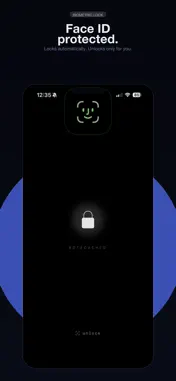
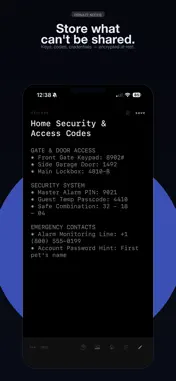
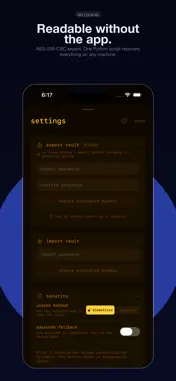
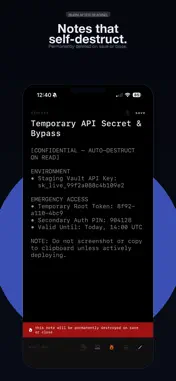
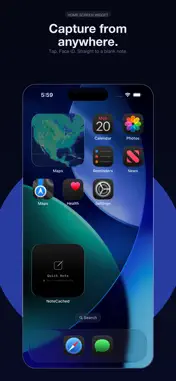
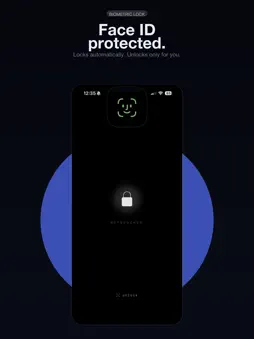
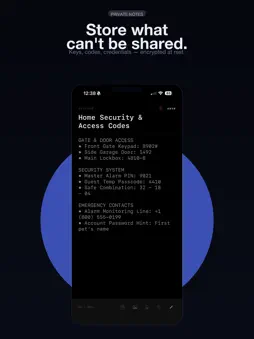
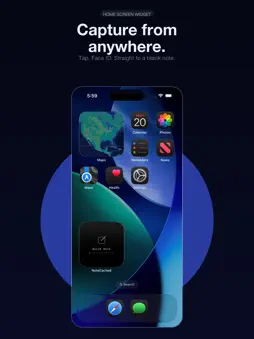
NoteCached is a private notes app with no account, no server, and no way for anyone else to read what you write. ENCRYPTION: Notes and attached images are encrypted with AES-256-GCM (the same standard used by banks and governments) before they ever touch storage. Each encryption uses a unique random number, so identical notes produce different ciphertext every time. The key that unlocks your vault is stored in the iOS Keychain with ThisDeviceOnly protection. It never leaves your device, never touches a server, and is excluded from all iCloud backups by the operating system. Even a fully decrypted iCloud backup contains only scrambled data -- the key to read it does not exist outside your hardware. Your PIN is never stored in plain form. It is derived with PBKDF2-HMAC-SHA256 at 200,000 rounds before being saved to the Keychain, making offline brute-force attacks impractical on any hardware available today. LOCK SCREEN: The vault locks every time you leave the app. Unlock with Face ID, Touch ID, or a 6-digit in-app passcode. Enable passcode fallback so the keypad appears automatically if biometrics fail -- useful when wearing a mask or lying down. There is no stay logged in. BURN AFTER READING: Tap the flame icon on any open note to cycle through two destruction modes. One tap: the note permanently deletes on save or close -- no trash, no recovery. Two taps: the note saves normally and stays in your vault; the next time you open it, it auto-deletes when you close it. One last read, then it's gone. Tap a third time to remove the burn flag entirely. Built for passwords, one-time codes, or anything that should exist only once. INLINE MASKING: Wrap any text in [mask:TEXT] syntax to hide it in preview mode. Masked segments appear as dots -- tap one to authenticate with Face ID and reveal the content. Use the toolbar shortcut to wrap a selection automatically. Notes remember whether they were last left in edit or preview mode, so a note set to preview reopens with its masks active, ready to read without exposing anything. CLIPBOARD: Any text copied from a note starts a countdown. When it expires, the clipboard is automatically wiped -- even if the app is backgrounded or the vault is locked before the timer fires. The interval is configurable from 30 seconds to 5 minutes, or you can turn the feature off entirely. SHAKE TO LOCK: Any sudden movement locks the vault instantly -- shaking your phone, setting it down on a table, or dropping it. Useful when someone walks up unexpectedly. AUTO-DESTRUCT: After 5 consecutive failed unlock attempts, the entire vault is permanently wiped. The counter resets on every successful unlock. EXPORT AND IMPORT: Export your vault as an encrypted bundle using AES-256-CBC with PBKDF2-SHA256 at 100,000 rounds -- the same OpenSSL-compatible wire format you can decrypt from the command line. Every note's title, date, content, and attached images are packed together and encrypted as a single unit. The export file contains no plaintext -- without the password, it reveals nothing, including what the notes are about. The bundle can be imported on any device running NoteCached. There is no cloud recovery, so export before switching phones. WIDGET: Add the NoteCached widget to your home or lock screen. Tap, authenticate, and you are in a blank note instantly. THEMES: 8 color palettes: dark, light, retro, terminal, cyberpunk, neon, quantum glow, and amber. YOUR DATA, YOUR RESPONSIBILITY: NoteCached is built on a simple principle: only you can read your notes, which means only you can lose them. If your device is lost, stolen, wiped, or replaced without an export on hand, your vault cannot be recovered by anyone. There is no account, no server, and no safety net. Export your vault regularly from Settings and store the bundle somewhere safe. Treat it like any file you cannot afford to lose. No ads. No analytics. No account required. Your notes are yours.
Technical Analysis
Package Overview Basic metadata
Bundle ID
com.BSpears.NoteCached Current Version 1.0
Minimum iOS 26.5
Package Size App Store Size
Package Metadata 0 / 0 version records
Detailed binary, privacy manifest, framework, and Info.plist results have not been indexed for this package yet. The verified App Store and archive metadata above remains available.
Known Version Records
0 version records with stored package metadata
Stored metadata does not guarantee a package is currently available to download.
| Details | Version / IDs | Version date | Action |
|---|