
Preview





Description
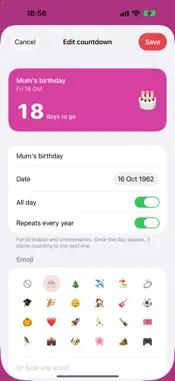
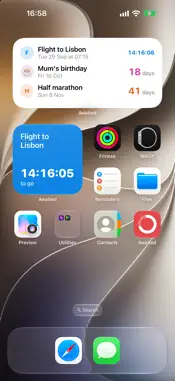
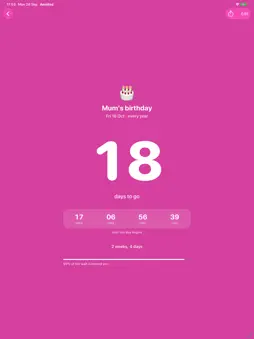
Awaited counts the days to the dates you're looking forward to and keeps them in view on your Home Screen, Lock Screen and Apple Watch. Add a name and a date, then choose a colour, and an emoji if you like. Birthdays and anniversaries can repeat every year, moving on to the next one once the day has passed. Dates that have passed count the days since. • The soonest date sits at the top in its own colour, with the rest in date order. • Open a countdown to see the days, hours, minutes and seconds left, the wait in weeks and months, and how much of it has gone. • Add a time for things like flights. In the last 24 hours, the count becomes a live timer. • Home Screen widgets show one countdown, or your next few in a list. • Lock Screen widgets show the days left with a progress ring or bar. • On Apple Watch, see your countdowns and add them to your watch face or the Smart Stack. • Each widget can follow whatever is next, or stay on the countdown you choose. • Your countdowns sync through iCloud, so they're on your iPhone and iPad and come back if you reinstall the app. There's no account to create. Your countdowns are kept on your devices and in your own iCloud, and aren't sent to us.
What's New
Version 1.1 2026-10-02
Your countdowns now sync through iCloud. They appear on your other iPhone or iPad, and they come back if you reinstall the app or move to a new device. It work... Technical Analysis
Package Overview Basic metadata
Bundle ID
com.hybes.countdown Current Version 1.1
Minimum iOS 26.0
Package Size App Store Size
Package Metadata 0 / 0 version records
Detailed binary, privacy manifest, framework, and Info.plist results have not been indexed for this package yet. The verified App Store and archive metadata above remains available.
Known Version Records
0 version records with stored package metadata
Stored metadata does not guarantee a package is currently available to download.
| Details | Version / IDs | Version date | Action |
|---|