Preview



Description
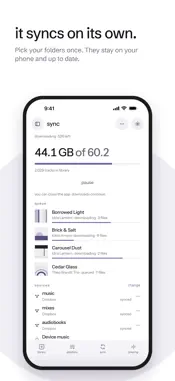
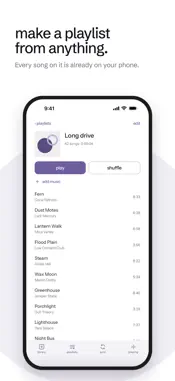
Cloudtape turns the music folders in your Dropbox into a proper music library on your iPhone. Pick the folders, let it sync, and it all plays from the phone itself: on a plane, underground, anywhere. Nothing streams. Every track is downloaded before it plays, so there's no buffering and no data used while you listen. PLAYS FROM YOUR PHONE • Syncs only the folders you pick, and keeps them up to date in the background • Notices when you move or rename a folder in Dropbox, instead of downloading it all again • Plays MP3, AAC, M4A, ALAC, FLAC, WAV, AIFF and audiobooks (M4B) • Disconnect Dropbox or let the trial run out, and everything already on the phone keeps playing PLAYS PROPERLY • Browse by album, artist and song, the way the Music app does • Picks up where you left off in long DJ sets and audiobooks, per file • A scrubber drawn from the track's own waveform • Playlists, lyrics from your files, a sleep timer and volume levelling STAYS OUT OF YOUR WAY • Only reads your Dropbox. It never writes, moves or deletes anything there • Shows the music already on your iPhone in the same library • Scrobbles to Last.fm if you want it, including plays made offline • No account, no ads, no tracking PRICE Free for 14 days, counted from your first sync. After that, one payment keeps syncing on for good. There's no subscription, and Family Sharing is included.
What's New
Version 1.1.5 2026-11-07
Tap the album art in Now Playing to see it full screen. Pinch or double-tap to zoom in, and swipe down or tap to put it away. Swipe the art sideways to skip to ... Technical Analysis
Package Overview Basic metadata
Bundle ID
in.andrewmart.cloudtape Current Version 1.1.5
Minimum iOS 16.4
Package Size App Store Size
Package Metadata 0 / 0 version records
Detailed binary, privacy manifest, framework, and Info.plist results have not been indexed for this package yet. The verified App Store and archive metadata above remains available.
Developer Information
Known Version Records
0 version records with stored package metadata
Stored metadata does not guarantee a package is currently available to download.
| Details | Version / IDs | Version date | Action |
|---|