
Preview






Description
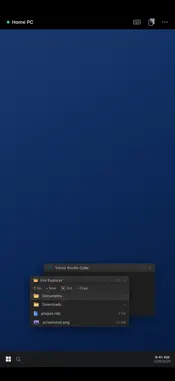
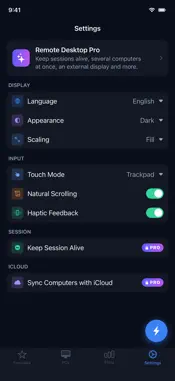
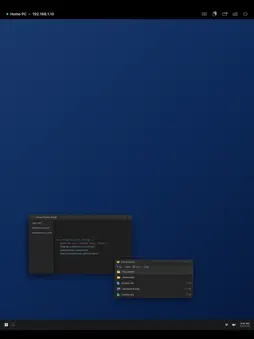
Remote Desktop lets you control your Windows PC, server, or Mac from your iPhone and iPad. Built on the industry-standard RDP and VNC protocols, it connects directly to your computers — no account and no relay server. Free sessions last 15 minutes and you can reconnect straight away; Remote Desktop Pro removes the limit. CONNECT YOUR WAY • RDP for Windows with Network Level Authentication and TLS, and VNC for Mac, Linux, and Raspberry Pi • Quick Connect — type an address and connect instantly, nothing to set up • Save your PCs, mark favorites, and reconnect in one tap • Auto-reconnect keeps your session alive through network drops SECURE BY DEFAULT • Confirm each computer's certificate the first time you connect, and get warned if it ever changes • Computers that use Network Level Authentication are never downgraded to a weaker login • Passwords stored only in the device Keychain BUILT FOR TOUCH • Trackpad and direct-touch modes with adjustable sensitivity • Full gesture set: tap, right-click, middle-click, scroll, pinch-to-zoom, pan • On-screen keyboard plus special keys (Esc, Tab, Ctrl, Alt, Win, F1–F12, Ctrl+Alt+Del, arrows) • Hardware keyboard support • Designed for iPad with a sidebar layout and Split View A REAL DESKTOP, NOT A SLIDESHOW • Metal-accelerated rendering with stretch, fill, and 1:1 scaling • Per-connection quality presets, resolution, and color depth • Low-latency mode for fast networks • Two-way clipboard sync • Audio redirection • Move files between your phone and PC over RDP (they appear under \\tsclient\Phone on Windows) KNOW YOUR CONNECTIONS • Usage statistics with charts, and your recent computers one tap away • Suggestions to fix unstable connections • Per-connection health scores and exportable PDF usage reports (Pro) • On-device AI assistant (Pro) (iPhone/iPad with Apple Intelligence) that explains your usage and helps troubleshoot — it runs entirely on your device YOUR PRIVACY • Your sessions go straight to your computer — nothing is relayed through our servers • Addresses, usernames, passwords, and anything you type in a session never leave your device • Anonymous crash reports and usage analytics help us fix bugs; turn analytics off anytime in Settings REMOTE DESKTOP PRO • Unlimited session time • Keep sessions alive: reconnect by itself, and stay connected in Picture in Picture • Up to four computers at once, and the session on an external display • Wake-on-LAN and finding computers on your network • iCloud sync of your computers and passwords (end-to-end encrypted iCloud Keychain) • RD Gateway, Shortcuts and Siri, connection health, reports, every suggestion and the on-device AI assistant Pro is available weekly ($1.99) or yearly ($19.99) as an auto-renewing subscription, or as a one-time lifetime purchase ($39.99); prices vary by country. Subscriptions renew automatically unless cancelled at least 24 hours before the end of the period, and can be managed in your Apple Account settings. Terms of Use (EULA): https://www.apple.com/legal/internet-services/itunes/dev/stdeula/ Remote Desktop Terms: https://mapleltd.netlify.app/remote-desktop/terms.html Privacy Policy: https://mapleltd.netlify.app/remote-desktop/privacy.html
What's New
Version 1.0.5 2026-11-11
• Introducing Remote Desktop Pro. The free app stays the full RDP and VNC client, now with sessions of 15 minutes — reconnect straight away for another 15. Pro ...• Introducing Remote Desktop Pro. The free app stays the full RDP and VNC client, now with sessions of 15 minutes — reconnect straight away for another 15. Pro removes the limit and adds everything below. Weekly, yearly or a one-time lifetime purchase, with Family Sharing • Keep Session Alive (Pro): come back to the app and the session reconnects by itself, on the last screen instead of a black one. Leave the app and it stays connected in Picture in Picture • Several computers at once (Pro): up to four sessions, switch between them in a tap • External display (Pro): show the session on a monitor, with your iPhone or iPad as its trackpad and keyboard • Wake-on-LAN (Pro): wake a sleeping computer from its row. The app learns the computer's network address by itself while you are connected • Find Computers (Pro): list the PCs and Macs on your network and add them in a tap • iCloud Sync (Pro, off until you turn it on): your computers and passwords on all your devices, through your own iCloud account and end-to-end encrypted iCloud Keychain • RD Gateway (Pro): reach work PCs through a Remote Desktop Gateway • Shortcuts, Siri and Spotlight (Pro): connect to a computer by name • Statistics stay free, with your top suggestion; connection health, reports, every suggestion and the on-device AI assistant are part of Pro • A new PCs tab: list, tile and thumbnail layouts, groups, favorites, and each computer's last screen as its picture (Settings › Display › Show Screenshots, kept only on this device) • Smoother VNC: the next screen update is requested before the current one is drawn • Remote audio comes back after a call or Siri and follows your headphones; the silent switch mutes it • The Balanced and Low quality presets now really lower the frame rate, saving battery Technical Analysis
Package Overview Basic metadata
Bundle ID
com.aq.mb16.remotedesktop Current Version 1.0.5
Minimum iOS 18.0
Package Size App Store Size
Package Metadata 1 / 2 version records
Detailed binary, privacy manifest, framework, and Info.plist results have not been indexed for this package yet. The verified App Store and archive metadata above remains available.
Developer Information
Known Version Records
1 version record with stored package metadata • 2 known version records
Stored metadata does not guarantee a package is currently available to download.
| Details | Version / IDs | Version date | Action |
|---|---|---|---|
| Not archived | App Store ID: 891254258 | Unknown | Request Version |
| 14.03 MB | v1.0.1 App Store ID: 887226525Build: 1.0.1 | 2026-09-14 08:03:25 | Get Version |