
Preview











Description
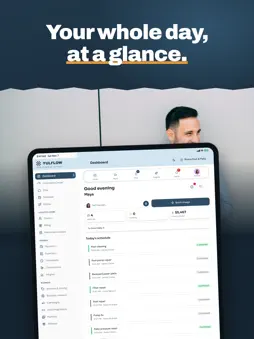
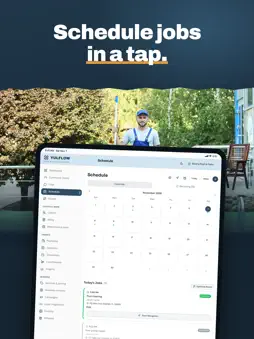
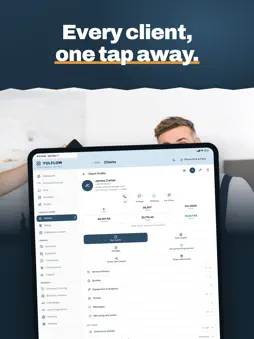
Yulflow is a field service app for independent service pros — contractors, cleaners, landscapers, pool and HVAC techs, stylists and more. Schedule jobs, send quotes and estimates, invoice, and take payments through your own Stripe account, with every client's history in one place. Your partner, Hannah or Cole, answers missed calls and texts, books jobs and drafts follow-ups, then briefs you every morning and recaps every evening, so you're never running your business alone. RUN THE DAY • Scheduling with recurring jobs and a one-tap route for the day • Field mode: complete visits in one tap, undo if you need to • Job checklists, photos, signatures and service reports • Client history, notes and a self-serve client portal • Public booking page — clients book themselves, no back-and-forth • Change orders — clients approve extra work online • Schedule visits — estimate visits, calls and meetings that aren't jobs (also in Google Calendar and on your Apple Watch) IN THE FIELD • Dictate with your voice — Precise voice understands accents and your clients' names (optional, you control it in Settings) • Visit reminders with one-tap buttons right from the notification • Apple Watch app: today's visits, On my way and Complete visit from your wrist • Add your schedule to Apple Calendar or Google Calendar GET PAID • Quotes in minutes, with photo-based smart quotes • Invoices, deposits, autopay and tipping • Tap to Pay on iPhone is now available with Yulflow. With Tap to Pay on iPhone, now you can accept in-person, contactless payments right on your iPhone. There’s no need for additional card readers or terminals. All you need is your iPhone and the Yulflow app. Terms apply. YOUR PARTNER • Choose Hannah (warm and professional) or Cole (direct and to the point) • Answers missed calls and texts, books jobs and drafts follow-ups • Ask it to schedule, move or cancel jobs and visits — it remembers the conversation, warns you about time clashes, and nothing changes until you confirm • Send several photos at once and your partner reads them together • Learns how you work and keeps a memory of your business • Make it yours: pick a wallpaper, solid colors and your chat bubble color (all plans, saved on your device) • Daily briefings, evening recaps and monthly retrospectives • Create a client or job from a screenshot — you confirm before anything is saved BACK OFFICE • Expenses, profit & loss and an accountant export pack • Team coordination, GPS timeclock and timesheets (Signature) • Purchase orders, equipment leasing with e-signature, daily logs • Save quotes, invoices, signed contracts and accountant packs to your own Google Drive (Elite and Signature) • Connect a bank account to match deposits and log expenses (optional, Signature) IN YOUR LANGUAGE • English, Spanish, Portuguese, French, Vietnamese, Chinese, Filipino, Arabic and Russian • Quotes, receipts, reports and messages go out in your client's language WHY PROVIDERS SWITCH TO YULFLOW • Month-to-month. Cancel anytime. No contract. • See the price up front — 14-day free trial on every plan • Your rate locks in for as long as you stay subscribed • Payments run through your own Stripe account Also works in your web browser at app.yulflow.com. Plans: Starter, Pro, Elite and Signature. Tap to Pay on iPhone requires a supported payment app and the latest version of iOS. Update to the latest version by going to Settings > General > Software Update. Some contactless cards may not be accepted by your payment app. Transaction limits may apply. Tap to Pay on iPhone is not available in all markets. For Tap to Pay on iPhone countries and regions, see https://developer.apple.com/tap-to-pay/regions/.
What's New
Version 1.4.0 2026-11-13
New in 1.4.0 • Dictate instead of typing: tap the microphone in Complete job or in a job's Activity. In supported languages your words appear as you speak. • Ph...New in 1.4.0 • Dictate instead of typing: tap the microphone in Complete job or in a job's Activity. In supported languages your words appear as you speak. • Photos without signal: a post with photos made offline is saved on your phone and sent by itself when the signal returns. You can retry or discard it. • Keyboard and sheets: fields stay visible above the keyboard with a Done bar, and the close button of sheets stays in place. • Refunds: an invoice refunded in full now shows as Refunded with a $0.00 balance in your invoices and in the preview, and it can't be marked as paid again. • Billing: clearer client names and status badges. • Smaller fixes and improvements. Technical Analysis
Package Overview Basic metadata
Bundle ID
com.beaysolutions.zyra Current Version 1.4.0
Minimum iOS 15.0
Package Size App Store Size
Package Metadata 0 / 0 version records
Detailed binary, privacy manifest, framework, and Info.plist results have not been indexed for this package yet. The verified App Store and archive metadata above remains available.
Known Version Records
0 version records with stored package metadata
Stored metadata does not guarantee a package is currently available to download.
| Details | Version / IDs | Version date | Action |
|---|