
Preview







Description
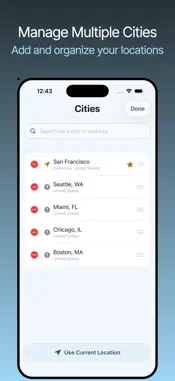
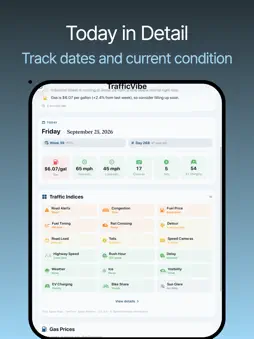
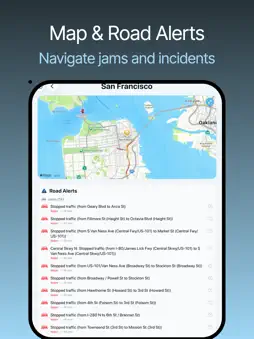
Should I leave now? TrafficVibe tells you what you're heading into before you pick up your keys. It reads your commute in plain language: how the roads are running, what's slowing you down, and when today's rush hour hits. Built for cities worldwide, so the answer is always one glance away. YOUR MORNING BRIEFING Open the app to a calm, plain-language read of your commute, with the most important issue called out first. No dials to decode, no jargon to interpret. Just what your drive looks like right now and what to do about it. BEAT THE RUSH TrafficVibe tells you whether leaving now puts you in the thick of rush hour and, if it does, how much longer the trip takes than the typical drive over the next few hours. Your briefing lays out today's morning and afternoon rush-hour windows, and optional reminders nudge you a set time before each one so you can head out ahead of the traffic. EVERYTHING THAT SHAPES YOUR DRIVE See how the roads are moving, how much time traffic is adding right now, and any accidents, construction, or closures ahead. Color-coded badges rate everything from congestion and rush hour to tolls, rail crossings, and speed cameras, each reading green for good, yellow for caution, and red for act-now. You'll even see whether it's a cheap week to fill up, in your local currency. WEATHER THAT ACTUALLY AFFECTS DRIVING Only the conditions that change how you drive: rain and snow, possible road ice, fog and haze, and low-sun glare around sunrise and sunset. No noise, just what matters on the road. ALERTS, ONLY WHEN THEY MATTER Departure reminders arrive ahead of each rush window, even when the app is closed. Each time your briefing refreshes, TrafficVibe also flags a delay above your limit or a new incident, and a lingering incident or traffic jam only alerts you once. Set your own quiet hours and a weekdays-only preference. ADD YOUR COMMUTE CITIES Save the places you travel to and switch between them instantly, each with its own live read. Alerts and departure reminders follow your active city (your current location by default), with reminders timed in its own time zone. HONEST BY DESIGN TrafficVibe never invents a number. When something can't be measured, it simply says so instead of guessing, and every rating means the same thing every time. No cloud accounts, no tracking, no clutter, just a straight answer before you head out. MADE THE WAY YOU LIKE Choose Imperial or Metric units, 12- or 24-hour time, and the alerts you want, all in one tidy Settings screen. Match your system's appearance, or keep the app in Light or Dark. Leave calmer, arrive on time. Download TrafficVibe and start every drive knowing exactly what's ahead. Love the app? Leave a review and tell us what would make your commute calmer. Question or bug? Reach out through the support link. We read every message.
What's New
Version 1.0.1 2026-11-06
This update improves launch speed, reliability, and accessibility. - Faster launch, especially for places you have opened before. - Your briefing now updates w...This update improves launch speed, reliability, and accessibility. - Faster launch, especially for places you have opened before. - Your briefing now updates when you return to the app after moving to a new location. - More reliable map details, such as tolls, rail crossings, and speed cameras, in large cities. - Fixes for missed departure reminders and for alerts sent for the wrong city. - Improved VoiceOver support, safer data handling during app updates, and general stability fixes. Technical Analysis
Package Overview Basic metadata
Bundle ID
dqianli.NoticeBoard Current Version 1.0.1
Minimum iOS 26.2
Package Size App Store Size
Package Metadata 0 / 0 version records
Detailed binary, privacy manifest, framework, and Info.plist results have not been indexed for this package yet. The verified App Store and archive metadata above remains available.
Developer Information
Known Version Records
0 version records with stored package metadata
Stored metadata does not guarantee a package is currently available to download.
| Details | Version / IDs | Version date | Action |
|---|