Preview



Description
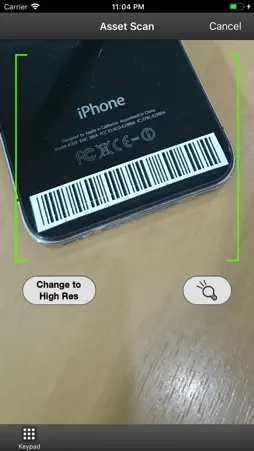
Barcode Essentials for Symantec Management Platform gives you instant access to your favourite asset management workflows on your iPhone, iPad, iPad mini or iPod touch. Just login, sync and go. • All-in-one: The built-in camera is a fully integrated barcode scanner • Mobile: Sync wirelessly then create, view or update any asset in the field • Powerful: Design custom templates to let you work with data your way • Efficient: Set details once then scan, scan, scan in bulk • Intuitive: Work with assets by name, barcode, serial number or other properties • Error free: Save time and avoid errors by scanning barcodes directly into data fields • Integrated: Use your existing Symantec Management Console credentials QUICK START: Tap "Use Demo Server" when prompted to access a free, public server with data that helps you explore the app. For a tour of the main features of the app, you can use the following demo scenarios: • Receiving to Stock Room The moment new assets enter the organisation is the right time to scan and identify them, and mark their location and status before distributing them to stockroom or to users. This can be performed by using the Receiving flow. This can be seen in the following demo scenario. https://www.barcodeessentials.com/Portals/0/BCE-TSS-Demo-Scenario-2- Combined-120503.pdf • Checking out items and Assigning to Owners Assets are then checked out from Stock Room and made available for distribution within the organization simply by scanning and updating their location and status. Once an asset is delivered to its intended user, its owner property can be updated or confirmed for accurate reporting and cost center allocation. This can be performed by using the Quick Scan flow. This can be seen in the following demo scenario. https://www.barcodeessentials.com/Portals/0/BCE-TSS-Demo-Scenario-1-120503.pdf • Searching an Asset Get access to your asset inventory from the palm of your hand. This can be performed by using the Search flow. This can be seen in the following demo scenario. https://www.barcodeessentials.com/Portals/0/BCE-TSS-Demo-Scenario-3-120503.pdf REQUIREMENTS: Barcode Essentials Solution must be installed on your Symantec Management Platform server for the app to synchronize. Barcode Essentials Solution is available as a free down from our website. Contact us at [email protected] for more details.
What's New
Version 2.15 2020-06-16
Updated for iOS 13. This unified version of Barcode Essentials for iPhone can now be used with all versions of Symantec Management Platform 7.1 to 8.x. Technical Analysis
Package Overview Basic metadata
Bundle ID
com.barcodeessentials.bce.bcs71sp2.std.ios Current Version 2.15
Minimum iOS 10.0
Package Size App Store Size
Package Metadata 0 / 8 version records
Detailed binary, privacy manifest, framework, and Info.plist results have not been indexed for this package yet. The verified App Store and archive metadata above remains available.
Developer Information
Known Version Records
0 version records with stored package metadata • 8 known version records
Stored metadata does not guarantee a package is currently available to download.
| Details | Version / IDs | Version date | Action |
|---|---|---|---|
| Not archived | App Store ID: 832060951 | Unknown | Request Version |
| Not archived | App Store ID: 825277231 | Unknown | Request Version |
| Not archived | App Store ID: 220752632 | Unknown | Request Version |
| Not archived | App Store ID: 83612713 | Unknown | Request Version |
| Not archived | App Store ID: 14825126 | Unknown | Request Version |
| Not archived | App Store ID: 11114233 | Unknown | Request Version |
| Not archived | App Store ID: 7864558 | Unknown | Request Version |
| Not archived | App Store ID: 7479844 | Unknown | Request Version |