
Preview





Description
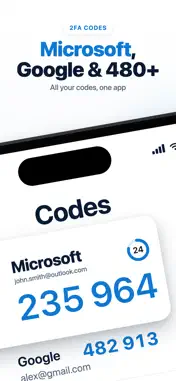
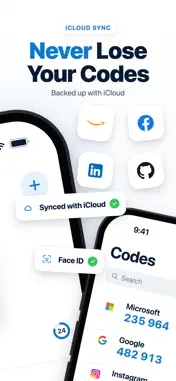
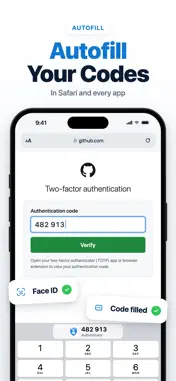
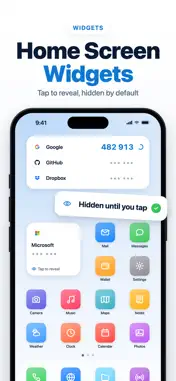
Authenticator App+ creates the two-factor authentication (2FA) codes for your online accounts and keeps your passwords behind the same lock. Your codes and passwords are never sent to us. SET UP 2FA STEP BY STEP - Pick a service and follow a short guide to turn on two-factor authentication. No QR code needed - Or scan a QR code, or type a setup key - Recognizes 480+ services and shows their logos - Works with Google, Microsoft, Facebook, Instagram, Amazon, PayPal, Discord, GitHub and any service that supports authenticator apps - Codes are created on your iPhone and work without an internet connection - Tap a code to copy it MOVE IN FROM ANOTHER APP - Google Authenticator: scan its transfer QR code - 2FAS: import its backup file - Aegis: import an unencrypted export - Other apps: import a list of otpauth links AUTOFILL Fill your verification codes and saved passwords in Safari and other apps, after Face ID, Touch ID or your PIN. Codes need iOS 18 or later. ICLOUD SYNC Keep your accounts in sync between your devices. Sync uses your own iCloud Keychain, end-to-end encrypted by Apple. We cannot read it. WIDGETS See a code on your Home Screen or Lock Screen without opening the app. PASSWORD VAULT Keep passwords, usernames and notes next to your codes, behind the same lock. BACKUP YOU CONTROL - Export an encrypted backup with a password you choose - Restore it on a new iPhone in seconds - Reinstalled the app? It offers your accounts back LOCKED DOWN - Opens with Face ID, Touch ID or your PIN - Asks for Face ID again before showing a secret key or a saved password - Slows down repeated wrong PIN attempts - Hides its contents in the app switcher PRIVATE BY DESIGN - No ads - No account to create - Your secret keys and passwords stay in the iOS Keychain on your device. They leave it only if you turn on iCloud Sync or export a backup yourself - Anonymous usage statistics and crash reports help us improve the app. They never contain your accounts, codes or passwords ALSO INCLUDED A browser tab that keeps no history, cookies or cache, so you can sign in without switching apps. Some features, including AutoFill, iCloud Sync, widgets, encrypted backup export and unlimited accounts, require a subscription. --- Auto Renewable Subscription Terms: • Your free trial subscription will automatically renew to a paid subscription unless auto-renew is turned off at least 24 hours before the end of the free trial period. • You can cancel a free trial or subscription anytime by turning off auto-renewal through your iTunes account settings. This must be done 24 hours before the end of a free trial or subscription period to avoid being charged. The cancellation will take effect the day after the last day of the current subscription period, and you will be downgraded to the free service. • Account will be charged for renewal within 24-hours prior to the end of the current period, and identify the cost of the renewal. Privacy Policy: https://bakirapps.com/privacy/authenticator Terms of Use: https://bakirapps.com/terms
What's New
Version 1.4.0 2026-10-19
Bug fixes and stability improvements. Technical Analysis
Package Overview Basic metadata
Bundle ID
com.bakirapps.authenticator Current Version 1.4.0
Minimum iOS 17.0
Package Size App Store Size
Package Metadata 0 / 0 version records
Detailed binary, privacy manifest, framework, and Info.plist results have not been indexed for this package yet. The verified App Store and archive metadata above remains available.
Developer Information
Known Version Records
0 version records with stored package metadata
Stored metadata does not guarantee a package is currently available to download.
| Details | Version / IDs | Version date | Action |
|---|