Preview





Description
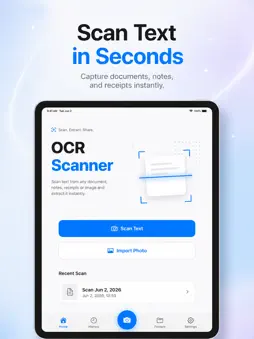
OCR Scanner — Turn Images into Text Instantly OCR Scanner is a simple, fast scanning app that turns text from any document, note, receipt, book page, or screenshot into editable text in seconds — using your camera or a photo from your gallery. No complicated settings, no sign-up. Scan, extract, share. What you can do • Scan or Import a Photo — Capture instantly with your camera or pick an image from your library. • Smart Text Recognition — Advanced dual-engine technology recognizes text with high accuracy. • Edit — Refine the recognized text in-app; change the font and size. • Save as Text or PDF — Keep your scans as plain text or as a PDF document. • Copy & Share — Copy the text with one tap or share it to other apps. • Organize with Folders — Keep your scans tidy in custom folders. • History — Access all your scans anytime; filter by All, Text, or PDF and search. • English & Turkish support, with light/dark theme. Your privacy is absolute OCR Scanner is built so that everything you scan stays on your device. • All scans, images, and recognized text are stored only on your device. • We never collect, transmit, sell, or share your data. • Text recognition runs fully on-device — your images never leave your iPhone. • No ads, no tracking, no analytics. • No account or sign-in required. • Delete any scan at any time, permanently. Carry your documents with you and turn paper into digital text in seconds.
What's New
Version 1.3 2026-06-05
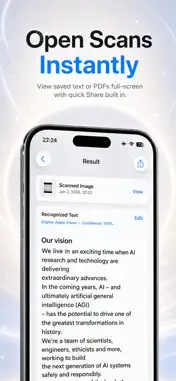
This update makes saving and viewing your scans faster and clearer: • New full-screen viewers — open any saved text or PDF instantly, with quick Share built in.... Technical Analysis
Package Overview Basic metadata
Bundle ID
co.wsoft.OCR Current Version 1.3
Minimum iOS 15.6
Package Size App Store Size
Package Metadata 0 / 4 version records
Detailed binary, privacy manifest, framework, and Info.plist results have not been indexed for this package yet. The verified App Store and archive metadata above remains available.
Known Version Records
0 version records with stored package metadata • 4 known version records
Stored metadata does not guarantee a package is currently available to download.
| Details | Version / IDs | Version date | Action |
|---|---|---|---|
| Not archived | App Store ID: 886403335 | Unknown | Request Version |
| Not archived | App Store ID: 820936363 | Unknown | Request Version |
| Not archived | App Store ID: 817322002 | Unknown | Request Version |
| Not archived | App Store ID: 816482202 | Unknown | Request Version |