Preview





Description
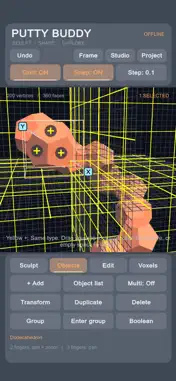
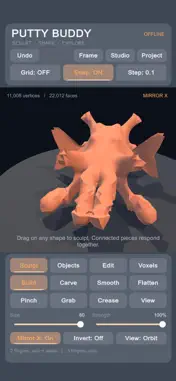
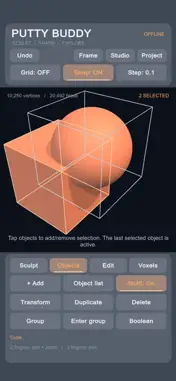
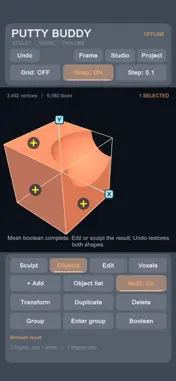
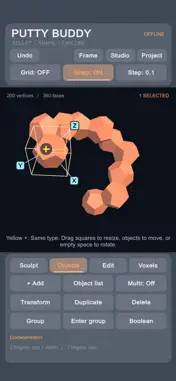
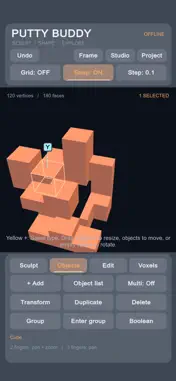
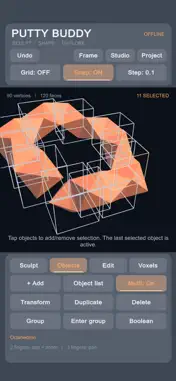
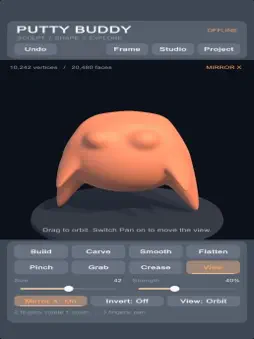
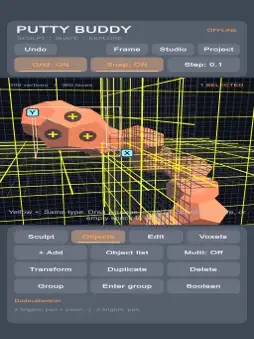
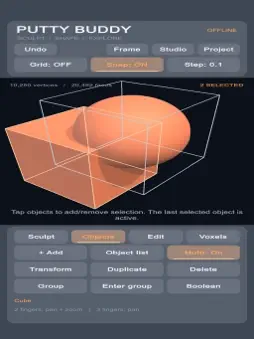
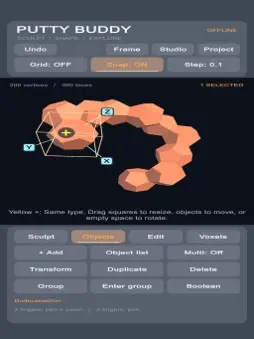
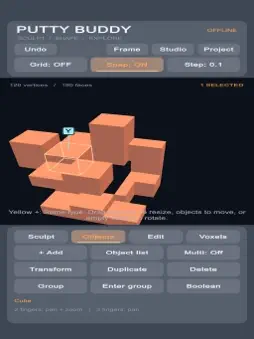
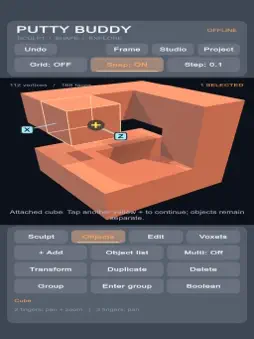
Create 3D models with your fingertips. Sculpt digital clay, build with multiple shapes, and export STL and OBJ files through the Files app. Shape a character, carve a custom form, or build a branching structure one face at a time. Putty Buddy brings sculpting, geometric modeling, and voxel tools together in a touch-friendly workspace. One purchase includes every sculpting tool, modeling feature, material option, saving feature, and export format. No subscriptions, ads, or account required. Work offline. • Build with multiple objects Start with an empty scene or add spheres, eggs, rounded blocks, cubes, cylinders, cones, planes, and toruses. Move, rotate, resize, color, duplicate, and arrange up to 32 objects in a scene. • All five Platonic solids Create regular tetrahedrons, cubes, octahedrons, dodecahedrons, and icosahedrons. Explore geometric designs, repeating forms, chains, and branching structures. • Attach shapes with a tap Tap a yellow + on a flat face to attach a compatible solid or add a cuboid. Matching solids align face to face, making it easy to build outward from a dodecahedron. Attached pieces remain separate objects you can select and move independently. • Sculpt connected pieces together Brush across face-connected shapes as a continuous sculpting surface while keeping each piece independently editable. Mesh detail is added automatically where you sculpt, so you can start shaping without manually subdividing first. • Seven sculpting brushes Build adds volume. Carve removes it. Smooth softens bumps, Flatten levels surfaces, Pinch sharpens ridges, Grab pulls shapes outward, and Crease creates grooves. Adjust size, strength, and soft, firm, or sharp falloff. Reverse supported brushes with Invert, and mirror strokes across X, Y, or Z. • Resize and position with control Drag scaling handles directly on placed objects. Extend an attached cuboid while keeping its contact face in place. Use the toggleable 3D grid, snapping, numeric move/rotate/scale controls, center alignment, and floor placement to arrange your work. • Group without merging Move grouped objects together, enter a group to edit individual pieces, or ungroup them later. Grouping keeps each object's geometry separate. • Cut, combine, and edit meshes Use Union, Subtract, and Intersect on closed mesh shapes to combine forms, carve cutouts, or keep their overlap. Edit vertices, edges, and faces, and extrude individual faces to extend a model. • Build with voxels Add and erase voxel blocks, convert closed meshes into voxels, or turn voxel models into meshes for further shaping. • Colors, finishes, and touch navigation Choose from eight colors and clay, porcelain, or metallic appearances, with gloss and metallic controls. Rotate the view, pan with two fingers, and pinch to zoom. Jump to front, side, or top views, or frame your scene with a tap. • Save and keep experimenting Undo and redo edits as you work. Save and reopen three local projects, with autosave and backup recovery. Projects stay on your device. • OBJ + MTL export Export scene geometry, surface normals, and separate object records for compatible 3D software. The accompanying MTL file stores each object's base color and basic material settings. Keep the OBJ and MTL files together when transferring them. • STL export for 3D printing workflows Export binary STL with adjustable scale in millimeters. STL contains geometry only, without colors or materials. Separate or overlapping objects are not automatically fused for printing; check wall thickness and intersections in your preferred preparation or slicing software. Access exported files through the Files app to copy, share, or transfer them.
What's New
Version 1.1 2026-11-18
New features: - Boolean operations - grid snapping - new primitive starting shapes - yellow plus to add duplicate primitive to adjacent face - extrusion tool - ...New features: - Boolean operations - grid snapping - new primitive starting shapes - yellow plus to add duplicate primitive to adjacent face - extrusion tool - 3 axis scaling - 3 axis symmetry (optional) Technical Analysis
Package Overview Basic metadata
Bundle ID
com.badassassingames.a4 Current Version 1.1
Minimum iOS 16.0
Package Size App Store Size
Package Metadata 0 / 0 version records
Detailed binary, privacy manifest, framework, and Info.plist results have not been indexed for this package yet. The verified App Store and archive metadata above remains available.
Price History (USA store)
3 recorded price change points. These are historical observations, not a guarantee of the current price.
| Recorded at | Price | Currency |
|---|---|---|
| 0.0 | USD | |
| 2.99 | USD | |
| 0.99 | USD |
Known Version Records
0 version records with stored package metadata
Stored metadata does not guarantee a package is currently available to download.
| Details | Version / IDs | Version date | Action |
|---|