Preview






Description
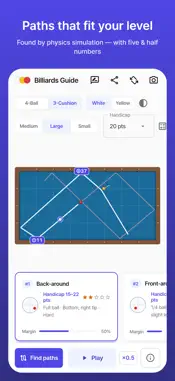
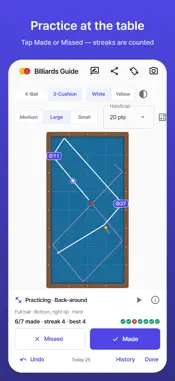
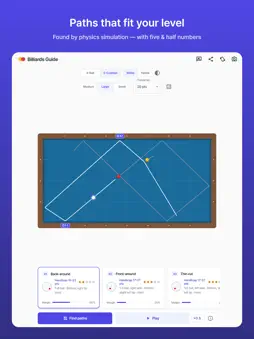
Place the balls on the table and Billiards Guide finds the paths that fit your level. ■ For you if · you can't see a way to score · you see the path but aren't sure about the cue tip or the hit · you want to practice shots in your head ■ Features ▷ Paths that fit your handicap The same layout calls for different paths at different skill levels. A physics simulation finds every path that scores, then orders them for your handicap. ▷ Cue tip, hit and stroke "1/2 ball, right side · lower 1.5 tips · smooth follow" — it tells you exactly where to strike the cue ball and how. The cue tip position is also shown as a picture. ▷ Watch the balls roll Play back any suggested path with one tap and see the balls travel off the cushions. Slow it down to follow along. ▷ Practice mode and drills Pick a path and tap "Practice this path", then tap Made or Missed after each shot — streaks and your best run are counted. Drills give you 20 problems per level, beginner to advanced: make one once for 1 star, three in a row for 2, five in a row for 3. ▷ Daily layout A new layout every day, the same for everyone. Its analysis is free, and your daily streak is counted. ▷ My practice Shots today, day streak, success rate by path type — and which path type is your weakest. ▷ Five & half numbers (3-Cushion) Long-short-long paths show the 1st-rail and arrival numbers right on the table, with the start number in the details. ▷ Find my handicap Not sure of your handicap? Enter the points and innings from your last few games to get your average and handicap. The app remembers it. ▷ Share a layout "How would you play this?" — send the table and the suggested path as a picture and a link. Your friend taps the link to see the same layout and open it in the app. ▷ Zoom in, never get lost Pinch to zoom for precise ball placement. Diamond grid lines, edge numbers and a mini table show exactly where you are. ▷ 4-Ball and 3-Cushion Switching the game sets up the table and rules for you. ▷ Table sizes Medium, Large and Small tables. Each size rolls differently, and the paths account for it. ▷ Place from a photo (beta) Take a picture of the table and the balls are placed automatically. Drag to fix anything that's off. ▷ Learn the paths by name Bank shot, around the table, double rail, cross-table, draw and more — each suggestion tells you what kind of path it is and which cushions it uses. ▷ High contrast Clearer text and balls. Turns on with your device's contrast setting, or use the button in the app. ▷ Korean, English and Vietnamese The app follows your phone's language, or pick one for the app in your phone's settings. ■ Please note · Suggestions come from a physics simulation. Real tables vary with cloth, humidity and cue condition, so adjust by feel at the table. · Photo placement is still improving. If a photo doesn't work well, drag the balls into place. ■ Contact AwesomeDev Inc. [email protected]
What's New
Version 1.0.14 2026-10-22
• Practice mode — pick a suggested path, tap Practice this path, then tap Made or Missed after each shot. Streaks and your best run are counted • Practice drill... Technical Analysis
Package Overview Basic metadata
Bundle ID
dev.awesomedev.billiards Current Version 1.0.14
Minimum iOS 13.0
Package Size App Store Size
Package Metadata 0 / 0 version records
Detailed binary, privacy manifest, framework, and Info.plist results have not been indexed for this package yet. The verified App Store and archive metadata above remains available.
Developer Information
Known Version Records
0 version records with stored package metadata
Stored metadata does not guarantee a package is currently available to download.
| Details | Version / IDs | Version date | Action |
|---|