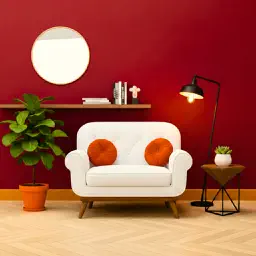
Preview


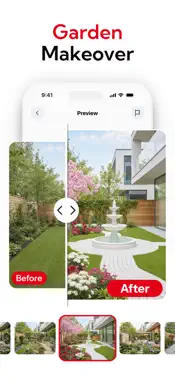
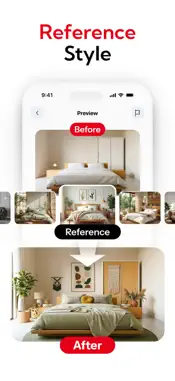


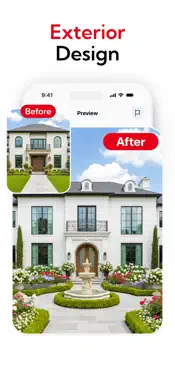

Description
Turn your living room into the best-looking space in your home before you buy a single piece of furniture. This app lets you redesign interiors and exteriors, swap materials, and change furniture with AI – with a special focus on living room décor. Whether you want a full makeover or just to test a new sofa, rug, or wall color, you can see the results in seconds. Living room decor first This app is built around the living room, where you relax, watch TV, host friends, and spend time with family. Upload a photo of your living room Choose a style such as modern, minimalist, Scandinavian, luxury, cozy, or boho Let AI redesign your space with new colors, materials, and furniture Compare before and after and save the versions you like most Use it to plan a makeover, try different layouts, or share options with your partner, friends, or interior designer. Interior design for any room Even though the living room is the main focus, you can redesign other spaces: Bedrooms: change bed, side tables, colors, and lighting Kitchens: try new cabinets, countertops, and backsplashes Home offices: test desks, chairs, shelves, and layouts Dining rooms: update chairs, tables, lighting, and wall décor Simply snap or upload a photo and the app generates new design ideas with AI. Exterior and facade makeovers Visualize how your home looks from the outside before you renovate: Test new wall materials such as paint, wood, stone, or brick Change roof color and style Adjust doors, windows, railings, and trims Add plants, outdoor lighting, and décor elements This is ideal for planning exterior renovations and discussing ideas with contractors. Save design references and moodboards Keep all your favorite ideas in one place: Save multiple design versions for the same room Compare different styles and layouts side by side Build moodboards for each room or project Share designs easily with friends, family, clients, or decorators Your design library becomes a clear visual guide when you start buying furniture or materials. Easy to use, no design skills required 1. Take or upload a photo of your living room, another room, or your home’s exterior. 2. Choose a style or goal, such as cozy, modern, minimal, or luxury. 3. Let the app generate a redesigned version using AI. 4. Refine the result by swapping materials, furniture, and colors. 5. Save and share the versions you like. You do not need experience with interior design, 3D software, or complex tools. Privacy and data Your photos are used only to create design suggestions. You decide what to upload, save, and delete. Personal data and images are not shared without your consent. https://sites.google.com/view/eula-homeai-interior/homeRedesign your living room visually first, then bring the best ideas into real life. Explore new colors, layouts, and furniture combinations with AI and make every change feel more confident and intentional. https://sites.google.com/view/eula-homeai-interior/home
What's New
Version 1.6.20261008 2026-10-15
improve user experience Technical Analysis
Package Overview Basic metadata
Bundle ID
com.avntech.homeai Current Version 1.6.20261008
Minimum iOS 16.0
Package Size App Store Size
Package Metadata 1 / 3 version records
Detailed binary, privacy manifest, framework, and Info.plist results have not been indexed for this package yet. The verified App Store and archive metadata above remains available.
Developer Information
Known Version Records
1 version record with stored package metadata • 3 known version records
Stored metadata does not guarantee a package is currently available to download.
| Details | Version / IDs | Version date | Action |
|---|---|---|---|
| 137.35 MB | v1.4.20260820 App Store ID: 883747607Build: 1.4.20260820 | 2026-08-20 09:33:56 | Get Version |
| Not archived | App Store ID: 883007600 | Unknown | Request Version |
| Not archived | App Store ID: 880599263 | Unknown | Request Version |