
Preview


Description
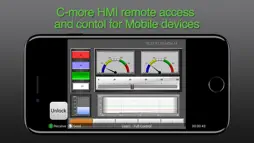
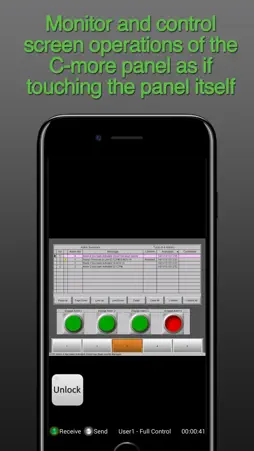
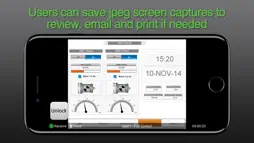
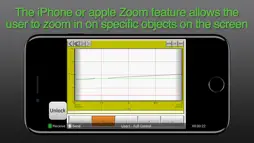
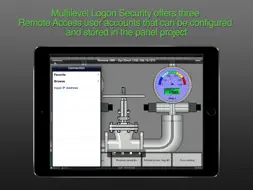
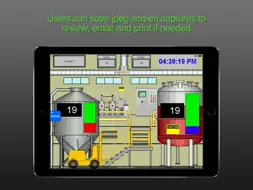
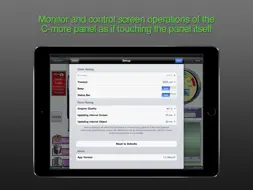
Remote HMI is an application for real time remote monitoring and control for the C-more HMI (Human Machine Interface) product line offered by Automationdirect.com. For this app to function as designed, a C-more panel that supports remote connectivity is required. Note: Important steps for improving the C-more remote Access Performance for the EA9 Series panels. 1. Update the C-more EA9 Panel firmware to version 6.31 or later. 2. Make sure the C-more project display resolution is set for the native resolution of the C-more panel. This can be done in the programming software under Panel Manager settings. 3. See the app note on the support.automationdirect.com web page for more details (App Note AN-EA-017). Main Features of this App. - Monitor and control screen operations of the C-more panel as if touching the panel itself - Users can save jpeg screen captures to review, email and print if needed - The iPhone or apple Zoom feature allows the user to zoom in on specific objects on the screen and then save a screen capture if needed - Multilevel Logon Security offers three Remote Access user accounts that can be configured and stored in the panel project. Each account allows up to five remote users to be connected simultaneously. - Multilevel Access Control allows each account to be configured in one of the following levels of access. Full control access, View only access, View and Screen change only access - User Access Control: User Defined internal tags can be configured to customize the Remote access for each account. These tags can be used to activate alarms, events or notifications to alert local operators that a remote user is connected. The Disable/Enable Tags can be assigned to a switch in the C-more project to allow local operators the ability to enable or disable the remote access feature for security or safety reasons. Requirements to use the Remote HMI App are: • iPhone/iPad/iPod Touch iOS version 4.2 or later • C-more Panel with Ethernet support •The C-more Panel must be using firmware Version 2.73 or later. When upgrading the C-more Panel firmware from a version older than 2.4, the panel will need to be reset to factory default to add the updated “Remote Access” HTML link. Firmware is updated using the C-more programming software. It is not recommended to upgrade firmware remotely. • C-more Programming Software Version 2.73 or later is required to program and configure a C-more panel to support the Remote HMI App. • The Remote Access feature must be enabled in the C-more panel project • The C-more Panel must have compatible network settings with the device running the Remote HMI App, or the panel must be accessible from the Internet. • Although the Remote Access for the C-more panel can be configured with password protection, connecting the C-more panel on an Enterprise network or the Internet exposes security risks. A secure and encrypted VPN connection is highly recommended if the C-more panel will be accessible from the Internet. A VPN (Virtual Private Network) uses encryption and other security mechanisms to ensure that only authorized users are allowed to connect and that the data cannot be intercepted. A VPN greatly reduces the chances of malicious behavior and unauthorized connections.
What's New
Version 1.7 2025-02-18
Added correct access permissions for Local Network. Technical Analysis
Package Overview Basic metadata
Bundle ID
com.automatiindirect.RemoteHMI.01 Current Version 1.7
Minimum iOS 12.0
Package Size App Store Size
Package Metadata 1 / 7 version records
Detailed binary, privacy manifest, framework, and Info.plist results have not been indexed for this package yet. The verified App Store and archive metadata above remains available.
Developer Information
Known Version Records
1 version record with stored package metadata • 7 known version records
Stored metadata does not guarantee a package is currently available to download.
| Details | Version / IDs | Version date | Action |
|---|---|---|---|
 8.34 MB | v1.7 App Store ID: 872454717Build: 0 | 2025-02-12 08:47:10 | Get Version |
| Not archived | App Store ID: 871056500 | Unknown | Request Version |
| Not archived | App Store ID: 870035221 | Unknown | Request Version |
| Not archived | App Store ID: 824237729 | Unknown | Request Version |
| Not archived | App Store ID: 823403611 | Unknown | Request Version |
| Not archived | App Store ID: 264942633 | Unknown | Request Version |
| Not archived | App Store ID: 3797175 | Unknown | Request Version |