
ComputerDraw App Icon

ComputerDraw

Social Networking • Austin Gutowski
12+ v1.1 Recorded price: Free App Store →
★★★★★
★★★★★
(2 App Store ratings)
IPA Analysis
Technical Specs
Bundle ID com.computerdraw.app
Version 1.1
App Store Size 1.29 MB
Minimum iOS 16.0
Devices iPhone, iPad, iPod touch
Catalog release date 2026-06-24
Latest recorded version date 2026-10-14
Features & Support
Advisory 12+
Infrequent/Mild Alcohol, Tobacco, or Drug Use or References Infrequent/Mild Cartoon or Fantasy Violence Infrequent/Mild Profanity or Crude Humor Infrequent/Mild Horror/Fear Themes
Languages (1)
EN
Top In App Purchases
No In App Purchases Listed

Preview

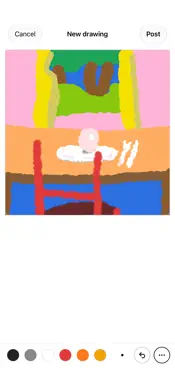
ComputerDraw screenshot 1 ComputerDraw screenshot 2 ComputerDraw screenshot 3 ComputerDraw screenshot 4 ComputerDraw screenshot 5

Description

ComputerDraw is a website and app to make and share drawings. • A simple, responsive drawing pad •Download and share animated gifs however you want. • Brush sizes, any color, and Apple Pencil pressure • A "wobble" setting that brings your lines to life • Soft (airbrush) and hard brushes • Fill and recolor tools SHARE • A clean, chronological feed: everyone, your favorites, and your own sketchbook • Favorite, comment, and follow along with other doodlers • No signal? Keep drawing. Your sketches are saved and post automatically the moment you're back online. Draw before you sign up — you only need an account when you're ready to post.

What's New

Version 1.1 2026-10-14
- Made for iPhone Duo: open it up and ComputerDraw becomes a sketchbook — the drawing on one page, who made it and the comments on the other. Turn pages instead...- Made for iPhone Duo: open it up and ComputerDraw becomes a sketchbook — the drawing on one page, who made it and the comments on the other. Turn pages instead of scrolling. In Book pose nothing sits on the fold. - Drawing is canvas-first: on iPhone the tools fit in one row, with the rest under "more". On the open Duo the tools get their own page. - Every drawing now sketches itself in when it appears, like on the website. - Museum mode: a new "museum" tab takes you through a 3D gallery where everyone's drawings hang on the walls. Open "My museum" from your account menu to see just yours. - A real tab bar with new hand-drawn icons, and one clear "New drawing" button. - Favorites are gone — ComputerDraw is now about drawing and comments. - Faster and lighter on memory.

Technical Analysis

Package Overview Basic metadata
Bundle ID com.computerdraw.app
Current Version 1.1
Minimum iOS 16.0
Package Size App Store Size
Package Metadata 0 / 0 version records
Detailed binary, privacy manifest, framework, and Info.plist results have not been indexed for this package yet. The verified App Store and archive metadata above remains available.

Developer Information

Known Version Records

0 version records with stored package metadata

Stored metadata does not guarantee a package is currently available to download.

Details Version / IDs Version date Action