
Preview









Description
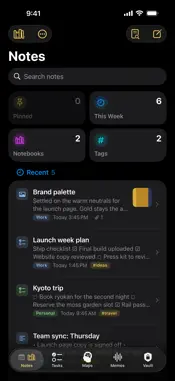
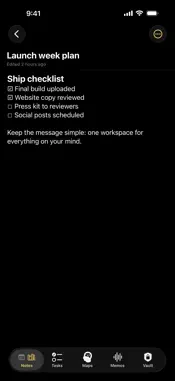
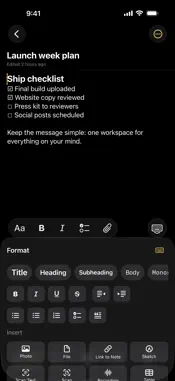
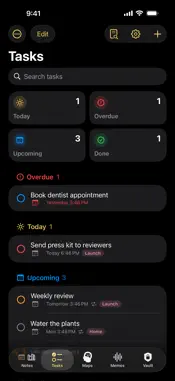
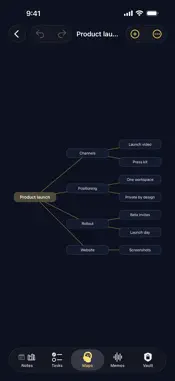
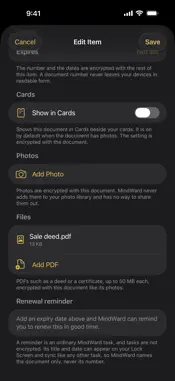
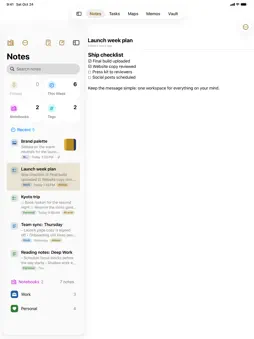
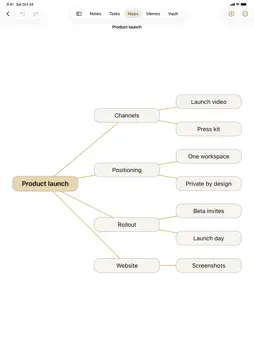
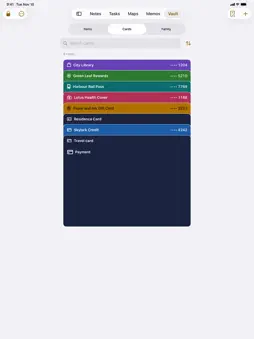
MindWard is your personal workspace. Notes, tasks, voice memos, mind maps and a private vault live together in one focused app for iPhone, iPad, iPhone Duo and Mac, synced privately through your iCloud account. CAPTURE EVERYTHING • Rich text notes with photos and files placed anywhere in the text • Notebooks with their own colours and icons, tags, search and full revision history • Templates, reminders on notes, find in a note, word counts, and a Notes tab that switches to notebooks • Move in from another notes app: import Markdown files, folders and zip exports, notebooks, tags and pictures included • Voice memos with on device transcription • Mind maps that grow as fast as you think • Tasks with projects, repeating schedules and reminders YOUR PRIVATE VAULT • Passwords, one time codes and secure notes • AutoFill: your passwords and one time codes fill in Safari and in apps, after Face ID or Touch ID every time • Move to Vault: turn any note into a secure note, its photos and PDFs included • Cards: payment, loyalty and transport cards in one stack, scanned with the camera, numbers hidden until you choose, barcodes full screen at the till. • Documents: your passport, ID or licence with its photos, a renewal reminder, and PDFs such as a deed kept with it • Family: your family tree, kept private, with each relation, birthdays and death anniversaries ahead, and nakshatra, pada and raashi worked out from a birth date, time and place. Reminders never name the person. • Family Archive: an encrypted copy of your family tree with a printed recovery sheet ALWAYS WITHIN REACH • On iPad, Mac and the unfolded iPhone Duo, your list and the open item sit side by side; typing stays put when you fold • A menu bar on Mac and keyboard shortcuts for notes, tasks, recordings, search and every tab • Home Screen widgets: today's tasks and pinned notes at a glance, or a new note, task, recording or search in one tap • Save to MindWard from any app: share text, links, pictures and PDFs into a new note • Ask Siri or use Shortcuts to add a note or a task. • Find notes, tasks and memos in Spotlight; vault items and locked notes never appear there. BUILT TO NEVER LOSE YOUR WORK • Everything syncs through iCloud. No sign up, no new account. • Every note keeps a revision history you can restore from. • Deleted items rest in trash for 30 days before they are gone for good. • Export your whole workspace as a backup anytime, or every note as Markdown files. PRIVATE BY DESIGN • Lock a notebook and its notes are encrypted on your device, titles and attachments included. Face ID or Touch ID to open. • Choose to encrypt every note, with the trade off explained first. • Everything in the vault is encrypted on your device before it ever leaves it: titles, card photos, family details and PDF files included. • Require Face ID or Touch ID to open MindWard at all, and hide it from the app switcher. The widget then shows counts only. • No ads, no tracking, no accounts. CONNECT YOUR THINKING Link a task to a note, a note to a mind map, a memo to a task. Ideas stay connected instead of scattered. FREE AND PRO Tasks are free forever, including repeating tasks and reminders. The free plan also includes 100 notes in 3 notebooks, 10 voice memos of up to 10 minutes, 2 mind maps of up to 50 nodes, 15 vault items, 12 family members, 3 projects and 3 versions of history per note. MindWard Pro removes those limits, records voice memos of up to 2 hours and keeps 20 versions of history per note. Have an offer code? Redeem it in Settings. MindWard Pro is an auto renewable subscription: $2.99 per month or $19.99 per year. Payment is charged to your Apple Account when you confirm the purchase. The subscription renews automatically unless canceled at least 24 hours before the end of the current period. Manage or cancel anytime in your Apple Account settings. Terms of Use (EULA): https://marsstudio.app/mindward/terms Privacy Policy: https://marsstudio.app/mindward/privacy
What's New
Version 1.0.4 2026-11-12
A fresh look across the app: tap a summary tile to jump to what it counts, with coloured section headers, friendlier dates, map previews, voice memo waveforms a...A fresh look across the app: tap a summary tile to jump to what it counts, with coloured section headers, friendlier dates, map previews, voice memo waveforms and renewal dates on vault documents. AutoFill: the passwords and one time codes in your vault now fill in Safari and in apps, after Face ID or Touch ID every time. Save to MindWard: share text, links, pictures and PDFs from any app straight into a new note. A shared web page keeps its link and brings its text along, or just the part you selected. A Today widget for your Home Screen: tasks due today and your pinned notes at a glance. MindWard for Mac: the same notes, tasks, memos, maps and vault on your Mac, with a menu bar. Move in from another notes app: import Markdown files, folders and zip exports, with notebooks, tags and pictures. Export every note as Markdown files whenever you like. Tap the Notes tab to switch between all your notes and your notebooks. Note Actions: find in a note, word counts and note info, copy a link, duplicate, and reminders on notes. Templates: save any note as a template and start new notes from it. A suggested title for an untitled note, worked out on devices that support it. Have an offer code? Redeem it in Settings. Highlights, colours, headings and links now stay exactly as you left them when you reopen a note. Tasks show the year on a due date that is not this year, and New Project now sits in the Project menu. Technical Analysis
Package Overview Basic metadata
Bundle ID
app.marsstudio.mindward Current Version 1.0.4
Minimum iOS 26.0
Package Size App Store Size
Package Metadata 0 / 0 version records
Detailed binary, privacy manifest, framework, and Info.plist results have not been indexed for this package yet. The verified App Store and archive metadata above remains available.
Developer Information
Known Version Records
0 version records with stored package metadata
Stored metadata does not guarantee a package is currently available to download.
| Details | Version / IDs | Version date | Action |
|---|