Preview


Description
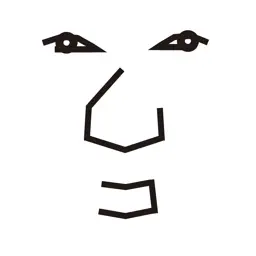
"FaceSwitch" is an iOS and iPadOS application that recognizes facial movements to enable simple switch operations. It can detect the following 16 types of facial movements (only the first 8 are supported on devices without a Face ID camera): - Open mouth - Close mouth - Turn face right - Turn face left - Turn face up - Turn face down - Open eyes - Close eyes - Look right - Look left - Look up - Lift eyebrows - Lift mouth corners (smile) - Pucker lips (kiss) - Bite/thin lower lip - Stick out tongue A red rectangle indicating the magnitude of the detected facial movement moves left or right along a slider on the screen. When it crosses the position of the sensitivity adjustment knob, a switch signal is output. For switch output integration, you can select an external switch connected via Bluetooth (such as a "Relay" or the battery-shaped switch "MaBeee"), or the built-in “Home” or “Shortcuts” apps on the iPhone/iPad. - The “Relay” device works with equipment that accepts switch input. - The “MaBeee” device controls battery-operated equipment. - The “Home” app allows control of smart home devices, i.e., smart lights, plugs, and remotes, compatible with "Matter" or "HomeKit". - The “Shortcuts” app allows execution of a series of predefined actions (Shortcuts) on the iPhone or iPad. (*) (*) When linking with the “Shortcuts” app, add the “Open FaceSwitch” action at the end of the registered “Shortcut” (the sequence of actions) so that it automatically returns to “FaceSwitch” operation after executing the Shortcut. For more details, please refer to the Frequently Asked Questions and Answers (Q&A) about “FaceSwitch” below. From the settings menu in “FaceSwitch,” you can also change the sound that plays when a switch is turned on. It is possible to set and play sounds such as ringtone or have a short message spoken using synthesized speech. Compatible relay products are as follows: - DSD TECH SH-BT01A Bluetooth Module - DSD TECH 2-Channel Bluetooth 4.0 BLE Relay Module - DSD TECH SH-BT04B Bluetooth Module - TinySine TOSR141 - 4 Channel Bluetooth Relay - Switch Science ISP1507 Bluetooth Relay Module For more information on how to integrate with “Relay,” “MaBeee,” “Home,” or “Shortcuts” apps, and Frequently Asked Questions and Answers (Q&A) about “FaceSwitch,” please refer to the website below. https://atac-lab-products.com/faceswitch/QandA_en.html
What's New
Version 1.15 2026-01-22
- On the iPad, the app also works with external cameras. USB-connected cameras such as night-vision cameras that are compatible with iPad can be used with the “... Technical Analysis
Package Overview Basic metadata
Bundle ID
com.atac-lab.rosewood Current Version 1.15
Minimum iOS 16.0
Package Size App Store Size
Package Metadata 1 / 11 version records
0.0 / 5.0 (0 ratings)
Detailed binary, privacy manifest, framework, and Info.plist results have not been indexed for this package yet. The verified App Store and archive metadata above remains available.
Developer Information
Known Version Records
1 version record with stored package metadata • 11 known version records
Stored metadata does not guarantee a package is currently available to download.
| Details | Version / IDs | Version date | Action |
|---|---|---|---|
| 8.6 MB | v1.15 App Store ID: 881644266Build: 1.15 | 2026-01-22 18:11:50 | Paid / Arcade |
| Not archived | App Store ID: 879449147 | Unknown | Paid / Arcade |
| Not archived | App Store ID: 878420733 | Unknown | Paid / Arcade |
| Not archived | App Store ID: 878321055 | Unknown | Paid / Arcade |
| Not archived | App Store ID: 876309105 | Unknown | Paid / Arcade |
| Not archived | App Store ID: 874262447 | Unknown | Paid / Arcade |
| Not archived | App Store ID: 866648953 | Unknown | Paid / Arcade |
| Not archived | App Store ID: 865105069 | Unknown | Paid / Arcade |
| Not archived | App Store ID: 865018040 | Unknown | Paid / Arcade |
| Not archived | App Store ID: 864119188 | Unknown | Paid / Arcade |
| Not archived | App Store ID: 860519999 | Unknown | Paid / Arcade |