
Preview


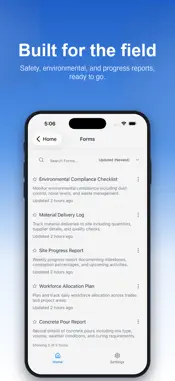

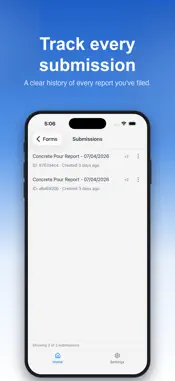

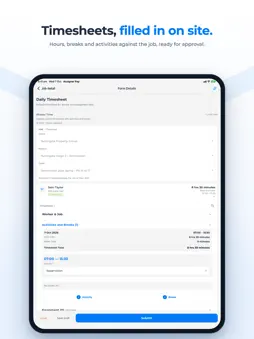


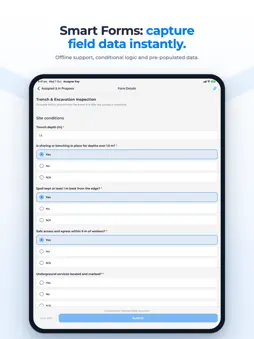

Description
Transform your field operations with Assignar Pay, the comprehensive mobile solution for construction, civil, and field service businesses. Manage your workforce, track jobs, process timesheets, and handle invoicing - all from your mobile device. Key Features Field Management * Submit custom forms directly from the field Multi-Organization Support * Switch seamlessly between organizations * Secure data isolation per organization * Support for contractors with multiple companies Enterprise Security * OAuth and multi-factor authentication * Secure cloud infrastructure Modern Experience * Intuitive interface optimized for mobile * Dark mode support * Smooth animations and responsive design AI-Powered Intelligence * Smart Insights: Get recommendations to optimize operations * Predictive Analytics: Forecast month-end projections * Anomaly Detection: Automatic alerts for unusual patterns * Pattern Recognition: Identify trends and seasonal variations Perfect For Construction companies, civil contractors, field service businesses, project managers, site supervisors, and operations managers looking to digitize their field operations. Benefits * Eliminate manual paperwork * Improve data accuracy * Real-time field visibility * Faster invoice processing * Data-driven decisions * Reduced admin overhead * Digital audit trails Why Choose Assignar Pay? * Save hours on administrative tasks * Reduce errors with digital data capture * Get paid faster with streamlined invoicing * Make informed decisions with real-time data * Scale your operations efficiently Data Security Your data is protected with industry-standard encryption, secure cloud infrastructure, and best-in-class security practices. All information is encrypted in transit and at rest. Support Visit pay.assignar.com for documentation, tutorials, and support.
What's New
Version 2.20.0 2026-11-18
Approve the crew's hours on site, and carry the drawings in your pocket. APPROVE CREW TIMESHEETS FROM THE PHONE If you review or approve timesheets, the Timesh...Approve the crew's hours on site, and carry the drawings in your pocket. APPROVE CREW TIMESHEETS FROM THE PHONE If you review or approve timesheets, the Timesheets page now has a Crew switch beside My timesheets. Every day still waiting on you, oldest first, under a plain count: 12 to approve, 3 flagged. Open one, check it, approve it or mark it reviewed. No walk back to the office, no laptop in the ute. SEE WHAT TO LOOK AT BEFORE YOU APPROVE Each row carries the same signals the office sees on the web. Late 12m. Off site. No location. Overlap. Open the timesheet and every one of them is spelled out in plain words: "Clocked in at 7:12 AM. Shift started at 7:00 AM." "Checked in 340 m from the site. The site fence is 200 m." "Overlaps another timesheet for this worker: 7:00 AM - 3:00 PM on Riverside." The ones that need a look are the ones that say so. DRAWINGS AND SPECS, IN YOUR POCKET The documents the office links to your work pack, order or project now show up in the app. Tap one and it opens exactly the revision that link points at, never a different one. Tap Make available offline and it stays on the phone for the day with no signal — checked byte for byte, and picked back up where it left off if the connection drops halfway through a 250 MB drawing. When a newer revision is published you are told rather than quietly moved, and signing an activity off records the documents you were actually shown. YOUR CLIENT SIGNS ON YOUR PHONE Finish the Site Diary, send its Daily Record for signature and hand the phone over. The client signs or disputes right there, with or without signal, and it reaches the office when you sync. Or email them a link instead. Either way you drive off with it done. LESS TYPING ON THE DAILY RECORD A Daily Record now opens with the crew's submitted timesheets already in it, scheduled crew and walk-ups alike. Take a row out and it stays out; Pull brings it back. And setting hours for the whole crew from a column header no longer pushes scheduled rows past the end of their shift. ONE FORM, SEVERAL PAIRS OF HANDS A long required form no longer belongs to whoever opened it. Anyone authorised can pick it up, keep filling it and sign it — a multi-day permit, a handover, an inspection that outlasts one shift. If two of you answered the same question, the app shows both answers with the name beside each and lets you choose. SAFETY ACTIONS THAT FIND THE RIGHT WORKER A subcontractor's worker now sees the HSEQ actions their principal contractor delegated to them, in My Queue and counted on Home. Open one, add the photos it asks for, leave a note and complete it — in the app, not on a web page you had to pinch to read. THE APP KEEPS UP WITH THE DAY Tap a shift notice and the shift is there, instead of telling you it is no longer available. Come back to the app, or let a notice land while it is open, and your shifts reread themselves. A notice covering several days opens Home on the day it is about. And work a reviewer sends back appears on Home and in Assigned next time you look, with nothing to pull down. SMALLER THINGS WORTH HAVING Some published forms were quietly missing questions on the phone — a required photo, a required dropdown — and let you submit without them. They are back, and required. The Worker Time card lists activities and breaks in the order they happened, so a 15:00 break no longer sits under a 15:30 activity. In a lot of organisations? Search the picker instead of scrolling it. And where the office allows it, you can start the order chat from Job details instead of waiting to be messaged first. Technical Analysis
Package Overview Basic metadata
Bundle ID
com.assignar.pay Current Version 2.20.0
Minimum iOS 16.4
Package Size App Store Size
Package Metadata 0 / 5 version records
Detailed binary, privacy manifest, framework, and Info.plist results have not been indexed for this package yet. The verified App Store and archive metadata above remains available.
Developer Information
Known Version Records
0 version records with stored package metadata • 5 known version records
Stored metadata does not guarantee a package is currently available to download.
| Details | Version / IDs | Version date | Action |
|---|---|---|---|
| Not archived | App Store ID: 888370148 | Unknown | Request Version |
| Not archived | App Store ID: 887507632 | Unknown | Request Version |
| Not archived | App Store ID: 886487840 | Unknown | Request Version |
| Not archived | App Store ID: 885129261 | Unknown | Request Version |
| Not archived | App Store ID: 878100148 | Unknown | Request Version |