Preview








Description
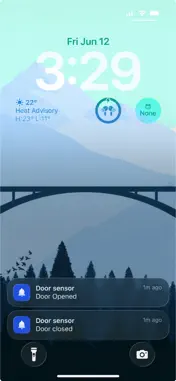
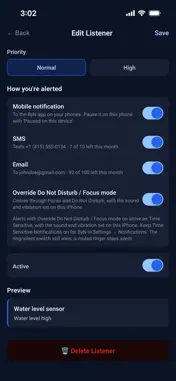
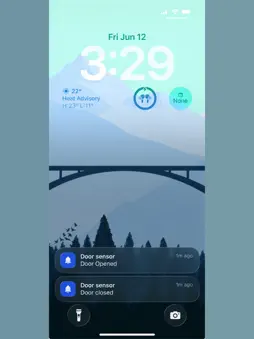
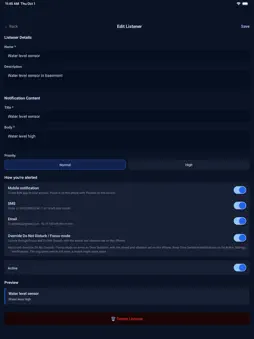
ByN — Build your Notification — lets you create your own custom notifications and send them from anything that can make a web request, and set up monitors that alert you the moment something stops working. Every alert can arrive as a push notification, a text message, or an email. CUSTOM NOTIFICATIONS Design a notification with your own title, message and priority (in the app, it's called a listener). Send it with one web request from a script, a server, a smart home automation, or even your browser. A door opens, a build finishes, a sensor trips: your phone knows right away. NEW: HEALTH MONITORS Some problems are silent. A monitor expects your server, website or device to check in on a schedule, and tells you when it doesn't. • Set check-ins from every 30 seconds to once a day or longer. • Add a grace period, so something running a little late doesn't page you. • Get a down alert when check-ins stop, and a recovery alert when they resume. • Each monitor has its own ping URL: no API key or setup needed. • See 30-day uptime, recent check-ins, and every outage with its duration. • Pause a monitor for maintenance, send a test alert, or change its ping URL anytime. NEW: SMS AND EMAIL ALERTS • Get alerts by text message and email, not just as push notifications. Choose the channels for each notification and monitor. • Verify your phone number once for SMS. Email goes to your sign-in address, or another address you verify. • Each month includes 10 SMS and 100 email alerts, and Settings shows how many are left. USE CASES • Smart Home & IoT — Door alerts, water leaks, temperature warnings, and sensor readings. • Home Servers & Websites — Know when one goes down, and when it's back. • Scheduled Tasks — Find out when a nightly task fails, or never runs at all. • Builds & Deployments — Get notified when builds finish, tests fail, or releases go out. • Home Automation — Connect Home Assistant, Node-RED, or anything that can make web requests. KEY FEATURES • Override Focus — Important alerts can arrive as Time Sensitive notifications that get through Focus and Do Not Disturb. • Ping URLs — Every notification and monitor has its own web address. Nothing else to set up. • Notification History — Every alert with its time, channel, and delivery status. • Priority Levels — Normal or high, for each notification and monitor. • Pause Per Device — Pause a notification or monitor on one phone without changing it anywhere else. • Multi-Device — All your phones and tablets get your alerts. • Passwordless Sign-in — Magic link login, no passwords to manage. • Developer Friendly — A simple HTTP API and an API key for curl, Python, Node.js, or any language. • Open & Lightweight — No vendor lock-in, no bloated SDKs. GETTING STARTED Send yourself a notification: 1. Download the app and sign in with your email — no password needed. 2. Create a listener, e.g. "Front door opened", and choose push, SMS, email, or all three. 3. Copy its ping URL from the web portal at buildyournotification.com. 4. Open that URL from anything that can make a web request — even your browser: https://api.buildyournotification.com/api/ping/YOUR_PING_TOKEN 5. Your phone buzzes. Done. Watch something that must stay on: 1. Create a monitor, e.g. "Home server", and choose how often it checks in, say every 5 minutes. 2. Have it open the monitor's ping URL on that schedule. The app shows the URL, ready to copy or share. 3. If the check-ins stop, ByN alerts you that it's down, and again when it's back up. Full guide and API docs: https://www.buildyournotification.com/docs
What's New
Version 1.2.1 2026-10-03
NEW - Ping URL for listeners Technical Analysis
Package Overview Basic metadata
Bundle ID
com.buildyournotification.app Current Version 1.2.1
Minimum iOS 15.1
Package Size App Store Size
Package Metadata 0 / 0 version records
Detailed binary, privacy manifest, framework, and Info.plist results have not been indexed for this package yet. The verified App Store and archive metadata above remains available.
Developer Information
Known Version Records
0 version records with stored package metadata
Stored metadata does not guarantee a package is currently available to download.
| Details | Version / IDs | Version date | Action |
|---|