Preview






Description
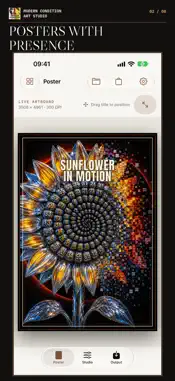
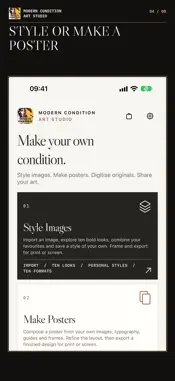
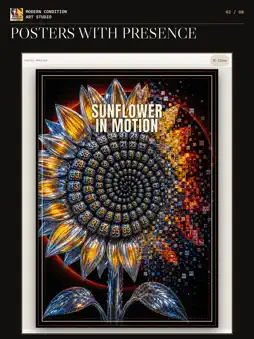
Create work with a distinct point of view. Modern Condition Art Studio brings four purposeful paths to iPhone and iPad: Style Images, Make Posters, Digitize Physical Art and Artist Submission. STYLE IMAGES Begin with a photo or illustration from Photos or Files, or choose an included example. Explore ten graphic Modern Condition looks, from MCA Atelier Ink and Riso Four to Midnight Foil. Layer up to four looks, adjust mix and opacity, compare with your unchanged original, and save a combination under your own name. Choose a format, fit or crop the image, then position it precisely. Export a JPEG at the selected pixel dimensions with 300 DPI metadata. The app shows when a source may lack detail for a larger print. Enlargement cannot create detail that was not in the original. MAKE POSTERS Bring imagery and typography together with frames, guides and grids. Refine the layout and export a finished poster for print or screen. Your existing poster projects and Poster purchase remain available. DIGITIZE PHYSICAL ART Photograph an original with the camera or import an image from Photos or Files. Correct its four corners, compare before and after, and refine exposure, color, paper texture and line work. Choose a profile for paint, photography or ink and pencil. Export a separate A4, A3, A2 or A1 JPEG at the selected dimensions with 300 DPI metadata. The source detail notice helps you choose an appropriate size. Your original remains untouched. ARTIST SUBMISSION Introduce your practice and select examples of your work for consideration. You can suggest a digital artwork customer price and one paired A3 and A2 print preference, or leave either open for discussion. The form explains the proposed artist shares and the costs that apply. Review your details, then choose whether to compose and send an email. An application does not automatically list or license artwork. Any price, license or payment requires a separate written agreement. CREATE ON YOUR TERMS Style Images, Make Posters and Digitize Physical Art each include ten completed outputs and have separate, optional lifetime unlocks. Restore purchases in Shop with the Apple Account that bought them. Apple shows your local price before you confirm. There is no subscription or Studio account requirement.
What's New
Version 2.1 2026-10-14
The Studio now brings four creative paths together. Style Images, formerly Make Art, keeps its ten graphic looks, layered combinations and named personal styles...The Studio now brings four creative paths together. Style Images, formerly Make Art, keeps its ten graphic looks, layered combinations and named personal styles. Make Posters keeps your existing projects and purchase. New Digitize Physical Art lets you correct the corners of a photographed or imported original, refine color and line work, compare before and after, and export a separate sized JPEG. New Artist Submission lets you review selected artwork and optional price preferences before choosing whether to compose an email. Applying does not list your art; any collaboration requires a separate written agreement. The Studio icon and website links have been refreshed. The three creation paths each include ten completed outputs and retain separate optional lifetime unlocks. Technical Analysis
Package Overview Basic metadata
Bundle ID
com.modernconditionart.ModConArtStudio Current Version 2.1
Minimum iOS 17.0
Package Size App Store Size
Package Metadata 0 / 0 version records
Detailed binary, privacy manifest, framework, and Info.plist results have not been indexed for this package yet. The verified App Store and archive metadata above remains available.
Developer Information
Known Version Records
0 version records with stored package metadata
Stored metadata does not guarantee a package is currently available to download.
| Details | Version / IDs | Version date | Action |
|---|