Preview






Description
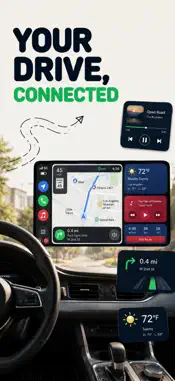
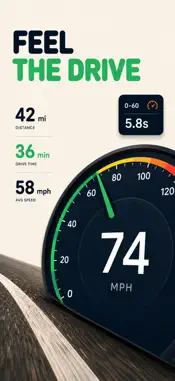
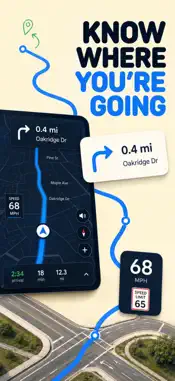
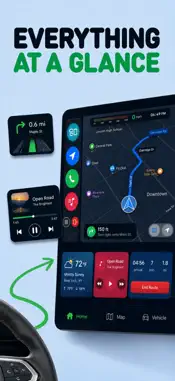
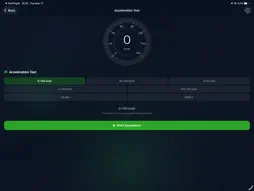
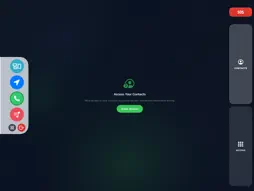
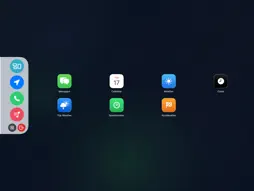
Your phone, your cockpit. Mount it on the dashboard, open the app, and everything you need for the drive is right there — navigation, speed, music, and calls, all on one clean screen. No switching between apps. No digging through menus. Just the road ahead. Navigation to Your Favorite Places Getting directions shouldn't take five taps and a search. Save your most-visited destinations — home, work, a friend's place, your favorite coffee stop — and reach any of them with a single tap the moment you get in the car. Turn-by-turn guidance is displayed in large, bold text that's easy to read at a glance, so you never have to squint at your phone or pull over to figure out where you're going. Whether you're navigating a route you've driven a hundred times or heading somewhere new, the app keeps you on track without demanding your attention. Analog & Digital Speedometers Your speed, displayed exactly the way you like it. Switch between a classic analog dial — with a sweeping needle and a full graduated scale — and a clean, minimal digital readout. Both update in real time and are sized to be instantly readable, even in direct sunlight or the low light of an early morning commute. For drivers who want the feel of a traditional gauge, the analog mode delivers it. For those who prefer precision and simplicity, the digital display keeps things sharp and uncluttered. Ambient Color Themes The app doesn't have to look like every other utility on your phone. Choose an ambient color theme that fits your mood, your car's interior, or just your personal style. Warm tones for a cozy evening drive. Cool blues for a clean, focused commute. The interface adapts around your chosen color, creating a cohesive look that feels intentional rather than generic. On top of that, the app automatically adjusts its brightness based on the time of day — bright and clear during daylight, dimmed and easy on the eyes after dark. No manual adjustments needed. Calls & Contacts at a Tap Searching for a contact while driving is exactly the kind of distraction this app is built to eliminate. Save your most-called people — family, close friends, your go-to rideshare or delivery contact — as favorites, and they appear right on the main screen. One tap to call, no unlocking required, no scrolling through a long list. Your hands stay on the wheel and your eyes stay on the road. It's a small change that makes a real difference on every drive. One Screen. Everything You Need. Most driving apps do one thing well. This one brings everything together. The layout is intentionally bold and spacious — large buttons, high-contrast text, nothing small or fiddly. It's designed for the conditions you're actually driving in: sun glare, bumpy roads, split-second glances. There are no hidden menus to hunt through, no settings buried three levels deep. Everything you use on a daily drive is on the surface, ready when you need it. https://www.asdev.com.tr/car-connect/privacy-policy https://www.asdev.com.tr/car-connect/terms
What's New
Version 1.1.9 2026-08-26
We've made performance improvements, fixed bugs, and polished the overall experience to make the app faster and more reliable. Technical Analysis
Package Overview Basic metadata
Bundle ID
com.asdev.carplay Current Version 1.1.9
Minimum iOS 17.0
Package Size App Store Size
Package Metadata 0 / 9 version records
Detailed binary, privacy manifest, framework, and Info.plist results have not been indexed for this package yet. The verified App Store and archive metadata above remains available.
Developer Information
Known Version Records
0 version records with stored package metadata • 9 known version records
Stored metadata does not guarantee a package is currently available to download.
| Details | Version / IDs | Version date | Action |
|---|---|---|---|
| Not archived | App Store ID: 889122174 | Unknown | Request Version |
| Not archived | App Store ID: 888459085 | Unknown | Request Version |
| Not archived | App Store ID: 886866047 | Unknown | Request Version |
| Not archived | App Store ID: 886800362 | Unknown | Request Version |
| Not archived | App Store ID: 885914766 | Unknown | Request Version |
| Not archived | App Store ID: 884660487 | Unknown | Request Version |
| Not archived | App Store ID: 884410855 | Unknown | Request Version |
| Not archived | App Store ID: 883965973 | Unknown | Request Version |
| Not archived | App Store ID: 881785972 | Unknown | Request Version |