Preview

Description
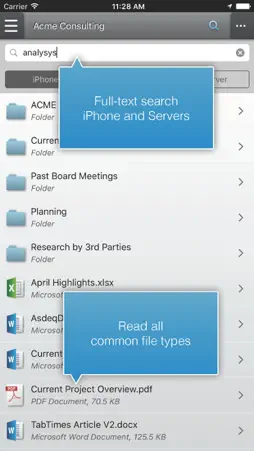
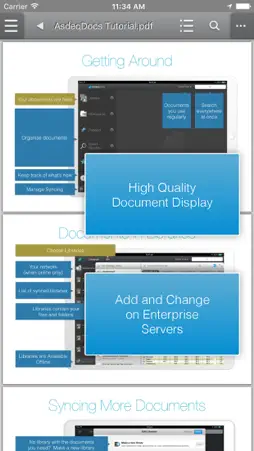
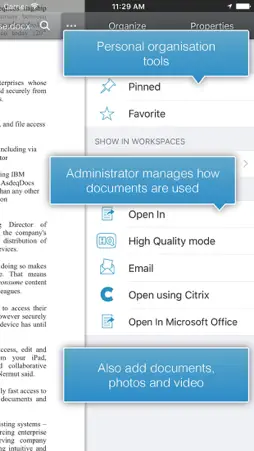
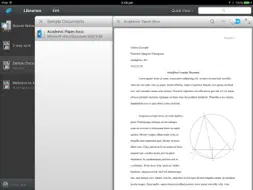
AsdeqDocs with MDM - Secure Mobile Document Management. AsdeqDocs enables BYOD productivity with Enterprise control allowing the secure and automatic synchronization of corporate documents to and from employee’s iPads and iPhones. AsdeqDocs with MDM also functions as an MobileIron AppConnect Enabled app. With AppConnect by MobileIron, organizations can centrally manage and deploy apps for their users, with the confidence that their corporate data is secure. AppConnect apps can leverage a policy framework that provides advanced authorization, configuration, and data security capabilities. Requires the use of MobileIron for mobile IT management. The AsdeqDocs solution is installed on premises, behind the corporate firewall and directly connects a mobile employee with more than 18 leading document management solutions including SharePoint, Trim, Documentum, Exchange, File Shares, OpenText, WebCenter and IBM Connections. AsdeqDocs allows an employee to securely access, edit, annotate, author and search for documents while mobile. AsdeqDocs employs military-grade encryption at all levels, enforces document-level security and provides full activity audit logging. User Features • Files and documents are automatically synchronized between the enterprise and the mobile devices - Employees always have the latest files • Mobile workers have full online and offline access files and documents are always available • Full document creation and control, including easy access, editing, annotating, organizing and sharing • HQ mode displays Word, Excel and Powerpoint Microsoft Office documents with superior rending • PowerPoint presentation mode with advanced rendering and inbuilt virtual laser pointer for superb presentations • Annotate documents with markups, notes, highlights, bookmarks and drawings. Save and share annotations. • Create notes with text and drawing tools and share them securely • Powerful search features let users search on the device or the entire enterprise document repository • Share documents with coworkers allowing project collaboration • Doesn’t change the way people work, so they never have to upload, download or copy files to the cloud for mobile access • Original documents remain on the corporate network, with tablets synchronizing and encrypting the information • Full document audit history including geographic location of actions • Simply add documents to your mobile device without using cloud sharing tools • Cross-platform clients available across multiple mobile and desktop platforms Features for the Enterprise: • AsdeqDocs high availability and high performance Server lives within the corporate firewall and connects directly to the existing corporate infrastructure • Maintains existing enterprise security configuration and document-level security so documents are always available yet completely secure • Uses both AD/LDAP and repository permissions automatically, without requiring separate security configurations • Secure SSL network connections for data transfer, and AES 256-encrypted containerized data storage on the tablet • Full audit logging of location and every activity undertaken by each mobile user • Easy administration features, including simple set-up, intuitive web interface and full audit capabilities and reports • Rapid implementation gets workers up and running in less than one day • Share documents with external users, control usage, audit activity • Push content to devices to ensure that critical enterprise information is always available and up to date • Powerful features for sharing documents with external users such as clients or contractors, while maintaining security and audit logging Download AsdeqDocs on the App Store, then contact AsdeqDocs or our one of our authorized partners to install AsdeqDocs Server and start accessing your company documents from all your devices.
What's New
Version 6.2.4 2019-09-16
- We've improved the document menu to better arrange things you can do with files. - You can now view two documents at once - open the second document from Quic... Technical Analysis
Package Overview Basic metadata
Bundle ID
com.asdeqlabs.asdeqdocswithmdm Current Version 6.2.4
Minimum iOS 11.0
Package Size App Store Size
Package Metadata 0 / 0 version records
5.0 / 5.0 (1 ratings)
Detailed binary, privacy manifest, framework, and Info.plist results have not been indexed for this package yet. The verified App Store and archive metadata above remains available.
Developer Information
Known Version Records
0 version records with stored package metadata
Stored metadata does not guarantee a package is currently available to download.
| Details | Version / IDs | Version date | Action |
|---|