Preview




Description
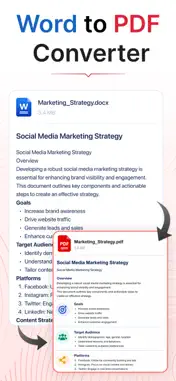
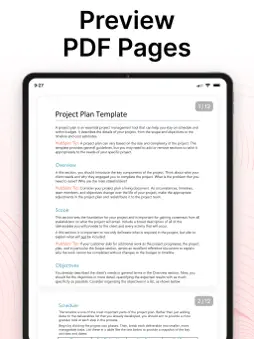
Need to convert a Word document into PDF format? Word to PDF Converter helps you turn Word documents (Doc and Docx) into PDF files directly from your phone. Convert single files or use batch conversion to process multiple documents, then merge multiple PDF files into a single PDF. Whether you're a student, teacher, or professional managing notes, presentations, reports, or proposals, everything you need is in one place. Choose a file and convert Word to PDF with your original fonts, tables, and page layout intact. This Docx to PDF Converter preserves the formatting of resumes, letters, reports, contracts, presentations, and other important documents. Word to PDF Converter App features - Convert Word documents to PDF in single or batch mode - Preview files before conversion - Merge multiple converted PDFs into one Batch files conversion: Add multiple files and convert Word to PDF together. Use the Merge option to combine converted files into one PDF. The Docx converter to pdf works well for proposals, attachments, and related documents. Here's how to use this Word Docx to PDF Converter App: - Tap Select File — choose a Doc or Docx - Add more files for batch conversion - Tap Convert to PDF - Download or share the result Who can use this Word to PDF Converter App? - Students use this Word converter to PDF app for coursework - Teachers and organizations use this Doc to PDF converter for notices, forms, and handouts. - Professionals and Freelancers can convert Docx to PDF for reports, contracts, proposals, and business documents. Disclaimer: This app converts Word documents to PDF directly on your device. Your files remain private and are never uploaded or shared with any third party. Privacy Policy: https://theonlineconverter.com/privacy-policy Terms of Service: https://theonlineconverter.com/terms Support Email: [email protected]
Technical Analysis
Package Overview Basic metadata
Bundle ID
com.word.to.pdf.converter.convert.docx.files Current Version 1.0
Minimum iOS 13.0
Package Size App Store Size
Package Metadata 0 / 0 version records
Detailed binary, privacy manifest, framework, and Info.plist results have not been indexed for this package yet. The verified App Store and archive metadata above remains available.
Developer Information
Known Version Records
0 version records with stored package metadata
Stored metadata does not guarantee a package is currently available to download.
| Details | Version / IDs | Version date | Action |
|---|