
Preview


Description
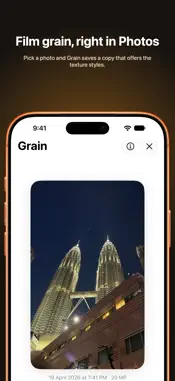
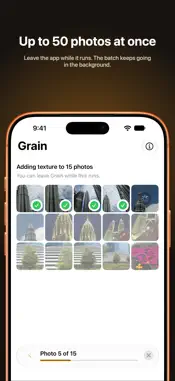
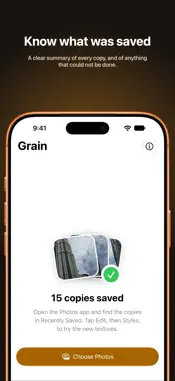
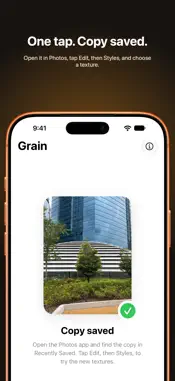
Grain gives your photos the texture Photographic Styles. Pick a photo and Grain saves a copy that offers the texture styles when you edit it in the Photos app: open the copy, tap Edit, then Styles, and choose a texture with film grain. Your original stays exactly as it is. HOW IT WORKS - Pick one photo, or up to 50 at once. - Grain saves a new copy of each photo to your library. Originals are never changed. - Open the Photos app, find the copy in Recently Saved, tap Edit, then Styles. BUILT FOR BATCHES - Process up to 50 photos in one go, with progress for every photo. - Leave the app while a batch runs. It keeps going in the background. - A clear summary shows what was saved and why any photo could not be done. PRIVATE BY DESIGN - Everything happens on your iPhone. - Grain collects no data, has no accounts and makes no network requests. REQUIREMENTS AND LIMITS - iOS 27 or later. - HEIC photos that include Photographic Styles data, which recent iPhones save. Tested with iPhone 17 Pro. - Live Photos are saved as stills. - Photos in other formats, such as JPEG, cannot get texture styles. - The skin texture options appear in Styles but have no visible effect yet. Support is planned for a future update. All photos by Arvin Soltani Motlagh, shot on iPhone 17 Pro. Grain is not affiliated with Apple. iPhone and Photographic Styles are trademarks of Apple Inc.
Technical Analysis
Package Overview Basic metadata
Bundle ID
com.arvinsoltani.TextureStyles Current Version 1.0
Minimum iOS 27.0
Package Size App Store Size
Package Metadata 0 / 0 version records
Detailed binary, privacy manifest, framework, and Info.plist results have not been indexed for this package yet. The verified App Store and archive metadata above remains available.
Known Version Records
0 version records with stored package metadata
Stored metadata does not guarantee a package is currently available to download.
| Details | Version / IDs | Version date | Action |
|---|