
Preview




Description
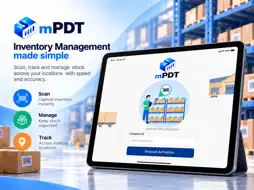
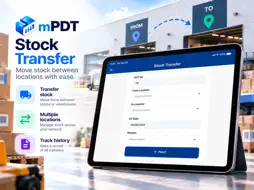
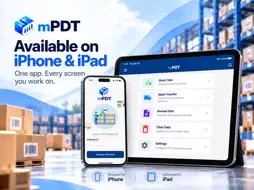
mPDT is a business-to-business (B2B) application for stock take and stock transfer. It is not intended for general consumer use. Access is available to businesses registered with and approved by GUSTA TECHNO, and to users authorized by those businesses. ABOUT mPDT: Built by GUSTA TECHNO, mPDT turns your iPhone into a portable data terminal for inventory operations. It helps store, warehouse, and inventory teams record stock counts and stock movements quickly and accurately using the device camera, and exports the results as files ready for your inventory or ERP system. Designed for speed, accuracy, and security, mPDT keeps stock take and stock transfer records on the device and lets you create export files in the format your business needs. KEY FEATURES: • Stock Take: Scan product barcodes and SKU labels with the built-in camera scanner, enter quantities, and record shelf numbers for fast and accurate stock counts. • Stock Transfer: Record stock movements between locations with From and To locations and transfer reasons, using lists set up by your business. • Duplicate Detection: Get alerted when an item has already been scanned, and choose to add the new quantity to the existing record or overwrite it. • Flexible File Export: Export stock take and stock transfer records as CSV or TXT files, choose which fields to include and their order, and save all records in a single file or in separate files per session. • Clear File Naming: Export files are named automatically using the PDT number and date, with the time and transfer locations added where applicable, making them easy to identify and import. • Browse & Review: View saved files and records, check record counts, and correct quantities before using an export file. • Easy File Access: On iPhone, export files are available in the Files app, so they can be shared, copied, or transferred to other systems. • Secure Access: Each device is activated using a Company ID and approved before use. The app is protected by Face ID, Touch ID, or the device passcode. • Data Management: Clear stock take and stock transfer data and files from the device when they are no longer needed. REQUIREMENTS: • A Company ID issued to your business by GUSTA TECHNO. • Device activation approval. • A device passcode, Face ID, or Touch ID set up on the device. • An internet connection for device activation and sign-in. Count faster, transfer accurately, and export with confidence. Download mPDT today.
Technical Analysis
Package Overview Basic metadata
Bundle ID
com.gusta.mpdt Current Version 1.0
Minimum iOS 15.0
Package Size App Store Size
Package Metadata 0 / 0 version records
Detailed binary, privacy manifest, framework, and Info.plist results have not been indexed for this package yet. The verified App Store and archive metadata above remains available.
Known Version Records
0 version records with stored package metadata
Stored metadata does not guarantee a package is currently available to download.
| Details | Version / IDs | Version date | Action |
|---|