Preview




Description
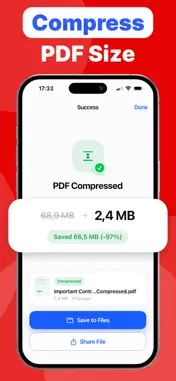
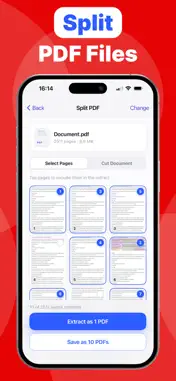
iPDF — All-in-One PDF Tools Welcome to iPDF, the fastest and most intuitive document management app designed to handle all your PDF needs on the go. Whether you need to sign an urgent contract, compress a heavy file for an email, or turn photo scans into a clean PDF, iPDF delivers professional results with just a few taps. Say goodbye to complicated desktop software. iPDF puts a powerful suite of PDF tools right in your pocket! KEY FEATURES Images & Camera to PDF · Photos to PDF: Convert your photos and gallery images into high-quality PDF documents effortlessly. · Instant Scan & Convert: Snap a picture of a document, receipt, or paper form using your camera, and iPDF will instantly convert it into a crisp, ready-to-share PDF. Organize & Edit Pages · Merge PDFs: Combine multiple PDF files, documents, and images into one organized file. · Split PDF: Easily divide a large PDF into separate files or extract specific page ranges. · Remove Pages: Delete unwanted pages from any PDF document with a single tap. · Rotate Pages: Fix page orientation by rotating individual pages or the entire document. · Reorder Pages: Drag and drop pages to rearrange your document in the exact order you need. Optimize & Shrink · Compress PDF: Reduce large file sizes instantly without sacrificing document quality. Perfect for meeting email attachment limits and saving storage space. Sign & Protect · Sign PDF: Create your personal digital signature to sign contracts, agreements, and forms on the fly. · Lock PDF: Add password protection to encrypt sensitive documents and keep your private data safe. · Unlock PDF: Remove password restrictions from your authorized PDF files for quick access. WHY CHOOSE iPDF? · Fast & Efficient: Process complex PDF files instantly without lag. · Clean & Intuitive: Designed specifically for iOS with a modern, distraction-free interface. · 100% Secure: Your documents are processed safely on your device to ensure total privacy. · Easy Sharing: Export and send your edited PDFs via Email, AirDrop, Files, or messaging apps in one tap. Master your documents today with iPDF! PRIVACY POLICY https://legal.sparkleafapps.com/ipdf/privacy-policy.html TERMS OF USE https://legal.sparkleafapps.com/ipdf/terms-of-use.html
What's New
Version 1.1 2026-09-28
Fixed minor bugs. Technical Analysis
Package Overview Basic metadata
Bundle ID
com.artemteluschenko.ipdf Current Version 1.1
Minimum iOS 18.0
Package Size App Store Size
Package Metadata 0 / 0 version records
Detailed binary, privacy manifest, framework, and Info.plist results have not been indexed for this package yet. The verified App Store and archive metadata above remains available.
Known Version Records
0 version records with stored package metadata
Stored metadata does not guarantee a package is currently available to download.
| Details | Version / IDs | Version date | Action |
|---|