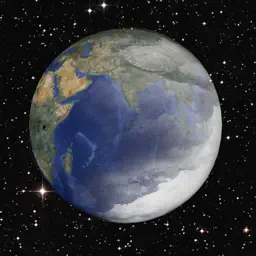
Preview


Description
The physics is fun! The law of gravity in particular. Explore it with ViGravitatis today and understand the trajectory of celestials tomorrow! Guide: Modes ViGravitatis provides two key modes: Creation and Simulation. In the Creation Mode, you have the full power to place anything in your space and anywhere. When you press Play, Simulation mode starts automatically. In this mode, you are limited to changing a few parameters of a selected celestial. Moreover, different capabilities are available when simulation is playing compared to when it is paused. Use the toggle with the hammer icon to switch between Creation and Simulation. Note that when you switch from Simulation to Creation, the space is reset to its initial state. Meaning that the positions and velocities of celestials are reset. The key scenario of using the app is to set up your scene in the Creation Mode and then check how it is changing during the simulation. Then, go back to Creation Mode, change a few initial parameters, and check again how it affects the simulation. Guide: Simulation Speed There are a few ways you can affect the speed of the simulation. First of all, it can be completely paused at any time. So, no objects are moving. But you can also change the accuracy of the simulation using the slider near the Play/Pause toggle. It can increase the speed of the simulation, sacrificing accuracy. So, at very high speeds, objects can start moving in a very surprising way, albeit inaccurately. On the other hand, you can change the “iterations count”. With greater iterations in total simulation runs, faster without any degradation in accuracy, but it will require more battery power of your device.
What's New
Version 1.0.1 2025-04-06
Re-built the app with iOS 18 SDK, improved document opening experience. Technical Analysis
Package Overview Basic metadata
Bundle ID
com.TwoDollarsEsq.ViGravitatis Current Version 1.0.1
Minimum iOS 14.2
Package Size App Store Size
Package Metadata 0 / 2 version records
Detailed binary, privacy manifest, framework, and Info.plist results have not been indexed for this package yet. The verified App Store and archive metadata above remains available.
Known Version Records
0 version records with stored package metadata • 2 known version records
Stored metadata does not guarantee a package is currently available to download.
| Details | Version / IDs | Version date | Action |
|---|---|---|---|
| Not archived | App Store ID: 873432239 | Unknown | Request Version |
| Not archived | App Store ID: 834831092 | Unknown | Request Version |