
Preview


Description
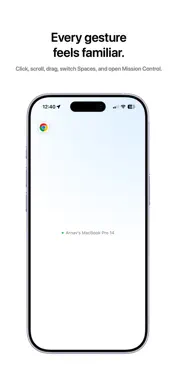
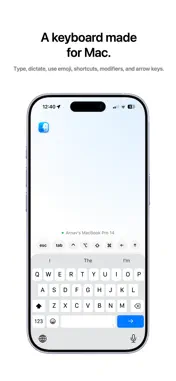
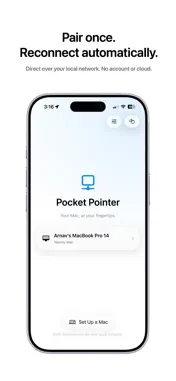
Your iPhone is already in your hand. Pocket Pointer turns it into a trackpad and keyboard for your Mac — real multi-touch gestures, real typing, no cable and no account. Free, both halves, with nothing to unlock. THE TRACKPAD YOU ALREADY KNOW • Move the pointer with one finger • Tap to click. Two-finger tap to right-click • Two-finger drag to scroll, with natural scrolling if you prefer it • Press, hold, then move to drag and drop • Three-finger swipe up for Mission Control • Three-finger swipe down for App Exposé • Three-finger swipe left or right to move between Spaces A KEYBOARD THAT ACTUALLY TYPES • Use your iPhone's own keyboard — every language you have installed, emoji, and dictation all arrive on the Mac • ⌃ ⌥ ⇧ ⌘ sit above the keys, so ⌘C, ⌘Tab and ⌘Space work the way they do on a Mac • Double-tap a modifier to hold it for several keys, tap again to let go • Esc, Tab and the arrow keys are right there — enough to run a slide deck from the back of the room BUILT FOR THE COUCH AND THE DESK • Pair once with a six-digit code, then never again • Reconnects on its own the next time you open the app • Pointer speed, scroll direction and haptics are yours to set • Tracks at your display's full refresh rate, so the cursor moves when your finger does PRIVATE BY CONSTRUCTION Your iPhone talks to your Mac directly over your own Wi-Fi. No server sits in the middle, there is no account to create, and there is nothing about you to collect — no analytics, no tracking, no third-party SDKs of any kind. Sessions are encrypted with AES-128-GCM, keyed by a credential kept in each device's Keychain, and a Mac only pairs when you type the code it is showing you. WHAT YOU NEED Pocket Pointer needs its free companion helper on the Mac — a small menu-bar app you install once from pocketpointer.vercel.app. It asks for Accessibility, which is what macOS requires before anything can move your pointer, and for nothing else. • iPhone running iOS 26 or later • Mac running macOS 26 or later • Both devices on the same local network Setup help and troubleshooting: pocketpointer.vercel.app/support.html
What's New
Version 1.4.6 2026-09-03
Scroll the Mac from the live screen view Two fingers on the picture now turn the Mac's wheel, so a long page can be read from the phone without switching back ... Technical Analysis
Package Overview Basic metadata
Bundle ID
com.arnavroy.remotemouse Current Version 1.4.6
Minimum iOS 26.0
Package Size App Store Size
Package Metadata 0 / 0 version records
Detailed binary, privacy manifest, framework, and Info.plist results have not been indexed for this package yet. The verified App Store and archive metadata above remains available.
Developer Information
Known Version Records
0 version records with stored package metadata
Stored metadata does not guarantee a package is currently available to download.
| Details | Version / IDs | Version date | Action |
|---|