
Preview

Description
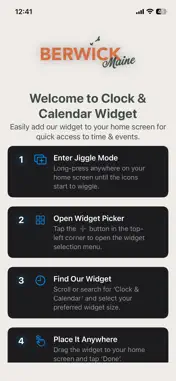
Transform your Home Screen with elegant clock and calendar widgets inspired by Berwick’s timeless style. Berwick brings a clean, minimalist look to your iPhone and iPad with beautifully designed Home Screen widgets that show the time and date at a glance. Choose from multiple pre-designed styles, each with its own color theme and layout. FEATURES • Beautiful analog clock & calendar widgets • Multiple pre-designed widget styles • Clean, minimalist Berwick-inspired designs • Different color themes to choose from • Supports multiple widget sizes • Easy Home Screen setup, no account required • Fast, lightweight, and works offline • Designed for iPhone and iPad HOW TO ADD A WIDGET 1. Long-press your Home Screen 2. Tap the + button 3. Search for “Berwick” 4. Swipe through the available styles 5. Select your preferred design and size 6. Tap “Add Widget” and place it on your Home Screen Whether you want a refined look for your own Home Screen or a consistent branded style to share with your team, Berwick makes it simple to add a distinctive clock and calendar widget in seconds. No login. No subscription. Just elegant widgets, ready to use.
Technical Analysis
Package Overview Basic metadata
Bundle ID
com.berwick.widget Current Version 1.0
Minimum iOS 18.5
Package Size App Store Size
Package Metadata 0 / 1 version records
Detailed binary, privacy manifest, framework, and Info.plist results have not been indexed for this package yet. The verified App Store and archive metadata above remains available.
Known Version Records
0 version records with stored package metadata • 1 known version records
Stored metadata does not guarantee a package is currently available to download.
| Details | Version / IDs | Version date | Action |
|---|---|---|---|
| Not archived | App Store ID: 880244881 | Unknown | Request Version |