Preview




Description
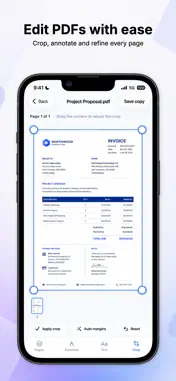
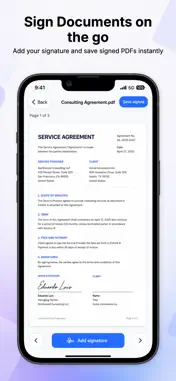
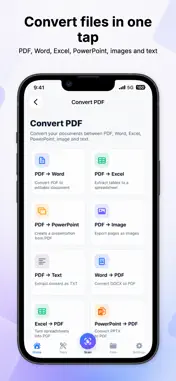
Scanner PDF: Scan & Edit is an all-in-one document scanner and PDF toolkit for iPhone. Scan documents, IDs, passports, books, receipts, notes and paperwork in seconds. Turn paper into clean PDF files, extract text with OCR, edit PDFs, sign documents, convert files and keep everything organized in one place. Main features: • Scan documents and save them as PDF • Scan IDs, passports and books • Extract text from documents with OCR • Edit PDF pages • Add text, drawings and highlights • Crop, rotate and organize pages • Sign PDF documents • Convert PDF, Word, Excel, PowerPoint, images and text files • Preview and manage your documents • Keep your files organized inside the app Scanner PDF is designed for students, professionals, freelancers and anyone who needs a fast and reliable document scanner in their pocket. Whether you need to scan a contract, sign a PDF, convert a file, save a receipt or extract text from a document, Scanner PDF gives you the tools you need in one simple app. Scanner PDF Premium unlocks all premium tools, including advanced scanning, OCR, PDF editing, PDF signing, file conversion and document management. Subscription information: • Payment will be charged to your Apple ID account at confirmation of purchase. • Subscriptions automatically renew unless canceled at least 24 hours before the end of the current period. • You can manage or cancel your subscription in your App Store account settings. • Any unused portion of a free trial, if offered, will be forfeited when you purchase a subscription. Terms of Use: https://scannerpdf-app.com/terms-of-service Privacy Policy: https://scannerpdf-app.com/privacy-policy
What's New
Version 1.0.2 2026-07-06
- You can now use the app without creating an account - Improved welcome experience - Performance improvements and bug fixes Technical Analysis
Package Overview Basic metadata
Bundle ID
com.scannerpdfapp.scanneditpdf Current Version 1.0.2
Minimum iOS 18.0
Package Size App Store Size
Package Metadata 0 / 3 version records
Detailed binary, privacy manifest, framework, and Info.plist results have not been indexed for this package yet. The verified App Store and archive metadata above remains available.
Developer Information
Known Version Records
0 version records with stored package metadata • 3 known version records
Stored metadata does not guarantee a package is currently available to download.
| Details | Version / IDs | Version date | Action |
|---|---|---|---|
| Not archived | App Store ID: 887610023 | Unknown | Request Version |
| Not archived | App Store ID: 886826397 | Unknown | Request Version |
| Not archived | App Store ID: 885813274 | Unknown | Request Version |