
Preview





Description
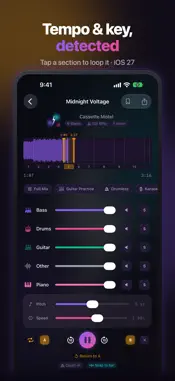
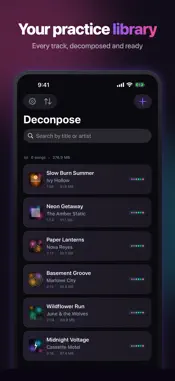
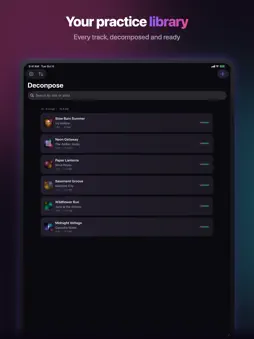
Deconpose splits any song into individual instrument tracks — vocals, drums, bass, guitar, piano — directly on your device. No uploads, no account, and the separation needs no internet. PRACTICE ANY INSTRUMENT - Mute the guitar and play along with the real band - Remove vocals for karaoke or vocal practice - Isolate drums to learn complex rhythms - One-tap presets: Guitar Practice, Drumless, Karaoke & more LEARN AT YOUR PACE - Slow down to 0.25x without changing pitch - Shift pitch up or down 12 semitones - Loop any section with draggable A-B markers - Hold a finger on the waveform to zoom in and place loop points precisely - Skip forward and back 10 seconds - Open any song with Siri or from Spotlight: "Open ‹song› in Deconpose" TEMPO, KEY AND BARS (iOS 27) - Tempo and key detected automatically after separation - Both are shown where you are in the song: when the tempo or the key changes, the display follows — and the key follows the pitch control - The metronome clicks on the song's real beats, loops snap to the bar, and the count-in lands on the one - The song's sections appear under the waveform: tap one and exactly that part loops - On iOS 26: tap the tempo yourself POWERED BY AI - State-of-the-art neural network running on your device - 6-stem separation: vocals, drums, bass, guitar, piano, and other - Keeps separating while your iPhone is locked, with progress on the Lock Screen - All processing happens on your iPhone or iPad — your music never leaves your device PRIVACY FIRST - Separation works 100% offline; the internet is only used for the optional song search and for purchases, both with Apple - No account, no sign-up, no tracking - Your music stays on your device FREE TO START - Your first song is completely free — split it and practice with no time limit - On that song: every tool included — solo, mute, slow down, pitch shift, loop - One-time purchase to split unlimited songs and export stems — no subscription WORKS WITH MUSIC YOU OWN - Import audio files from Files, share them to Deconpose from any app, or pick DRM-free downloads from your Music library - Find songs to buy in the iTunes Store (optional search) - Deconpose works with music you own as audio files. Songs streamed from Apple Music or Spotify are copy-protected and can't be imported by any app SUPPORTED FORMATS MP3, WAV, M4A, AIFF, FLAC, CAF
What's New
Version 1.1.2 2026-10-29
Separations now finish more reliably, even if you lock your device along the way. • If you locked your iPhone while “almost done…” was showing, the separation ... Technical Analysis
Package Overview Basic metadata
Bundle ID
com.deconpose.app Current Version 1.1.2
Minimum iOS 26.0
Package Size App Store Size
Package Metadata 0 / 0 version records
Detailed binary, privacy manifest, framework, and Info.plist results have not been indexed for this package yet. The verified App Store and archive metadata above remains available.
Developer Information
Known Version Records
0 version records with stored package metadata
Stored metadata does not guarantee a package is currently available to download.
| Details | Version / IDs | Version date | Action |
|---|