
Preview





Description
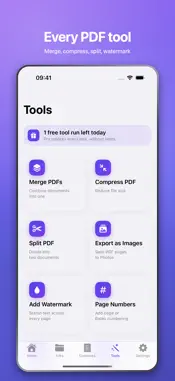
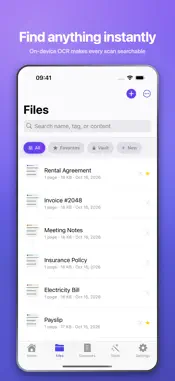
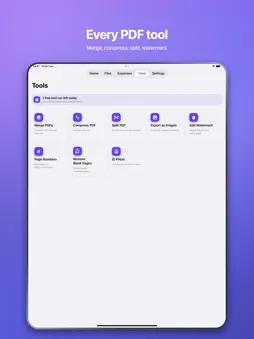
Scan. Sign. Done. DocBeam is the privacy-first PDF scanner and signature app that turns your iPhone into a pocket document studio, with razor-sharp auto edge detection and searchable OCR. NEW: Expenses. Scan a receipt or an invoice and DocBeam reads the shop, the date and the amount on your device, files it under the right month and adds it up — each currency on its own, never mixed into one misleading number. Fix anything it misread, then export the lot as a CSV your accountant can open. Your documents are processed on your device. No accounts, no ads, no tracking — ever. WHAT YOU CAN DO - Scan any paper to a crisp PDF with automatic edge detection - Sign with your finger, or type your name in an elegant script font - Choose your ink: classic black, wet-ink blue, or red - Annotate, highlight and redact — then flatten and share - Revert to the original at any time, even after signing - On-device OCR makes every scan searchable and selectable - Lock private files in a Face ID vault, or lock the whole app - Add watermarks, page numbers and Bates numbering - Merge, split and compress PDFs in seconds - Remove blank pages automatically - ID and business card mode for clean two-sided captures - Share PDFs and photos straight into DocBeam from any app - Set expiry reminders so contracts never lapse - Now on iPad, with layouts that use the bigger screen - Organise with folders, tags and favourites - Colour, greyscale or black & white scan profiles - Select several documents to share, merge or move at once - Browse your documents in the Files app - Scans name themselves using on-device intelligence - Shortcuts actions to find, fetch and summarize documents SYNC THAT STAYS PRIVATE Turn on iCloud and your documents follow you to your other devices — through your own private iCloud account. They never touch our servers, because we don't have any. DOCBEAM PRO Unlock unlimited scans, unlimited on-device AI summaries and questions, and every pro tool — yearly, monthly, or a one-time lifetime purchase. PRIVACY PROMISE Your documents belong to you. DocBeam has no servers and no sign-in: nothing is ever uploaded to us, and we never see your files. Scan. Sign. Done. ——— Privacy Policy: https://usedocbeam.com/privacy Terms of Use (EULA): https://www.apple.com/legal/internet-services/itunes/dev/stdeula/
What's New
Version 1.11 2026-10-16
Expenses, a new tab. Scan a receipt and DocBeam reads the shop, the date and the amount on your device, then groups everything by month with per-currency totals...Expenses, a new tab. Scan a receipt and DocBeam reads the shop, the date and the amount on your device, then groups everything by month with per-currency totals. Correct anything by hand and export the lot as CSV. The app also moves a little more: screens settle into place as they arrive. Technical Analysis
Package Overview Basic metadata
Bundle ID
com.docbeam.docbeam Current Version 1.11
Minimum iOS 17.0
Package Size App Store Size
Package Metadata 0 / 0 version records
Detailed binary, privacy manifest, framework, and Info.plist results have not been indexed for this package yet. The verified App Store and archive metadata above remains available.
Developer Information
Known Version Records
0 version records with stored package metadata
Stored metadata does not guarantee a package is currently available to download.
| Details | Version / IDs | Version date | Action |
|---|