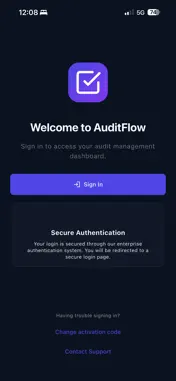
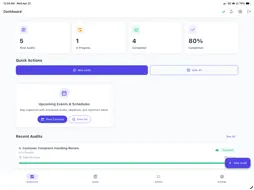
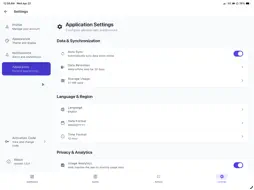
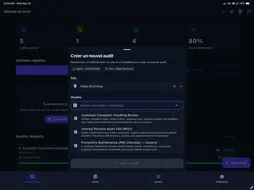
Audit smarter. Act faster. Stay compliant. AuditFlow is the professional audit management platform that helps teams run audits, track corrective actions, and generate polished reports — across sites and teams. Whether you're managing quality inspections, safety walkthroughs, HACCP checks, or regulatory compliance audits, AuditFlow replaces paper forms and spreadsheets with a powerful mobile-first solution. KEY FEATURES: - Custom Audit Templates — Build reusable templates with flexible question types: Yes/No, ratings, multiple choice, numeric, free text, photos, and more. - Mobile-First Execution — Run audits on your iPhone or iPad with auto-save, photo capture, digital signatures, and time tracking. - Corrective Actions — Create actions directly from findings, assign owners, set deadlines, and track resolution through a complete workflow. - Multi-Site Management — Schedule one-time or recurring audits across unlimited locations with calendar views and deadline notifications. - Professional Reports — Generate PDF and Excel reports with compliance scores, detailed breakdowns, and trend analysis. - Real-Time Dashboard — Monitor audit status, compliance KPIs, and risk assessments at a glance. - Role-Based Access — Control permissions with pre-defined or custom roles across your entire organization. - Multiple Languages — Full multilingual support including RTL languages. BUILT FOR YOUR INDUSTRY Manufacturing, Retail, Healthcare, Food & Beverage, Construction, Logistics, Energy, and more.
What's New
Version 1.6.2 2026-09-30
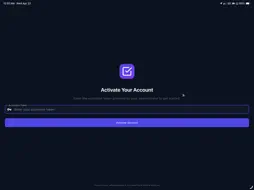
AuditFlow 1.6.2 is our biggest mobile update yet, covering everything added since the previous store release. ANNOTATE AND TAG YOUR EVIDENCE • Annotate audi...AuditFlow 1.6.2 is our biggest mobile update yet, covering everything added since the previous store release. ANNOTATE AND TAG YOUR EVIDENCE • Annotate audit and action photos with numbered rectangles and notes. Annotations are saved with the audit and appear in the PDF report. • Tag photos and files, with suggestions from tags already used in your workspace. • Photo thumbnails show how many annotations each picture carries. MORE RELIABLE OFFLINE WORK • Audits created offline now keep every template setting when they sync: matrix rows and columns, rating scales, and input limits are rebuilt from the template on the server. • Saving a draft sends only what changed. If someone else edited the audit while you were offline, the app tells you instead of overwriting their work. • Automatic offline mode on poor connections, with a visible indicator, so screens no longer hang on slow networks. • @mentions in action comments, even offline. They sync and notify when you reconnect. 18 NEW QUESTION TYPES • Drawing, address, ranking, matrix grid, and repeating table. • Date range, time, date and time range, duration, currency, percentage, email, phone, URL, barcode and QR scan, calculated value, GPS location and Yes/No/N/A. • Department and job title selectors. SCORING, CALENDAR AND WORKSPACES • Scoring rules per template: pass mark, section weights, letter grades and critical questions, computed on the phone even offline. • Unified calendar: schedules, events, audits and action due dates in one view, with a filter by type. • Switch between the instances you belong to from Settings (Enterprise). Unsynced work is checked first. • Choose your data region when activating a new device, including the UAE. ALSO NEW • Dashboard refreshes right after you complete an action or save an audit. • Completed actions show their completion date. • Notifications open straight to the action they mention. • Audits can capture the GPS location automatically, and location answers are shown as a map card. • AI Insights cite the regulations and procedures they are based on. • Sign-in page in your language: English, French, Spanish, Arabic, and German. • Pull to refresh on action details. FIXES • Steady photo size while annotating, and the keyboard stays closed until you tap the note field. • Comment box no longer grows while typing. Tag editor is reachable on small phones. • No more gray screen when moving to the next page of an audit, and the back button no longer saves unwanted edits. • Rating, matrix, and repeating table settings are kept when audits sync. • Ranking questions render and reorder correctly. Signature and drawing strokes appear instantly. • Long text wraps correctly. Comments no longer hide behind the keyboard. • Reviewed audits open without an access error, and dashboard counts match the audit list. • Custom workflow states no longer lock new audits. • Dark mode fixes in the file upload control and settings.
Technical Analysis
Package Overview Basic metadata
Bundle IDcom.arcus.auditflow
Current Version1.6.2
Minimum iOS15.6
Package SizeApp Store Size
Package Metadata0 / 2 version records
Detailed binary, privacy manifest, framework, and Info.plist results have not been indexed for this package yet. The verified App Store and archive metadata above remains available.