Preview




Description
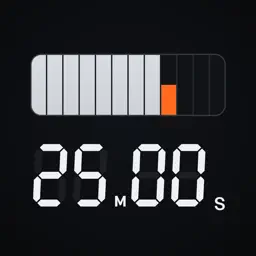
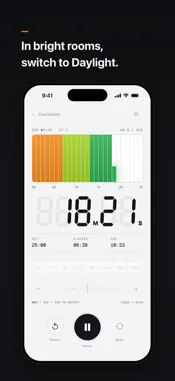
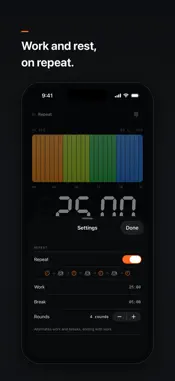
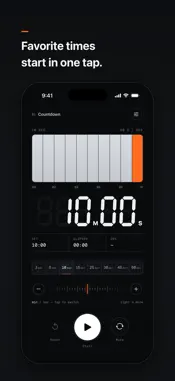
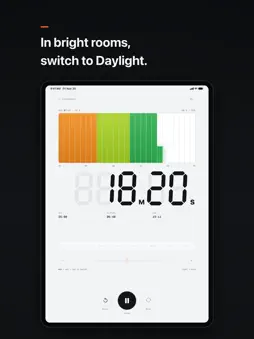
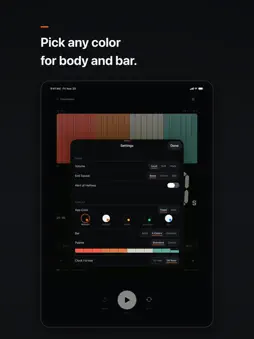
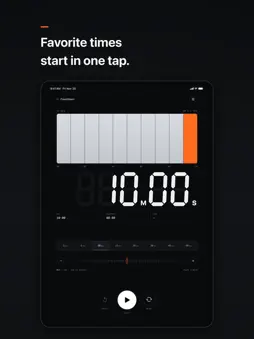
Visual Timer is a timer that shows the time left as the length of a bar. The bar shrinks from the right, and with the big numbers beneath it, you can tell how much time is left without reading a clock. Use it for studying, meetings, cooking, getting the kids ready, or any time everyone in the room needs to see how many minutes are left. ■ Clear at a glance ・The time left is a bar made of a single row of ticks. As time passes, it shrinks from the right. ・Big numbers under the bar show the time left. You can read them from across the room. ・It looks the same on iPhone and iPad, and works in landscape too. ■ Made for iPhone Duo ・The numbers and the bar are drawn large in every position: open, closed and landscape. ・Turn the closed screen sideways and the mode name, settings and controls sit together in the column beside the Dynamic Island, with a thicker bar. ・Fold it in half and stand it up: the time is on top, the controls below. ・Stand it like a tent and the numbers get even bigger, with dedicated buttons to run the timer. ■ Four modes ・Countdown: counts down from the time you set, up to 199 minutes 59 seconds. ・Count Up: counts the time that has passed. ・Clock: shows the current time in big numbers, in 12-hour or 24-hour format. ・Repeat: alternates work and break. Set the number of rounds and the length of each. Turn it on or off in Settings. ■ Your usual times in one tap ・Eight times are ready to go: 3, 5, 10, 15, 25, 30, 45 and 60 minutes. ・Change any of the eight to whatever time you like. ■ Visible even when the app is closed ・The Lock Screen and the Dynamic Island show the same bar and time left as the app. ・Pause, resume and reset right from the Lock Screen. ・Put a small widget on your Home Screen. ・Add "Start/Pause" and "Reset" buttons to Control Center. ■ Sound and alerts ・Choose from three end sounds: Beep, Chime and Bell. Each one plays when you pick it, so you can hear it first. ・Set the volume to Loud, Soft or Mute. ・Turn on "Alert at Halfway" to get an alert when half the time has passed. ・Turn on "Keep Screen On While Running" so the screen stays on while the timer runs. ■ One-time purchase, every feature Pay once and use it for good. No extra charges. Supports Family Sharing. ・Alarm that sounds in Silent mode: even when your iPhone is in Silent mode, the same alarm as the Clock app sounds when time is up (iOS 26 or later). ・App Color: besides Midnight, choose Daylight, Amber, Evergreen or Sky. It can also switch automatically between a light and a dark color (the dark color is used from sunset to sunrise, or when iPhone is in Dark Mode). ・Bar color: besides Solid, use a 4 Colors bar (two palettes, Standard and Classic) or a Gradient between two colors you pick. ・Widgets: medium, large and extra large widgets, plus Lock Screen widgets. ・Control Center: pick a time you use often and add a button that starts the timer with that time. If you installed the app when it was free, the same features are in “Visual Timer Pro” inside the app. ■ Available in 16 languages Japanese, English, German, Spanish, French, Italian, Korean, Malay, Portuguese (Brazil), Thai, Ukrainian, Indonesian, Vietnamese, Turkish, and Chinese (Simplified and Traditional). ■ Private and simple ・No account needed. Just open it and start. ・No ads. ・It doesn't collect your information or send it anywhere. Requires iOS 17 or later. Control Center buttons require iOS 18 or later, and the alarm that sounds in Silent mode requires iOS 26 or later. Developed by arcion Inc.
What's New
Version 1.3 2026-11-23
・With Repeat, the Dynamic Island and the Lock Screen now show the time left in the current round. ・The app is a paid app again, with a one-time purchase. If you...・With Repeat, the Dynamic Island and the Lock Screen now show the time left in the current round. ・The app is a paid app again, with a one-time purchase. If you installed it before, nothing changes for you. Technical Analysis
Package Overview Basic metadata
Bundle ID
jp.arcion.bartimer2 Current Version 1.3
Minimum iOS 17.0
Package Size App Store Size
Package Metadata 0 / 0 version records
Detailed binary, privacy manifest, framework, and Info.plist results have not been indexed for this package yet. The verified App Store and archive metadata above remains available.
Developer Information
Known Version Records
0 version records with stored package metadata
Stored metadata does not guarantee a package is currently available to download.
| Details | Version / IDs | Version date | Action |
|---|